English
English
Appearance

If something isn't working as expected, or you have a question that isn't covered in this guide or the FAQ, open a ticket from inside WallaWhats. Tickets are read by a human and replied to via email; you can also see the full thread on the Support page.
From the sidebar, click Support (under Support).
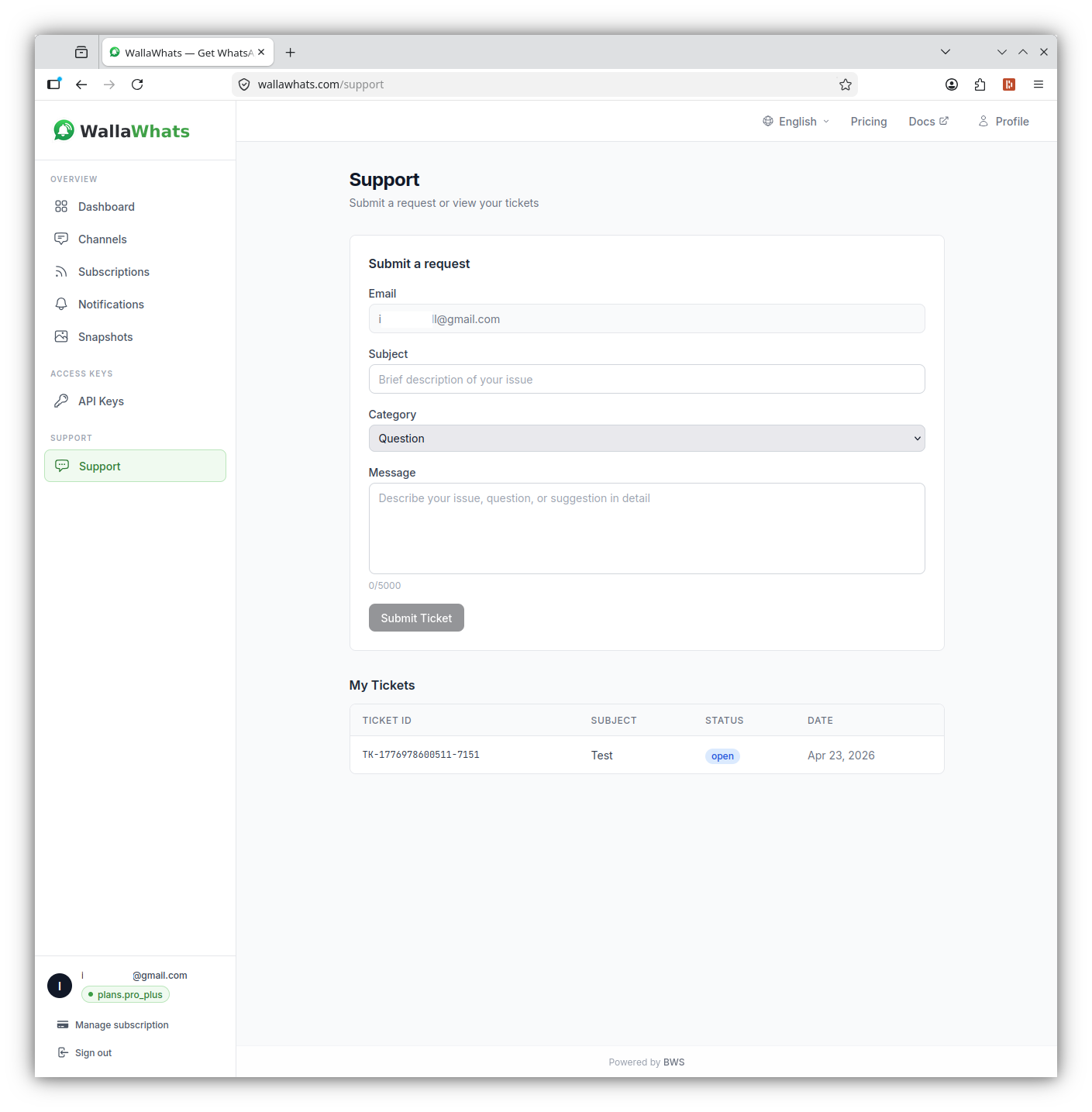
The form has four fields:
Click Submit Ticket. You'll see the new ticket appear in My Tickets below with status open.
Replies are sent to your account email. Reply directly to that email — your response is captured back into the ticket thread automatically. You can also revisit the Support page at any time to see the full ticket history.
We aim to respond to all tickets within one business day. Priority-support plans (Business and Enterprise) get same-day attention during business hours.
If your question is more general, the FAQ covers the common ones in one place. For advanced/programmatic use, see API access.