X App Notifications vs WhatsApp Alerts: Which Fits Your Workflow?
Turning on post notifications in the X app works for a few accounts. Here is when a dedicated WhatsApp alert layer adds value, and how to run both side by side.
 by Nacho Coll
Nacho founded WallaWhats so you get the alerts that matter without depending on X's algorithm to surface them — pick the accounts you care about and get a WhatsApp for every post the moment it goes live, in order, nothing throttled or buried.
If you want to know the moment a specific account posts on X, the first thing to try is the obvious one: open the account, turn on post notifications, and let the X app ping you. For a handful of accounts, that is often all you need, and you should not add another tool just for the sake of it.
But the question comes up constantly from journalists, traders, founders and developers: is the in-app route enough, or is a separate alert channel worth setting up? The honest answer depends on how many accounts you follow, where you actually spend your day, and what you need to do after an alert lands.
This article walks through both approaches side by side. WallaWhats works alongside the X app, not instead of it, so the goal here is to help you decide which pieces of your workflow belong where.
What in-app post notifications do well
Let’s give the built-in option its due. Enabling notifications for an account inside the X app has real strengths:
- Zero setup beyond a tap. You are already signed in, and you already follow the account.
- Native context. Tapping the notification opens the post in the app where you can reply, quote, like, or read the thread.
- No extra accounts. Nothing new to verify, nothing new to pay for.
- Fits casual use. If you follow a few favorite writers and only care when they post, it is simple and sufficient.
If that describes your situation, stop here. Nobody needs a second system to follow two or three accounts they check daily.
Where people start to feel friction
The friction is rarely about the feature itself. It shows up in how people actually work:
1. The X app is not where you live. Plenty of professionals keep X closed on purpose, because opening it means a feed full of other things. A notification that depends on the app being installed, signed in, and allowed to interrupt you is only as good as your habits around that app.
2. Alerts share a stream with everything else. When post notifications sit next to likes, follows, replies and recommendations, a time-sensitive post from a source you care about is easy to miss in the noise.
3. Team and shared-device realities. A desk analyst, a comms lead on a shared workstation, or someone who deliberately keeps social apps off their phone may not want a social app signed in at all.
4. No record of what reached you. If you want to know later whether an alert was actually sent to you, and when, an in-app notification does not give you a history you can review.
None of this means the in-app option is bad. It means it is built for casual, in-feed use rather than for a dedicated “tell me when this source posts” job.
What a dedicated alert channel adds
WallaWhats is a real-time X to WhatsApp alert service. You subscribe to public X accounts from a dashboard, and when one of them posts, you receive a WhatsApp message within seconds of the post becoming publicly visible on X. Email works as a second channel on every plan.
Here is what that changes in practice.
An app you already check
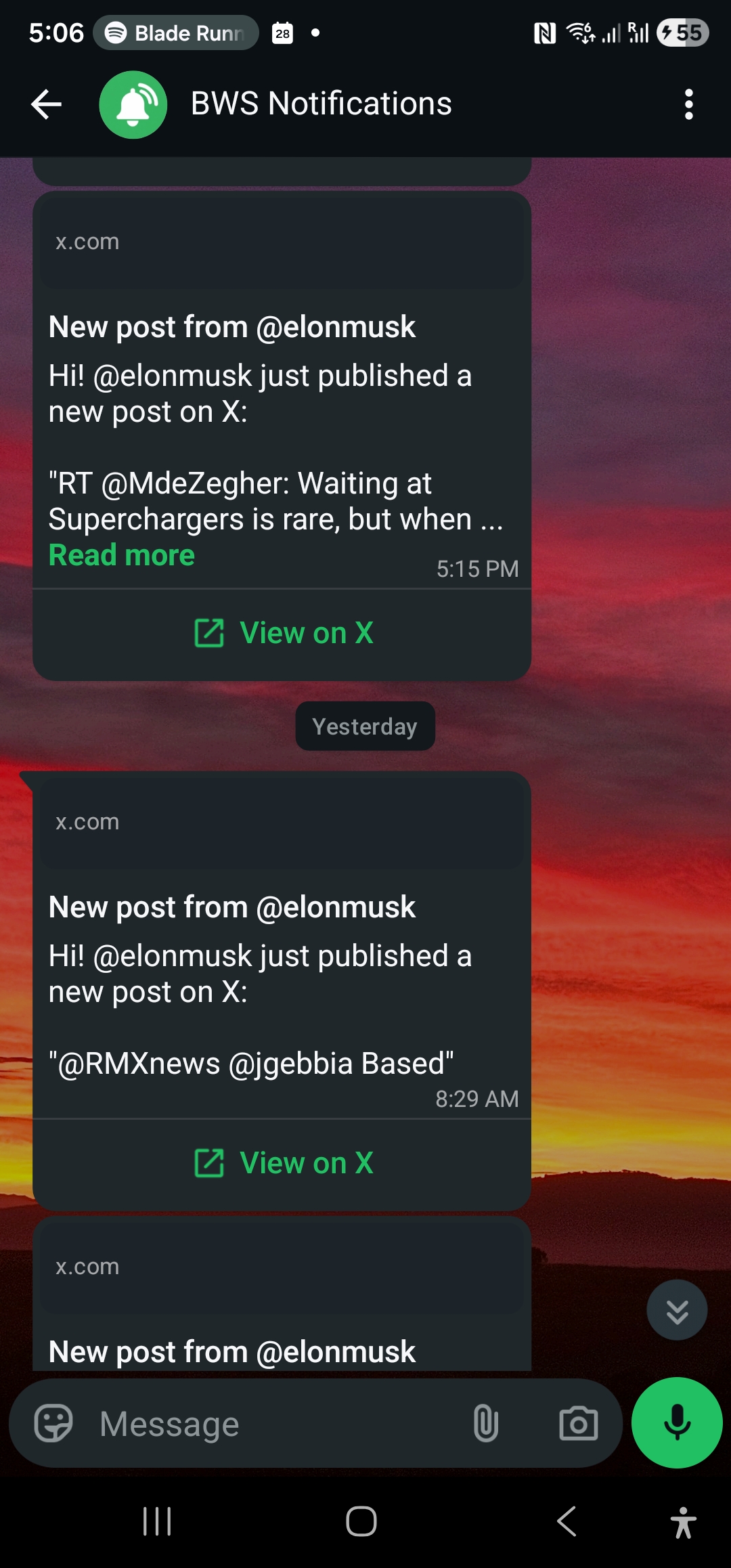
WhatsApp is, for a large share of people, the one messaging app that is always on and always checked. Putting the alert there means it arrives in a place you already look, with the post snippet, the account handle, and a View on X button that takes you straight to the original post.
A separate lane from social noise
An alert channel does exactly one thing: tell you a monitored account posted. No likes, no follow suggestions, no trending topics. That separation is the whole value for people who need signal but want to keep the feed itself at arm’s length.
Email as a second channel
Add an email destination and every alert fans out to it as well. The email version includes a rendered image of the post (a tweet snapshot), and the same snapshots are kept in a searchable gallery on your dashboard for 30 days. WhatsApp alerts do not carry the image inline; the snapshot lives in the email and the gallery.
One detail worth being precise about: channels are toggled globally, not per account. Every alert from every subscription goes to all of your enabled and verified channels. There is no way to say “this account goes to WhatsApp only and that one to email only”, so plan your setup around that.
Velocity caps for busy accounts
Some accounts post ten times in an hour during an event. A dedicated alert channel needs a story for that, or your phone becomes unusable. WallaWhats applies a per-user velocity cap on a rolling 60-minute window. Once you pass it, extra posts are buffered and sent as a digest, one message per monitored account, rather than as a flood of individual pings. Digests are flushed every 15 minutes. If you want the full picture of how this works, read how velocity caps stop alert storms.
Delivery history
Every alert is logged per channel with a status: queued, sent, delivered, read or failed. “Read” only appears for WhatsApp, and only when the recipient has read receipts turned on, so treat it as a bonus signal and not a guarantee. The point is that you can look back and see what was sent and how it landed. We cover this in depth in notification history and delivery status.
An API when you want to script
API access is on every plan, Free included. If you would rather manage subscriptions from a script than click through a dashboard, that is possible with an x-api-key header, covered below and in the X alerts API guide.
Side-by-side comparison
| X app notifications | WallaWhats alerts | |
|---|---|---|
| Setup | One tap per account | Add a handle, verify a WhatsApp number or email once |
| Where it arrives | Inside the X app’s notification flow | WhatsApp, plus email |
| Needs the X app installed and signed in | Yes | No |
| Shares a stream with likes, follows, replies | Yes | No, alerts only |
| Handling bursts | Each post can notify | Velocity cap with 15-minute digests |
| Delivery record | No review history | Per-channel status history |
| Programmatic control | No | REST API on every plan |
| Reply, like, quote from the alert | Native in the app | Tap through via View on X |
| Cost | Included with X | Free tier available, paid plans from $5/month |
Notice the last two real differences. If you want to act on a post immediately, the X app is where you reply. The WhatsApp alert gets you to the post fast; it does not replace the app for engagement.
Plan limits, honestly
A fair comparison has to include what you can and cannot do on each plan. These numbers come straight from the current plan ladder:
| Plan | Price | Alerts per month | X accounts | WhatsApp numbers | Alerts per hour before digest |
|---|---|---|---|---|---|
| Free | $0 | 3 | 2 | 1 | 2 |
| Pro | $5 | 50 | 3 | 1 | 5 |
| Pro+ | $12 | 250 | 10 | 1 | 15 |
| Business | $29 | 1,000 | 20 | 3 | 30 |
| Enterprise | $99 | 3,000 | 50 | 10 | 100 |
The Free plan is a real trial, but it is small: three alerts a month will not carry a daily workflow. It is enough to confirm that the alert looks the way you want and that it lands where you expect. Anyone tracking accounts that post frequently should look at the monthly alert allowance before choosing a tier, because a prolific account can use up a small allowance quickly.
That is also the honest case for keeping the X app in your toolkit: for a very active account that you only care about occasionally, in-app notifications have no monthly cap to think about.
Who benefits most from a dedicated channel
Based on how people use it, the strongest fits are:
- Journalists and editors following beat sources and official accounts who want the news in a messaging app, not in a feed. See real-time X monitoring for journalists.
- Traders and crypto watchers following public project and market accounts, where the gap between a post and your reaction matters. See tracking crypto accounts on X.
- Founders and comms teams who want to hear about public announcements from competitors, partners and their own brand without living on social media. See monitoring competitors on X.
- Developers following release and status accounts for the tools they depend on.
In each case the common thread is the same: public accounts, an opt-in subscriber, and a need to hear about a post quickly without opening a feed.
What it is not for: following private people, building profiles of individuals, or anything that sounds like surveillance. WallaWhats works only with public posts, you choose what to follow, and every WhatsApp number and email must be verified by its owner with a one-time code before an alert can land there. Protected accounts cannot be subscribed to.
Setting it up in a few minutes
- Create an account. Sign-in is passwordless: you get a 6-digit code on WhatsApp or by email. There is no password to manage.
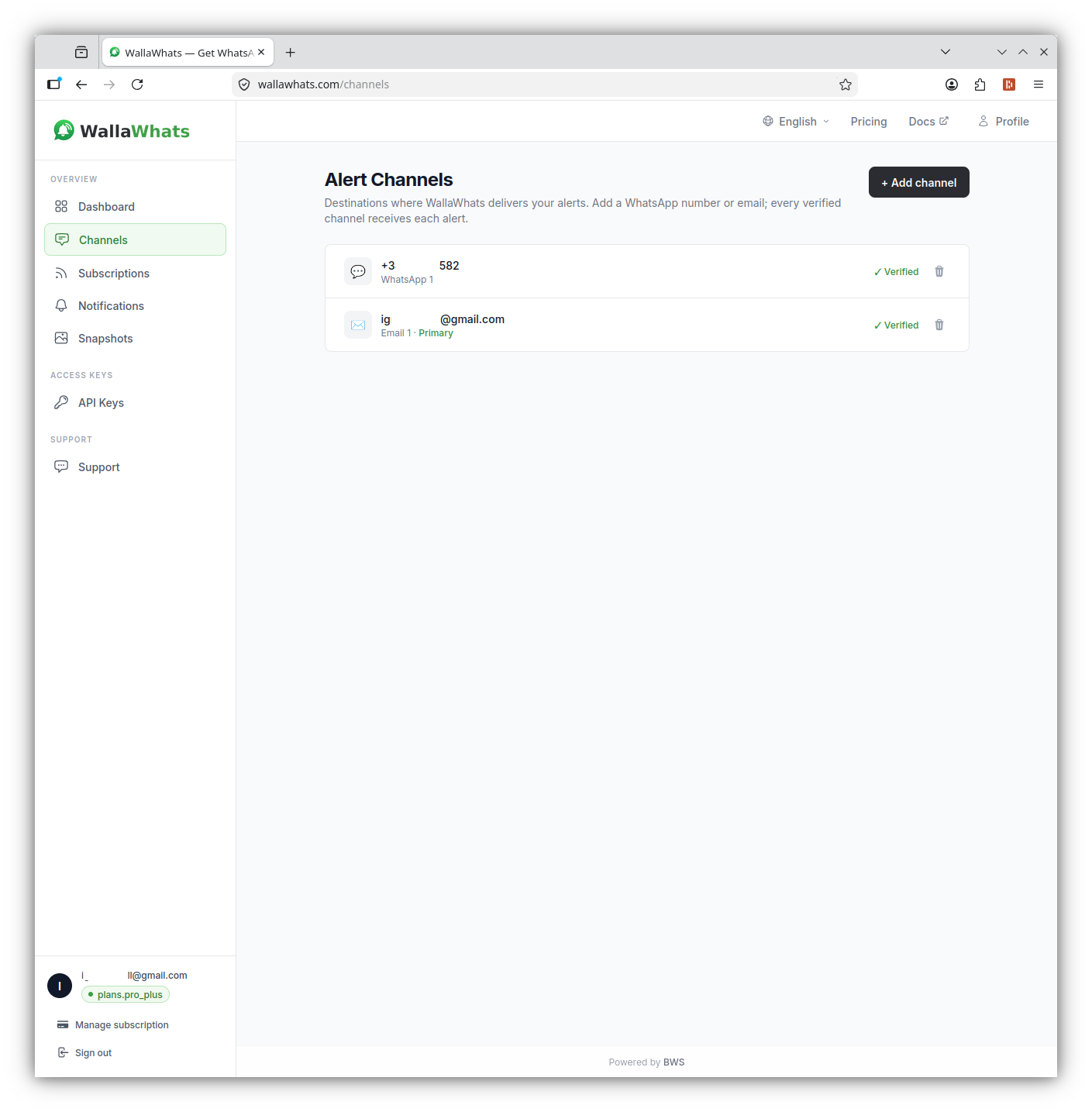
- Verify a channel. Add your WhatsApp number (and optionally an email) on the Channels page and confirm it with its own one-time code.
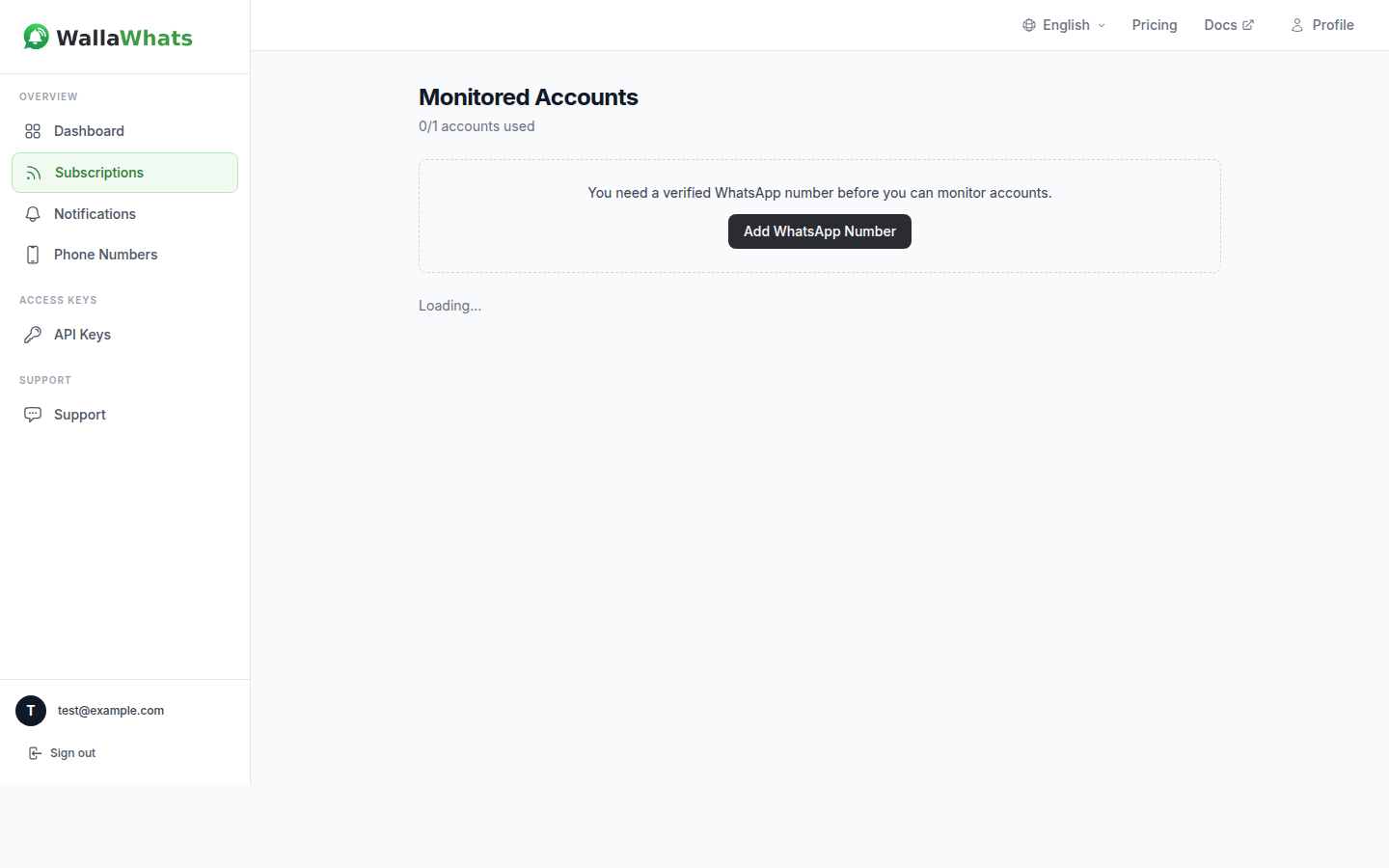
- Subscribe to a handle. Enter the X username without the @ sign. That is it.
- Wait for the next post. When the account posts publicly, you get the alert on WhatsApp within seconds, as long as the post is visible on X and delivery is available.
The getting started guide and the guide to receiving alerts walk through each screen.
The same thing from the API
If you prefer a script, subscribing to an account is a single request:
curl -X POST https://api.wallawhats.com/subscriptions \
  -H "x-api-key: <key>" \
  -H "Content-Type: application/json" \
  -d '{"xUsername": "nytimes"}'
List your current subscriptions:
curl https://api.wallawhats.com/subscriptions \
  -H "x-api-key: <key>"
Review what has been sent to you in a time range (timestamps in milliseconds):
curl "https://api.wallawhats.com/notifications?from=1761955200000&to=1762041600000" \
  -H "x-api-key: <key>"
The notifications response is paginated, so follow the lastKey cursor when there is more to fetch. Filtering by status is done on your side after you receive the rows. And to stop following an account, pass the handle in the path:
curl -X DELETE https://api.wallawhats.com/subscriptions/nytimes \
  -H "x-api-key: <key>"
The full reference is in the API documentation, and API access explains how to create a key.
Running both together
You do not have to choose. A pattern that works well for many people:
- Keep the X app for engagement. Reply, quote, read threads, browse. That is what it is best at.
- Use WallaWhats for the accounts that must not slip past you. Subscribe to the short list of public sources where timing matters.
- Use in-app notifications for the long tail. Accounts you only mildly care about can stay as native notifications, without using up any alert allowance.
- Add email as a quiet backup. If a phone is off or WhatsApp is not an option for a moment, the email copy, including the post image, is waiting.
Because WhatsApp and email both receive every alert, think of the second channel as redundancy rather than routing. If that is more than you want, simply leave the second channel disabled on the Channels page.
A realistic expectation of speed
Alerts are described as near real-time for a reason. WallaWhats receives posts from the public X API and forwards them to you, so delivery depends on when the post becomes publicly visible, on X’s own service, and on WhatsApp’s delivery to your phone. Think “within seconds, when available,” not “instant, every time”. Posts from protected accounts, posts deleted while in flight, and brief outages are real edge cases, so for anything where a miss would be costly, keep a second way of checking the source.
If you are curious how this compares on cost with going straight to the X API yourself, see the X API cost comparison.
How to decide
Use this quick test:
- Following fewer than five accounts, and happy in the X app? Keep using in-app notifications. You do not need anything else.
- Following a short list of sources where timing matters, and you do not want to live on X? A dedicated WhatsApp alert is a better fit than relying on app habits.
- Need a record of what was sent, a second channel, or scripted control? That is what the dedicated option is built for.
- Following a few extremely prolific accounts? Check the monthly allowance and the velocity cap for your tier first, and consider leaving those on in-app notifications.
The real question is not which tool is better in general. It is which job each one should do for you. For most people who care about speed, the answer is both: the X app for engaging with posts, and an alert channel for being told about them.
Never miss an important post again. Create a free account — 1 WhatsApp number, real-time alerts, no credit card required.
About the author
Nacho Coll
Founder & Engineer at WallaWhats
Nacho founded WallaWhats so you get the alerts that matter without depending on X's algorithm to surface them — pick the accounts you care about and get a WhatsApp for every post the moment it goes live, in order, nothing throttled or buried. Writes about real-time notification systems, social-signal monitoring, and serverless delivery pipelines from the operator side of the wire.