RSS to WhatsApp for X Accounts: When a Feed Reader Isn’t Fast Enough
Piping X accounts into RSS and then WhatsApp adds bridges, polling delays and upkeep. See how it compares to a purpose-built alert service that delivers in seconds.
 by Nacho Coll
Nacho founded WallaWhats so you get the alerts that matter without depending on X's algorithm to surface them — pick the accounts you care about and get a WhatsApp for every post the moment it goes live, in order, nothing throttled or buried.
RSS is one of the most durable ideas on the internet. You pick the sources you care about, a reader checks them for you, and new items show up in one place. So when someone wants to follow a handful of X accounts without living in the X app, “turn them into feeds” is a natural first thought. And when they then want those items on their phone, “send the feed to WhatsApp” is the natural second.
It is a reasonable plan. It is also a plan with several moving parts, and the parts matter most when the reason you are following an account is that timing matters. This article walks through what an RSS-to-WhatsApp chain for X accounts actually involves, where the delays and failure points hide, and how it compares to a purpose-built alert service like WallaWhats. We will also say plainly when RSS is still the better tool.
Why people reach for RSS in the first place
The appeal is easy to understand:
- You choose the sources. No algorithm decides what you see. A feed contains the accounts you picked and nothing else.
- It is a familiar, open format. Dozens of readers, scripts and automation tools speak it.
- It is cheap or free to start. A feed reader and a bit of time cost very little.
- It feels future-proof. Open formats do not depend on one company’s app.
Those are genuine strengths, and for a lot of reading, RSS is wonderful. Blogs, newsletters, podcasts, release notes and news sites were built around feeds and publish them natively.
X accounts are a different story. As a general matter, X is not a platform that publishes a feed for every account for you to subscribe to. Anyone who wants an X account as a feed ends up relying on some kind of bridge: a self-hosted tool, a third-party converter, or an automation platform that exposes a feed. Those bridges depend on how the platform they read from allows access, and that access has changed more than once over the years. We are not going to name or rate individual bridges here, because their availability shifts and we would rather not give you a recommendation that is out of date by the time you read it. The point is structural: the first link in the chain is something you do not control.
The RSS-to-WhatsApp chain, link by link
To get an X account’s posts into WhatsApp through RSS, you are typically assembling something like this:
- A feed source for the account, produced by a bridge or converter.
- A reader or poller that checks that feed on a schedule and notices new items.
- A rule that turns a new item into a message: text, link, maybe the author.
- A WhatsApp sender that delivers the message to your number.
Each link has its own account, its own settings and its own way of failing. Let’s take them in turn.
Link 1: the feed source
If the bridge you use stops working, the feed goes quiet. A quiet feed looks exactly like an account that has simply not posted. That is the most important property of this whole setup to understand: a broken RSS chain and a slow news day look identical. Nothing arrives either way.
You can reduce the risk by checking the feed by hand now and then, but a check you have to remember to do is not a safety net.
Link 2: the polling interval
RSS is a pull system. The reader asks “anything new?” at some interval, and only then discovers a new item. Depending on the reader or automation tool and on the plan you are on, that interval is commonly measured in minutes rather than seconds. Some tools check every few minutes; some free tiers check far less often.
That is perfectly acceptable if the content is an article you will read tonight. It is a poor match if the content is a post you want to see while it is still news. If an account posts at 9:00:00 and your poller checks at 9:00:05 you are lucky; if it checks at 8:59:55 you wait a whole interval. On average you wait about half the interval, and in the worst case, the whole thing.
There is a second layer too. The bridge in link 1 may itself cache its output for a period to avoid hammering the source. Cache time and polling time add up.
Link 3: the message rule
Turning a feed item into a WhatsApp message sounds trivial and mostly is. But decisions pile up: do you include the full post text or a truncated version? Do you keep the link back to the original post on x.com? What happens to replies and reposts, which some bridges include and some drop? What happens to a post with an image or a long thread?
None of these questions is hard. You just have to answer each of them, once per setup, and revisit them when a bridge changes its output format.
Link 4: the WhatsApp sender
Sending to WhatsApp is the part people consistently underestimate. Outbound messages from software typically go through the official WhatsApp Business route, which involves a business account, a registered sender and approved message templates. Alternatives like bridging a personal number can conflict with WhatsApp’s terms and tend to be fragile. We covered the difference in WhatsApp Business vs. a personal number.
So even before the first alert arrives, you have already set up a feed bridge, a poller and a messaging account. If you have gone down the general automation path instead, our piece on the IFTTT and Zapier alternative for X alerts covers many of the same trade-offs.
Silent failure is the real cost
Delay is the obvious downside. The less obvious one is that the chain tells you nothing when it breaks.
Consider the ways it can go wrong:
- The bridge stops producing a feed for an account.
- The reader hits a rate limit and quietly pauses.
- The automation platform runs out of its monthly task allowance and stops running your rule.
- The WhatsApp sender’s template is rejected, or the account hits a messaging limit.
- A change in the feed’s format makes your message rule produce empty messages.
In every one of those cases the symptom is the same: no message. You find out when someone asks “did you see what they posted?” and you did not.
A purpose-built service cannot make failures impossible, but it can keep a record of what happened. In WallaWhats, every alert is stored in notification history with a status for each channel: queued, sent, delivered, read or failed. “Read” only appears for WhatsApp, and only when the recipient has read receipts turned on, so treat it as a bonus rather than a guarantee. The useful part is the other statuses. When something goes wrong, you can see it, rather than inferring it from silence. We go deeper on this in notification history and delivery status.
Bursts: what happens when an account gets busy
Accounts do not post at an even rate. A company posts once a week, then fifteen times in an hour during a launch. A newsroom account is quiet, then not.
In an RSS-to-WhatsApp chain, you generally get what the chain gives you. Either each item becomes its own message and your phone fills up, or you build your own batching on top, which is yet another component to maintain.
WallaWhats handles this with velocity caps. Each plan has a per-user limit on alerts per rolling 60-minute window: 2 on Free, 5 on Pro, 15 on Pro+, 30 on Business and 100 on Enterprise. When the cap is exceeded, additional posts are buffered and sent as a digest, flushed every 15 minutes, with one digest message per account. The digest then goes to all your enabled channels, as normal alerts do. The full explanation is in velocity caps and alert storms.
That is a design choice, and you may or may not like it. If you want every single post as its own message no matter how many there are, you will want to think about which plan fits. But it is a deliberate, documented behavior rather than something you discover during a launch.
Side by side
Here is how the two approaches compare on the points that tend to matter most.
| RSS bridge + poller + WhatsApp sender | WallaWhats | |
|---|---|---|
| Setup | Feed source, reader or automation, messaging account | Sign up, verify a destination, add an X handle |
| How new posts are noticed | Polling on an interval you configure or your tool imposes | Alerts typically arrive within seconds of a post being publicly visible on X |
| WhatsApp sending | You arrange the sender and templates | Included |
| Behavior in a burst | Whatever your chain does, or your own batching | Per-plan velocity cap, then a digest every 15 minutes |
| Visibility when something fails | Often silent | Per-alert status in notification history |
| Ongoing upkeep | Bridges, pollers and senders each need attention | One service |
| Other sources (blogs, news, podcasts) | Excellent | Not what it is for |
A word on the timing row: we say “typically within seconds” on purpose. Delivery depends on the post being publicly visible on X, on X’s own systems and on WhatsApp’s delivery, and we do not promise any specific latency or that every post from every account is captured. What we can say is that the design is push-based rather than interval-polled, which removes a whole layer of waiting.
What the purpose-built route looks like
Setting up WallaWhats takes a few minutes:
- Sign up. Authentication is passwordless: you get a six-digit one-time code by WhatsApp or email. There is no password to manage.
- Verify a destination. Every WhatsApp number and email address verifies itself with its own one-time code before any alert can land there. That also means alerts only go to destinations whose owner has confirmed them.
- Subscribe to X accounts. Add the handle of a public account. Protected accounts cannot be subscribed.
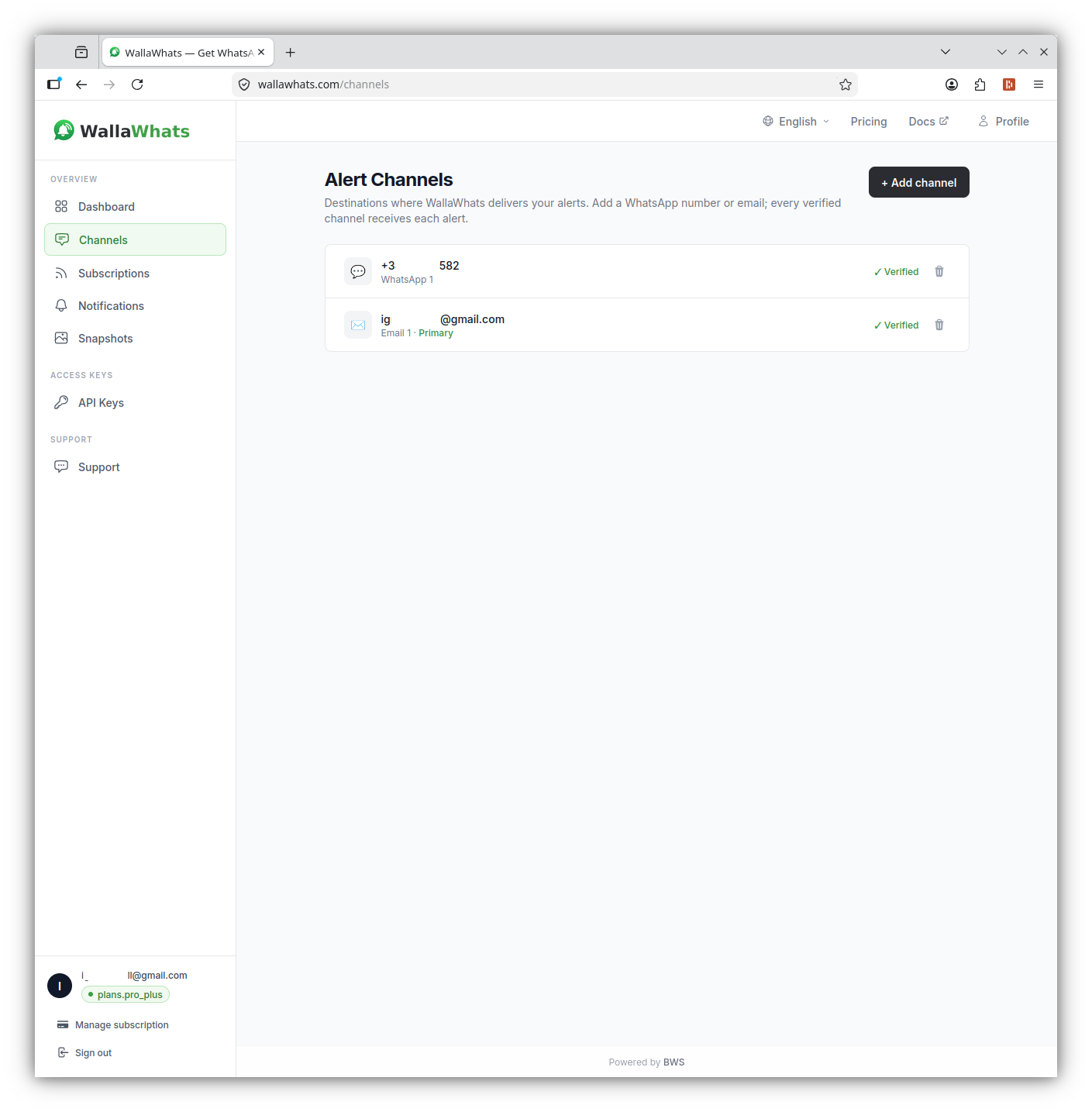
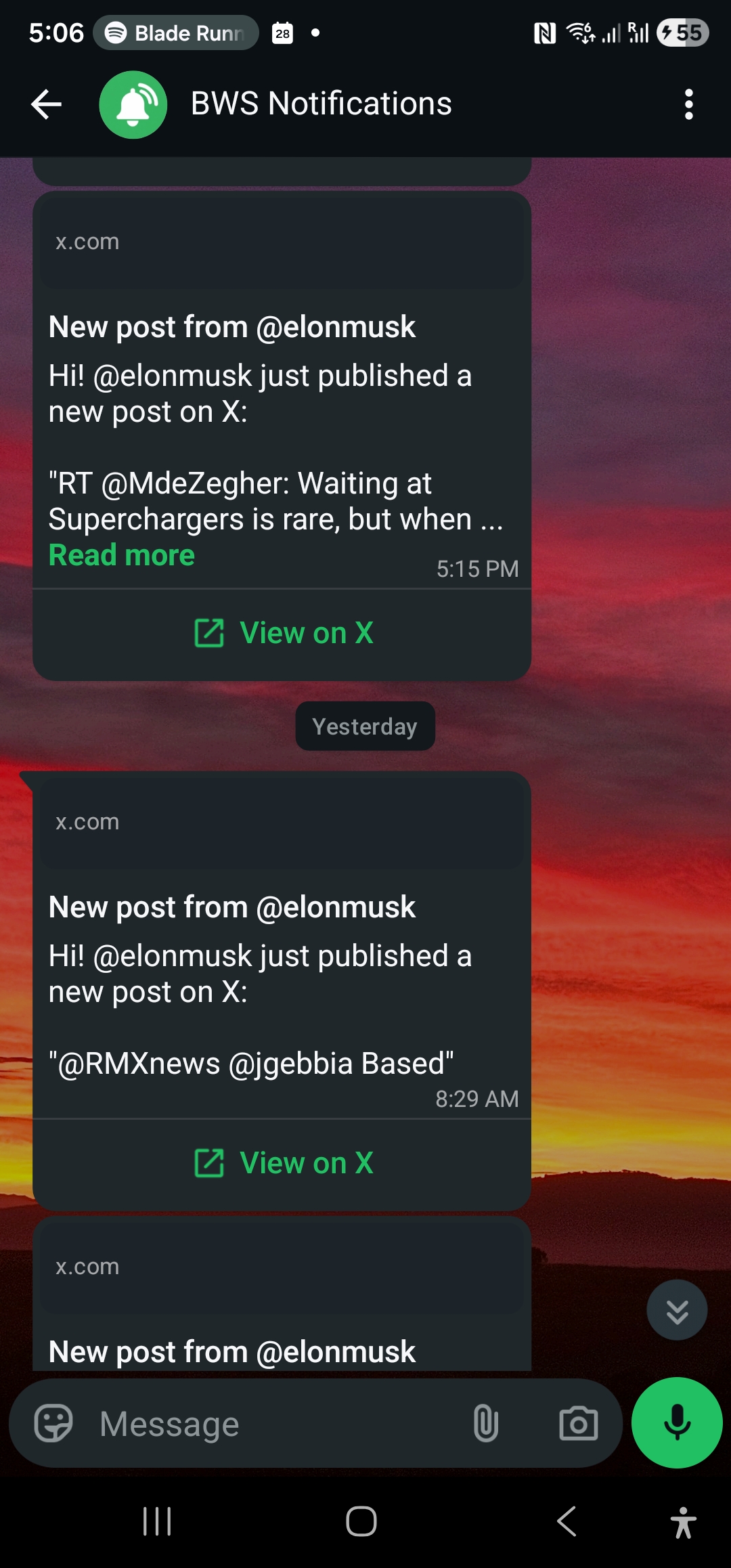
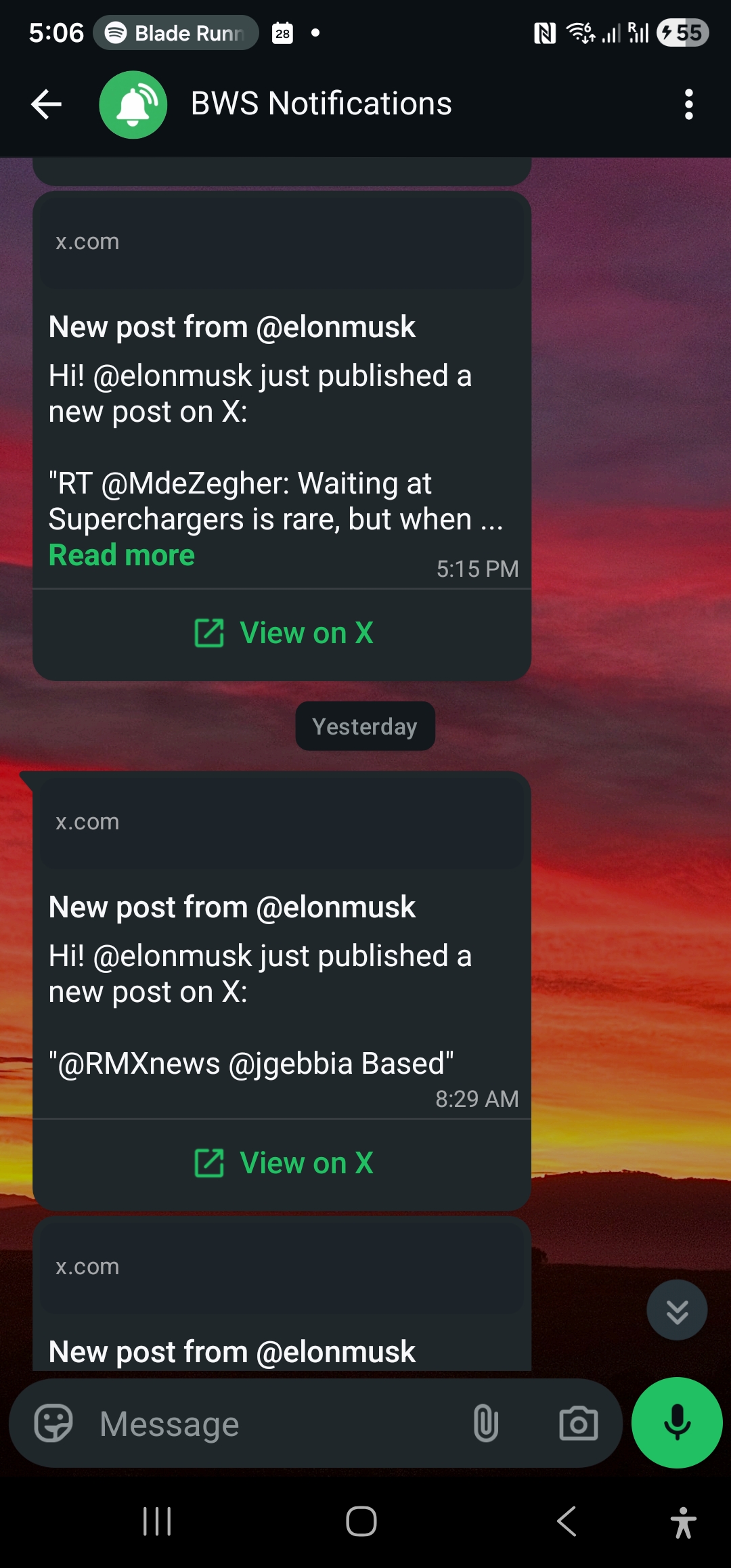
- Receive alerts. When a subscribed account posts, you get a WhatsApp message with the account, the post text passed through as written, and a View on X button linking back to the original post. Email is available too, and email alerts include a rendered image of the post.
Channels are switched on or off globally on the Channels page. There is no per-subscription routing: every alert from every subscription goes to all of your enabled, verified channels. If you want WhatsApp only, turn email off; if you want both, leave both on.
Plans scale by volume:
| Plan | Price | Alerts / month | X accounts | WhatsApp numbers | Alerts / hour cap |
|---|---|---|---|---|---|
| Free | $0 | 3 | 2 | 1 | 2 |
| Pro | $5 | 50 | 3 | 1 | 5 |
| Pro+ | $12 | 250 | 10 | 1 | 15 |
| Business | $29 | 1,000 | 20 | 3 | 30 |
| Enterprise | $99 | 3,000 | 50 | 10 | 100 |
If you are unsure where you land, how many X alerts do you actually need walks through estimating monthly volume from posting rates.
WallaWhats works alongside the X app, not instead of it. It is a third-party service and is not affiliated with or endorsed by X. You still read, reply and post in X; WallaWhats just makes sure you hear about new posts from the accounts you chose.
If you like feeds, you can still script it
Some people choose RSS because they want control. If that is you, the REST API is available on every plan, including Free. You authenticate with an x-api-key header and manage subscriptions programmatically. For example, to subscribe to an account:
curl -X POST https://api.wallawhats.com/subscriptions \
  -H "x-api-key: <key>" \
  -H "Content-Type: application/json" \
  -d '{"xUsername": "nasa"}'
To see what you are subscribed to:
curl https://api.wallawhats.com/subscriptions \
  -H "x-api-key: <key>"
And to pull recent delivery history within a time window (timestamps in milliseconds):
curl "https://api.wallawhats.com/notifications?from=1760000000000&to=1760086400000" \
  -H "x-api-key: <key>"
The notifications endpoint returns one row per post and channel, and it is paginated with a lastKey cursor. There is no server-side status filter, so if you want only failures, you filter the response yourself. Removing an account is DELETE /subscriptions/nasa, where the path parameter is the handle itself.
This gives you something like the control a feed workflow offers: your own scripts and your own checks, but with the alert delivery handled for you. Our API overview covers it in more depth, and the Python tutorial shows a full example.
When RSS is still the right tool
We would be doing you a disservice if we pretended alerts replace feeds. Stick with RSS when:
- The source publishes a real feed. Blogs, newsrooms, podcasts, changelogs and government notices often do. A native feed is stable and needs no bridge.
- Speed does not matter. If you read it in the evening, a polling interval of several minutes costs you nothing.
- You want to read, not be interrupted. A feed reader is a calm place to catch up. A WhatsApp alert is an interruption by design, and that is only worth it for accounts where timing matters.
- You are following many sources. Alerts suit a short list of accounts you really cannot miss. A long list is better served by a reader than by a phone buzzing all day.
A sensible split for many people: keep RSS for the long tail of things you read, and use alerts for the handful of X accounts where seeing a post in seconds changes what you do. Journalists tracking a beat, founders watching a competitor’s announcements, and people following a release schedule tend to land here. If you are comparing against other ways of watching X, TweetDeck alternatives for WhatsApp covers the dashboard side of the question.
A quick decision guide
Ask yourself three questions:
- Would a five-minute delay change anything? If not, RSS is fine. If yes, a polling chain is the wrong shape.
- Would I notice if it silently stopped working? If your setup cannot tell you when it breaks, you are trusting it more than it has earned.
- How much of my time is the plumbing worth? A bridge, a poller and a WhatsApp sender are three things to keep alive. If the plumbing is the hobby, enjoy it. If the alerts are the point, buy the alerts.
Summary
RSS to WhatsApp for X accounts is possible, and for people who enjoy building their own tools it can be satisfying. But it is a chain of components you do not fully control, it notices new posts by polling, it fails silently, and it leaves burst handling and WhatsApp sending to you. A purpose-built service collapses those into one setup: verify a destination, pick the accounts, and get alerts within seconds of a post being publicly visible, with a per-alert delivery history so you can see what happened.
Use feeds for reading. Use alerts for the few accounts where timing is the whole point.
Never miss an important post again. Create a free account — 1 WhatsApp number, real-time alerts, no credit card required.
About the author
Nacho Coll
Founder & Engineer at WallaWhats
Nacho founded WallaWhats so you get the alerts that matter without depending on X's algorithm to surface them — pick the accounts you care about and get a WhatsApp for every post the moment it goes live, in order, nothing throttled or buried. Writes about real-time notification systems, social-signal monitoring, and serverless delivery pipelines from the operator side of the wire.