IFTTT & Zapier Alternative for X Alerts on WhatsApp
Building X-to-WhatsApp alerts out of IFTTT or Zapier takes glue code and upkeep. See when a purpose-built alert service is the simpler, steadier choice.
 by Nacho Coll
Nacho founded WallaWhats so you get the alerts that matter without depending on X's algorithm to surface them — pick the accounts you care about and get a WhatsApp for every post the moment it goes live, in order, nothing throttled or buried.
If you have ever tried to get a WhatsApp message whenever a specific account posts on X, you have probably ended up in the same place: a general-purpose automation tool. IFTTT, Zapier, Make and their cousins are wonderful pieces of software. They connect thousands of apps, and “when this happens, do that” is exactly the shape of the problem.
But there is a difference between a tool that can be bent into an alert pipeline and a tool that is one. This article walks through what the do-it-yourself route involves, where it works well, where it gets fragile, and when a purpose-built service like WallaWhats is the simpler choice. We will also be honest about when you should keep your automation tool and skip us.
The DIY route: what you are actually building
On paper, an X-to-WhatsApp automation has three parts:
- A trigger that fires when a chosen account posts.
- A transformation that turns the post into a message: text, link, maybe the author’s name.
- An action that sends that message to a WhatsApp number.
In practice each part hides decisions that a general automation platform leaves to you.
The trigger
Whichever tool you pick, the trigger depends on how that tool reads from X. Connectors for X have changed over the years as the platform changed its API access and pricing, and a connector that worked last spring may be limited, renamed, polling-based, or unavailable today. You are depending on a third party’s integration with a platform that is not theirs, and you will not always get advance notice when it shifts.
Many automation triggers also poll on an interval rather than react instantly. Depending on your plan with the automation vendor, that interval can be minutes. That is perfectly fine for a weekly digest. It is a poor fit if the point of the alert is to see a post within seconds of it appearing.
The WhatsApp action
Sending a WhatsApp message is not like sending an email. Outbound business messages on WhatsApp go through an official channel with message templates and a registered sender. Automation platforms typically cover this in one of three ways:
- a native WhatsApp Business connector, which means setting up a business account and getting templates approved;
- a third-party messaging provider you wire in through a webhook or API step, with its own account, billing and onboarding;
- a workaround such as a personal-number bridge, which is brittle and may conflict with WhatsApp’s terms.
None of these is impossible. All of them are work, and the work lands before your first alert arrives. If you want background on how WhatsApp senders differ, see our guide on WhatsApp Business vs. a personal number.
The upkeep
This is the part people underestimate. A working automation is not “done”. It is a small system you now operate:
- Each tracked account is usually its own automation (or its own branch), so ten accounts means ten things to maintain.
- Task or run quotas on the automation platform count every trigger, every transformation step and every action. Cost grows with the number of accounts and the activity of those accounts, not with how much you value the alerts.
- When a step fails, the failure often shows up in a run log you have to go and look at. The alert you were waiting for simply never arrives, and you find out later.
- There is no built-in answer to a burst. If an account posts twenty times in an hour, you get twenty messages, or you build your own batching.
None of this is a criticism of those platforms; it is the cost of generality. They are built to connect anything to anything. A narrow job pays the general-purpose tax.
The purpose-built route
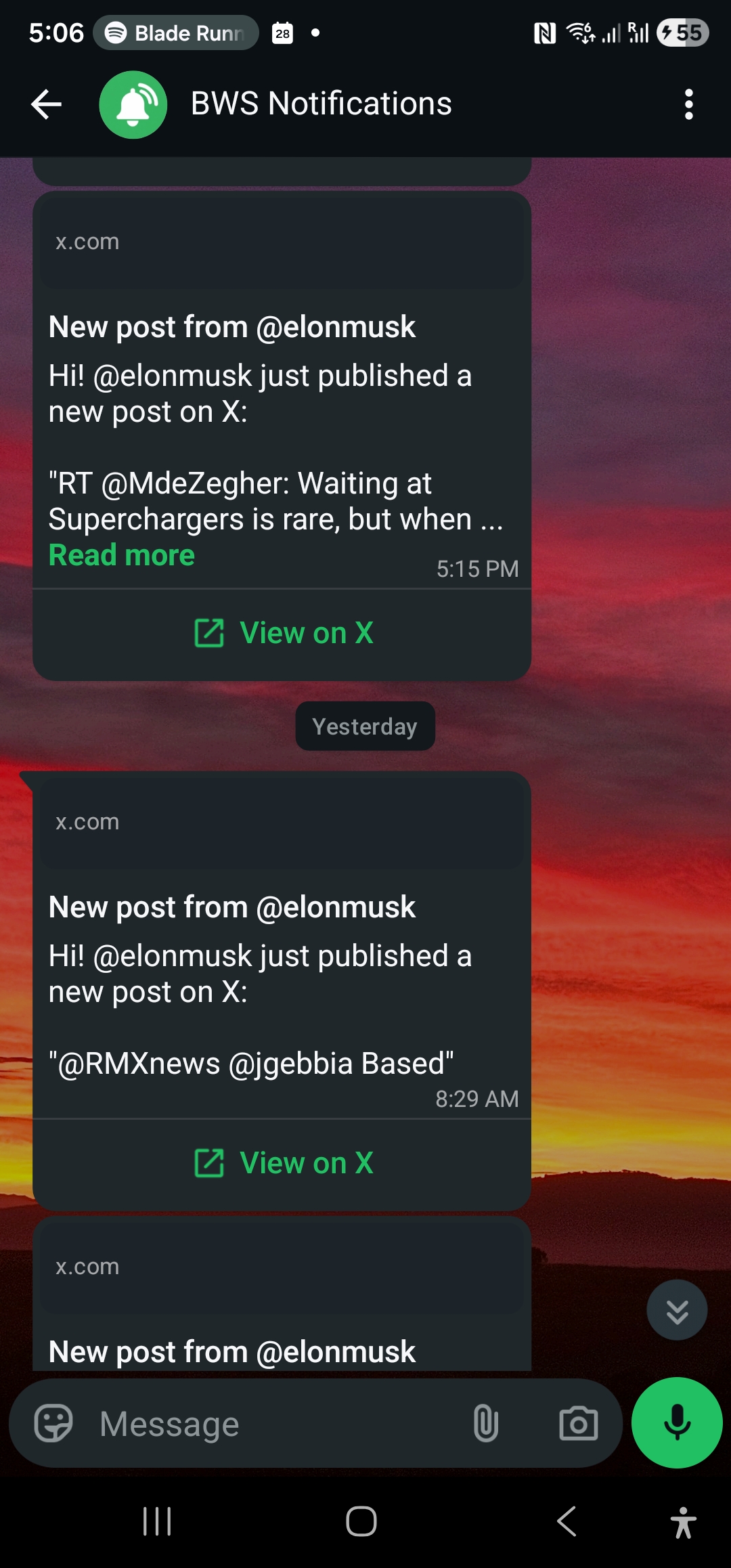
WallaWhats does one thing: you choose public X accounts to follow, and new posts reach you on WhatsApp (and email) as soon as they are publicly visible, typically within seconds when available. We use X’s public data; we do not read your personal feed, and you do not need to run anything yourself. WallaWhats works alongside the X app, not as a replacement for it.
Setup is short:
- Sign in. Authentication is passwordless: you receive a 6-digit one-time code on WhatsApp or email.
- Verify a destination. Every WhatsApp number or email address verifies itself with its own one-time code before any alert can land. This is opt-in by design: you can only point alerts at a destination you control.
- Add X accounts. Enter the handle of any public account. Protected accounts are refused at creation time.
- Receive alerts. Each new post arrives as a message with the post text passed through verbatim and a link back to the original on x.com.
There is no trigger to configure, no WhatsApp template to get approved, and no run quota to watch. The sender, the delivery plumbing and the retry behaviour are our problem.
Side by side
| DIY with an automation platform | WallaWhats | |
|---|---|---|
| Primary purpose | Connect any app to any app | X account posts to WhatsApp and email |
| Setup | Build the trigger, transformation and WhatsApp action; provision a WhatsApp sender | Verify a destination, add handles |
| Adding another account | Often another automation or branch | Add a handle in the dashboard or via the API |
| Reaction time | Depends on the connector and plan; polling intervals are common | Within seconds of a post being publicly visible, when available |
| Burst handling | Build your own batching | Per-user velocity cap with digest for overflow |
| Delivery visibility | Run logs on the platform | Notification history with per-channel status |
| Flexibility | Very high: hundreds of other apps and actions | Narrow by design |
| Cost shape | Scales with runs and tasks | Flat monthly plan, with a Free tier to start |
The last two rows are the honest trade: the automation platform wins on flexibility, we win on predictability for this one job.
Features that come for free (and that you would otherwise build)
Burst control
Imagine a tracked account starts a long thread, or a news event sets off a flurry of posts. In a DIY pipeline every post is a message. In WallaWhats, each plan has a velocity cap on alerts per rolling 60-minute window, per user:
| Plan | Price | Monthly alerts | X accounts | Velocity cap (alerts/hr) |
|---|---|---|---|---|
| Free | $0 | 3 | 2 | 2 |
| Pro | $5 | 50 | 3 | 5 |
| Pro+ | $12 | 250 | 10 | 15 |
| Business | $29 | 1,000 | 20 | 30 |
| Enterprise | $99 | 3,000 | 50 | 100 |
When the cap is exceeded, additional posts are held back and sent as a single digest message per tracked handle, so your phone does not become a firehose. We go deeper on this in how velocity caps tame alert storms.
Email alongside WhatsApp
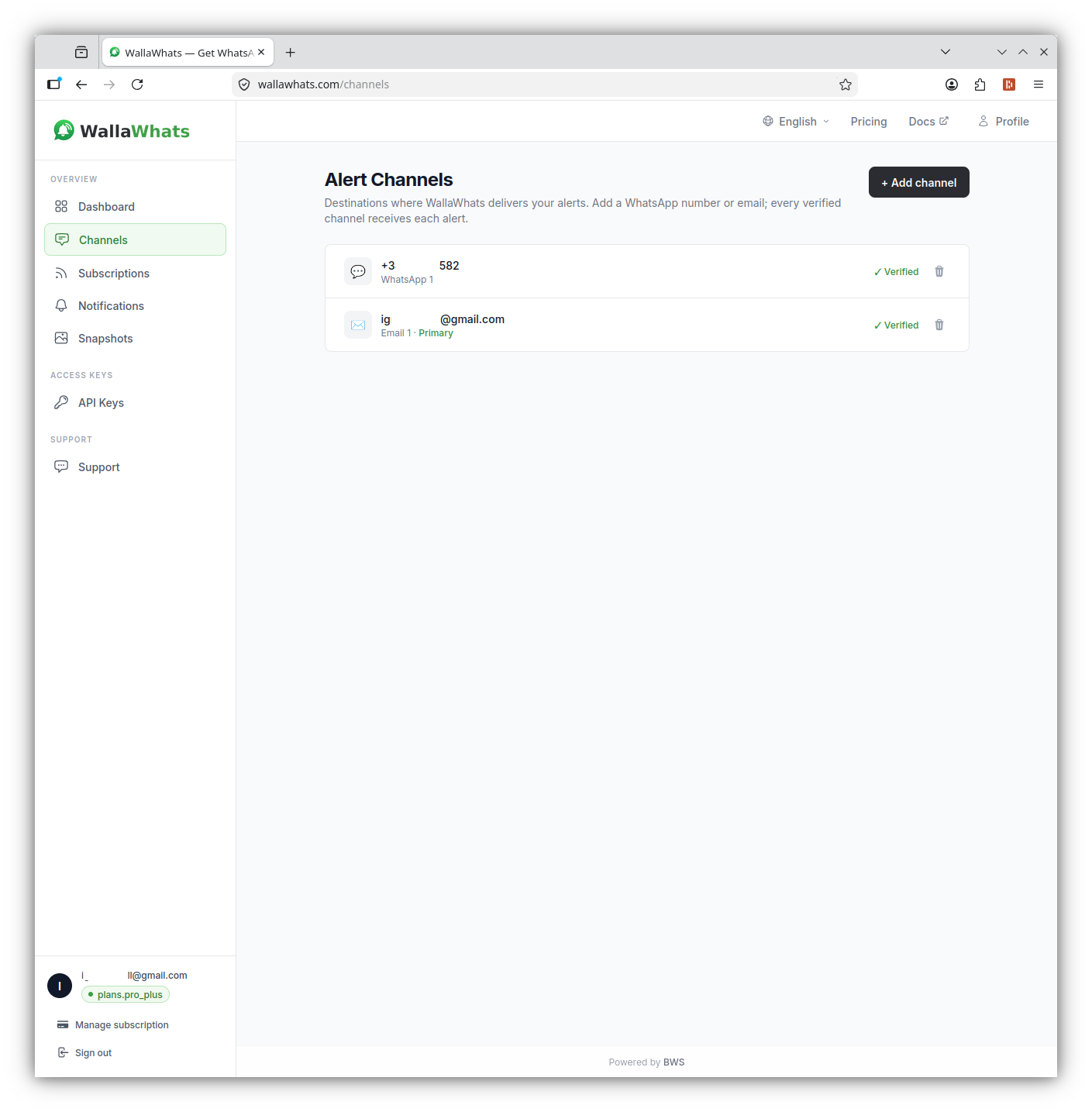
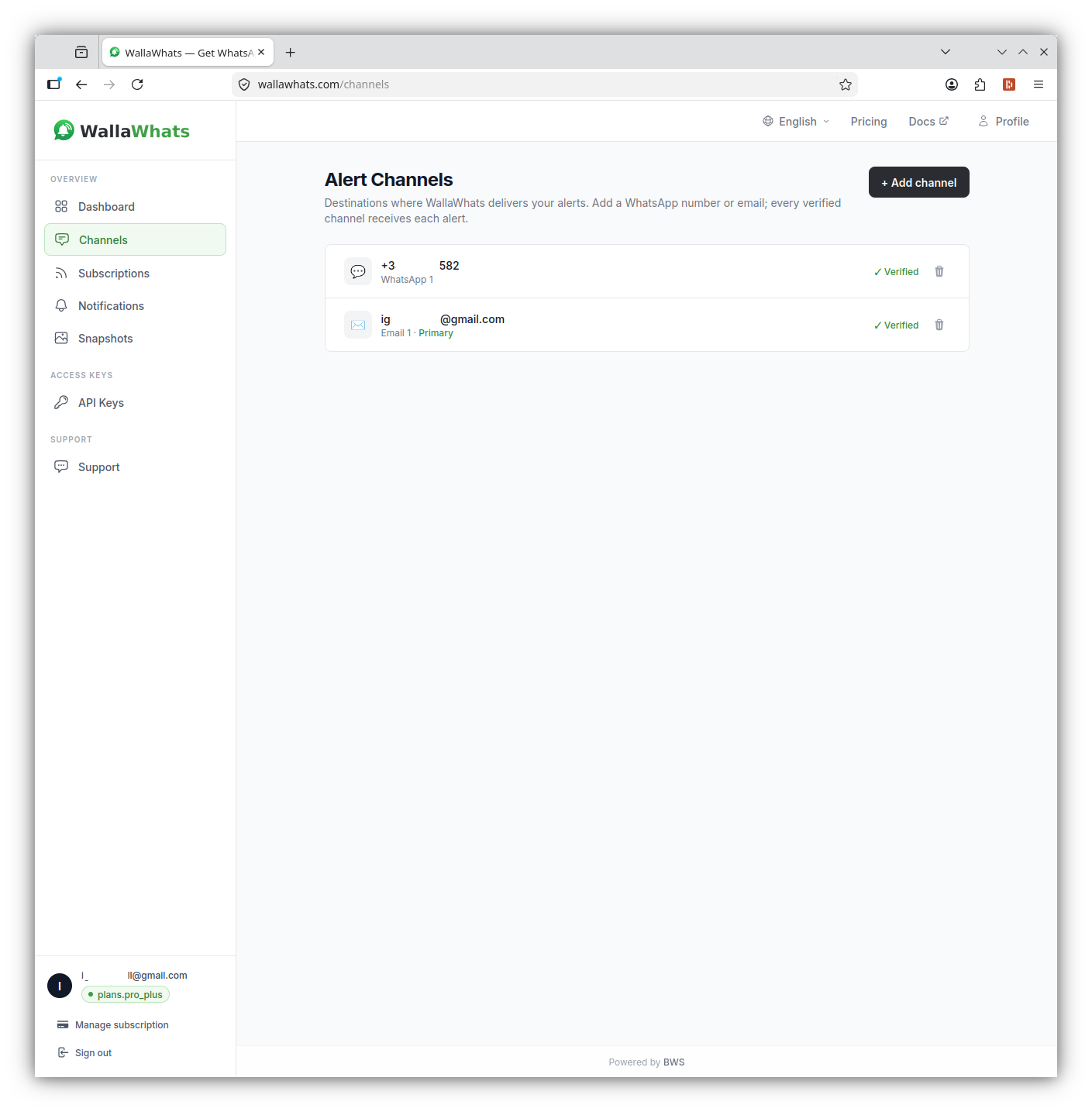
Channels are toggled globally on the Channels page. Every alert from every subscription is delivered to all of your enabled and verified channels, so you can run WhatsApp and email together. There is no per-subscription routing; if you need different accounts routed to different places, that is a point in favour of a custom automation. Email alerts also include a rendered image of the post, and every plan keeps a searchable snapshot gallery in the dashboard for 30 days. We covered the trade-offs in email vs. WhatsApp alerts.
Delivery history
Every alert is recorded per channel with a status: queued, sent, delivered, read or failed. The “read” status depends on the recipient having read receipts enabled in WhatsApp, so treat it as a bonus signal rather than a guarantee. When you wonder “did that alert go out?”, you open the history instead of digging through run logs. The details are in notification history and delivery status.
When you still want to script it: the API
Choosing a purpose-built service does not mean giving up automation. API access is available on every plan, and every tier includes at least one API key. If your workflow involves a spreadsheet of handles or a deploy script, you can drive WallaWhats directly. Authentication uses the x-api-key header.
Add a subscription:
curl -X POST https://api.wallawhats.com/subscriptions \
  -H "x-api-key: <key>" \
  -H "Content-Type: application/json" \
  -d '{"xUsername": "example_handle"}'
List what you follow:
curl https://api.wallawhats.com/subscriptions \
  -H "x-api-key: <key>"
Stop following a handle (the path parameter is the handle itself):
curl -X DELETE https://api.wallawhats.com/subscriptions/example_handle \
  -H "x-api-key: <key>"
Review recent deliveries for a time range, in epoch milliseconds:
curl "https://api.wallawhats.com/notifications?from=1760000000000&to=1760086400000" \
  -H "x-api-key: <key>"
The notifications response is paginated with a lastKey cursor, so pass it back to fetch the next page. There is no server-side status filter; filter on the returned status field in your own code.
Because the API is simple, you can combine both worlds: use your automation platform to manage subscriptions (for example, add a handle when a new row appears in a sheet) while WallaWhats handles the delivery. The full reference is in the API documentation, and our API walkthrough shows more patterns.
A realistic decision guide
Keep your automation platform if:
- You need X posts to trigger things other than a message: filing a ticket, appending to a sheet, posting to a team channel.
- Different accounts must go to different destinations.
- You already pay for the platform, already run a WhatsApp sender, and the existing setup is working.
- Minute-level delay is acceptable for your use.
Choose WallaWhats if:
- The job is “tell me on WhatsApp when these public accounts post”, and you want it running today.
- You do not want to provision or maintain a WhatsApp sender.
- You care about seeing posts within seconds, not at the next polling tick.
- You want burst control and a delivery history without building them.
- You would like a flat, predictable monthly price instead of one that moves with activity.
Use both if: you want the automation platform’s reach but WallaWhats’s delivery. Let the API add and remove subscriptions, and let alerts flow to WhatsApp and email.
Getting started in five minutes
- Create a free account and sign in with a one-time code.
- Verify your WhatsApp number on the Channels page, and optionally an email address too.
- Add the first public X account you care about.
- Wait for the account’s next post and check that the alert arrives, with the link back to x.com.
- Open the notification history to see the delivery status.
The Free plan includes 3 alerts a month for 2 X accounts and 1 API key, which is enough to confirm the experience fits before you decide whether to upgrade. If you are coming from the old TweetDeck habit of keeping columns open, our TweetDeck alternative guide covers that migration.
A note on what alerts are for
WallaWhats is an opt-in tool for following public accounts whose posts you want to see as they happen: a company’s announcements, a reporter’s beat, a maintainer’s release notes, a public figure whose statements move your market. Alerts go only to destinations you have verified yourself, and the post text is delivered as written, never rewritten. We are an independent service using X’s public data and are not affiliated with or endorsed by X.
The bottom line
General-purpose automation platforms are powerful, and for many workflows they are the right call. For the narrow, high-value job of getting new posts from chosen X accounts onto WhatsApp quickly, though, the DIY route means owning a trigger, a WhatsApp sender, a quota and a failure log. A purpose-built service trades flexibility for a setup measured in minutes and a delivery path someone else maintains.
Start with the free plan, compare it with what you have today, and keep whichever one you stop thinking about.
Never miss an important post again. Create a free account — 1 WhatsApp number, real-time alerts, no credit card required.
About the author
Nacho Coll
Founder & Engineer at WallaWhats
Nacho founded WallaWhats so you get the alerts that matter without depending on X's algorithm to surface them — pick the accounts you care about and get a WhatsApp for every post the moment it goes live, in order, nothing throttled or buried. Writes about real-time notification systems, social-signal monitoring, and serverless delivery pipelines from the operator side of the wire.