VCs & Angels: Monitor Portfolio Founders on X via WhatsApp
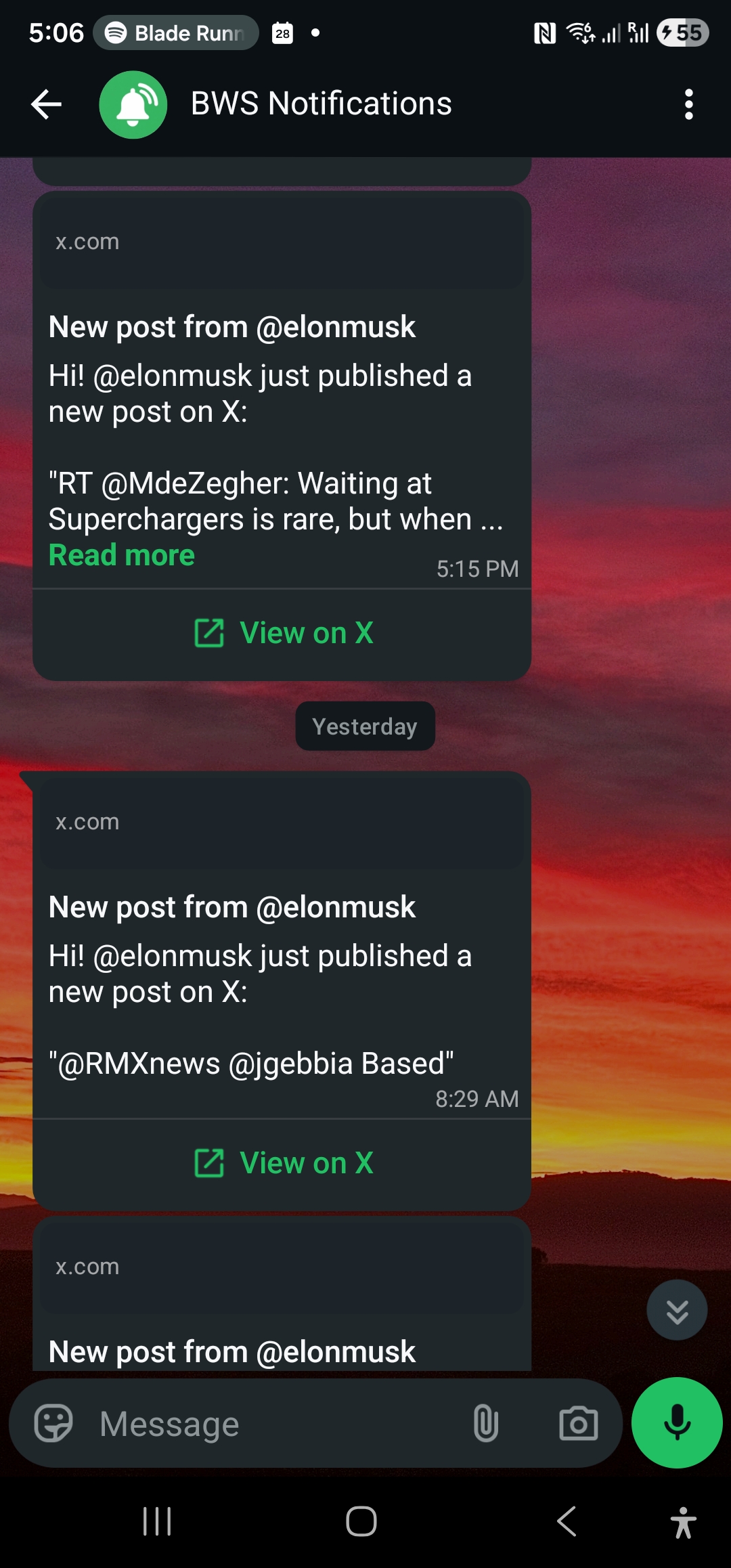
Track portfolio founders, co-investors, and sector leaders on X. Subscribe once and their posts — raises, launches, traction — hit WhatsApp in seconds.
 by Nacho Coll
Nacho founded WallaWhats so you get the alerts that matter without depending on X's algorithm to surface them — pick the accounts you care about and get a WhatsApp for every post the moment it goes live, in order, nothing throttled or buried.
Between board meetings, LP calls, and the next deal in the pipeline, most investors don’t have a spare hour to scroll X hoping the important post from a portfolio founder surfaces before the algorithm buries it under whatever is trending. And yet X remains where a huge share of startup signal breaks first — a founder announcing a raise before the press release goes out, a co-investor flagging a company they just backed, a sector analyst calling a shift in the market you’re deployed into. Miss it in the feed and you find out secondhand, days later, in a recap email.
WALLAWHATS removes the feed from that equation. Subscribe once to the specific X accounts that matter to your fund — portfolio founders, co-investors, sector voices — and every new post from that list lands on WhatsApp seconds after it goes live. No scrolling, no algorithm deciding what you see, no missed signal.
Why Your Portfolio and Your Pipeline Both Live on X
Founders default to X for the announcements that matter most to a fund: a funding round closing, a major customer win, a product launch, a leadership hire. It’s faster than a press release and reaches their own audience directly, which means it’s often the first public trace of news you’d otherwise wait to hear about on the next scheduled update call.
The same is true on the sourcing side. Co-investors post about deals they’re excited about — sometimes before the round has fully closed. Sector analysts and beat journalists call out shifts in a category — regulatory changes, a new wave of funding, a competitor emerging — well before that context shows up in a market report you’d read weeks later. If you’re not watching in real time, you’re working from a stale picture of your own market.
None of this requires living on X. It requires a short, deliberate list of public accounts and a way to hear the moment any of them post — which is exactly what a feed optimized for engagement, not relevance to your fund, won’t reliably give you.
Which Accounts to Actually Follow
The value here comes entirely from account selection. A long, unfocused list just rebuilds the noisy feed you were trying to get away from. Three categories cover most of what a fund needs to track:
1. Portfolio Founders
Follow the founder and/or company account for every active portfolio company. These accounts are usually the first public mention of a raise, a launch, a major hire, or a piece of traction worth knowing about before it appears in your next board deck. For funds with a large portfolio, this is also the fastest way to spot which companies are quietly building momentum between formal updates.
2. Co-Investors
Following the partners at funds you regularly co-invest with — or want to — surfaces two things fast: which deals they’re currently excited about, and which categories they’re pulling back from. That’s a real-time read on where capital in your network is actually moving, not where it was moving last quarter.
3. Sector Leaders and Analysts
Independent analysts and beat reporters covering your fund’s focus areas tend to write about category shifts — funding trends, new entrants, regulatory changes — before they show up anywhere else. Watching this group keeps your thesis current between the deep-dive research sprints.
That’s the full list: portfolio, co-investors, sector voices. No trending topics, no noise — just the accounts whose next post could change how you spend the next hour.
Treat the list as a living document, not a one-time setup task. Portfolio companies exit, pivot, or wind down; co-investor relationships shift as new funds enter your syndicate rotation; the sector voices worth following change as a category matures. A quarterly pass — adding new portfolio founders as deals close, trimming accounts that have gone quiet — keeps the signal-to-noise ratio high instead of letting the watchlist calcify into something you eventually tune out.
Setup: From Zero to a Live Portfolio Watchlist
Getting a fund’s watchlist running takes a few minutes from the dashboard.
1. Create your account. Sign up with passwordless auth — enter your email, receive a 6-digit code, you’re in. No password to manage.
2. Verify your WhatsApp number. Add and confirm it with a one-time code on the Channels page. Add a backup email channel too — every alert fans out to all of your enabled, verified channels, so a dead phone battery doesn’t mean a missed signal.
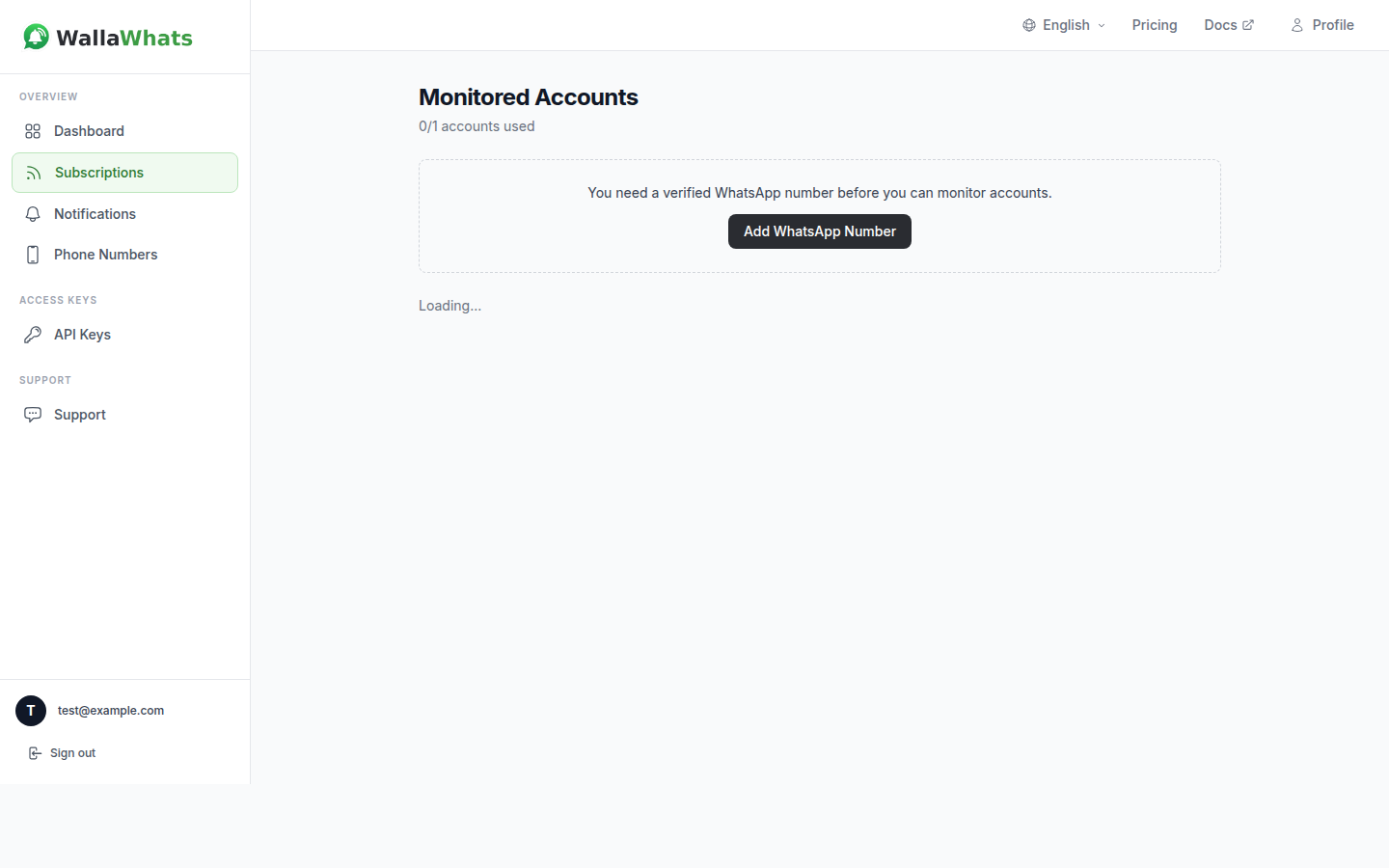
3. Build your watchlist. Head to Subscriptions and add the X handle for each portfolio founder, co-investor, and sector voice you want to track. The Free plan starts you with 2 monitored accounts; paid tiers scale up from there as your portfolio grows.
4. Done. From here, every new post from a monitored account triggers a WhatsApp alert within seconds — the moment it’s public on X, with a link straight back to the original post so you’re always reading the real thing, not a summary of it.
For funds that want to keep the watchlist in sync with a portfolio-tracking tool or CRM — auto-subscribing to a founder’s account the moment a deal closes, for example — the same functionality is available over the WALLAWHATS REST API, authenticated with a simple x-api-key header:
curl -X POST https://api.wallawhats.com/subscriptions \
  -H "x-api-key: your_api_key_here" \
  -H "Content-Type: application/json" \
  -d '{"xUsername": "portfolio_founder_handle"}'
That single call is enough to bring a newly closed investment into your live watchlist without anyone on the team remembering to do it manually. Removing a company — after an exit, or if a relationship winds down — is just as direct: DELETE /subscriptions/{xUsername}, using the handle itself rather than an internal ID.
Handling Demo Days and Announcement Bursts
Every fund eventually hits the scenario where a demo day, a conference, or a hot news cycle sends a dozen portfolio founders posting within the same hour. Without protection, that’s a dozen WhatsApp pings back to back — exactly the kind of noise that gets notifications muted, which defeats the purpose of watching in the first place.
WALLAWHATS handles this with per-user velocity caps. Once your alert volume crosses your plan’s hourly threshold, additional posts get buffered into a digest and delivered as a single consolidated message every 15 minutes instead of pinging you one at a time. You still see everything that came through — just batched instead of scattered.
| Plan | Monthly alerts | X accounts | Velocity cap (alerts/hr) |
|---|---|---|---|
| Free | 3 | 2 | 2 |
| Pro | 50 | 3 | 5 |
| Pro+ | 250 | 10 | 15 |
| Business | 1,000 | 20 | 30 |
| Enterprise | 3,000 | 50 | 100 |
A solo angel tracking a handful of companies is usually comfortable on Free or Pro. A fund watching a full portfolio plus a co-investor network and sector accounts will want Pro+ or Business for the account headroom, with Enterprise covering the largest multi-fund setups. For a breakdown of how this stays affordable at scale, see why WALLAWHATS can deliver X alerts starting at $5/mo; for the batching mechanics in more depth, Avoiding Alert Storms covers exactly how digesting works.
Timing the Next Move
Trigger-based outreach matters as much on the investing side as it does in sales. A portfolio founder posting about a new product line might be the moment to introduce a customer from another portfolio company. A co-investor posting excitement about a deal in an adjacent category might be the moment to ask for an intro before the round closes. In both cases, the value of the signal decays fast — the same post is far less useful a week later than it is within the hour. The mechanics of acting on a trigger the moment it appears — rather than after it’s gone stale in a feed — are the same ones covered in Trigger-Event Selling, and they translate directly to deal timing on the investing side.
Turning Alerts Into a Diligence Record
Every alert WALLAWHATS delivers is logged as a row in your notification history — one entry per channel per post, with a status trail of queued, sent, delivered, and (for WhatsApp, when the recipient has read receipts enabled) read. For an investor, that history doubles as a lightweight diligence log: when you’re writing an LP update and want to reference exactly when a portfolio company’s raise went public, or when a co-investor first signaled interest in a deal, you can pull the timestamped record instead of relying on memory or a screenshot buried in your camera roll. Notification History covers the full set of status values and how to filter by date range through the dashboard or the GET /notifications API endpoint.
It also keeps a whole investment team aligned. If a partner and an associate both have WhatsApp and email enabled as channels, the same alert reaches both of them at the same moment — no single person is “the one who watches X” while everyone else catches up secondhand in a Monday recap. For funds with partners spread across time zones, that matters more than it sounds: a founder’s announcement doesn’t wait for the next overlapping working hour, and neither should the alert reach the whole deal team.
Free Snapshot Gallery for Reference Later
Every plan — including Free — includes a rendered snapshot of each alerted post, delivered inline with the email alert and archived in a searchable gallery on the dashboard for 30 days. If a founder deletes a post after a rocky announcement, or a co-investor’s tweet about a deal gets pulled, you still have the snapshot from the moment it was public. Treat this as a working reference window for the weeks right after something happens — not a permanent archive. Consistent with X’s developer policy, if the original post is deleted on X, WALLAWHATS updates the cached copy within 24 hours.
What This Doesn’t Replace
Worth being upfront about: this is a complement to your existing diligence and reporting process, not a substitute for it. It won’t tell you about a founder’s private board conversation or a co-investor’s internal partner debate — it surfaces the public signal, the things founders, co-investors, and analysts chose to say out loud, the moment they said it, without anyone on your team needing to be scrolling when it happened.
For a fund, that’s often enough to change the next move. Seeing a portfolio founder’s raise announcement at 9am instead of hearing about it from another LP at a dinner a week later is the difference between congratulating them promptly and looking out of the loop. Seeing a co-investor’s excitement about a deal in your target category before the round is fully allocated can be the difference between getting a look and reading about it after the fact.
Start With the Free Tier
You don’t need to commit to a plan to see whether this changes how your fund operates. The Free tier gives you 2 monitored X accounts and 1 verified WhatsApp number — enough to track your most active portfolio company and one key co-investor, at zero cost and with no credit card required. Once the gap between “checking X” and “getting told the moment it matters” becomes obvious, expanding the watchlist to cover the full portfolio is a one-click upgrade.
Every alert links back to the original post on X, so you’re always reading the real thing, verbatim, the moment it’s public — nothing paraphrased, nothing standing between the founder’s post and your phone.
Never miss an important post again. Create a free account — 1 WhatsApp number, real-time alerts, no credit card required.
About the author
Nacho Coll
Founder & Engineer at WallaWhats
Nacho founded WallaWhats so you get the alerts that matter without depending on X's algorithm to surface them — pick the accounts you care about and get a WhatsApp for every post the moment it goes live, in order, nothing throttled or buried. Writes about real-time notification systems, social-signal monitoring, and serverless delivery pipelines from the operator side of the wire.