Trigger-Event Selling: Get a WhatsApp Alert the Moment a Target Account Posts on X
The best outreach follows a trigger. Follow target accounts on X and get a WhatsApp alert the moment they post a launch, hire, or funding update.
 by Nacho Coll
Nacho founded WallaWhats so you get the alerts that matter without depending on X's algorithm to surface them — pick the accounts you care about and get a WhatsApp for every post the moment it goes live, in order, nothing throttled or buried.
Trigger-event selling is built on a simple idea: outreach that lands right after something changes at a target account converts far better than outreach that lands on a random Tuesday. A prospect who just raised a Series B, hired a new VP of Sales, or shipped a product launch is, for a short window, more receptive, more relevant to reach, and more likely to have budget in motion. The hard part was never the idea — it’s catching the trigger in time to act on it.
For years that meant refreshing a feed, subscribing to a news digest that arrives a day late, or paying an intent-data vendor to infer signals that are usually already stale by the time they land in your CRM. Meanwhile, a huge share of real trigger events are already public — posted, in real time, by the companies and executives themselves, on X. WALLAWHATS turns that public signal into a WhatsApp alert the moment it’s visible, so your outreach can follow the trigger by minutes instead of days.
Why Timing Beats Volume in Outbound
Most outbound programs are built around volume: more accounts, more sequences, more touches. But response rates for cold outreach are driven less by how many people you contact and more by how relevant the moment is when you contact them. A message that references something a prospect posted an hour ago reads as attentive. The same message sent two weeks later, with no reference to what’s happened since, reads as a form letter that got their name inserted.
Trigger-event selling reallocates effort from volume to timing. Instead of blasting a static list every quarter, you watch a focused list of target accounts and act the moment something changes. That shift doesn’t require more reps or a bigger list — it requires catching the moment the trigger happens, which is exactly the gap real-time X monitoring closes.
What Counts as a Trigger Event on X
Companies and executives announce the events that matter to sales teams on X constantly, often before the news shows up in a press release, a newsletter roundup, or a CRM enrichment feed. The trigger events worth watching cluster into a few categories:
- Product launches and feature announcements. A target account shipping something new is a natural reason to reach out — congratulate the launch, and connect it to how your product supports what they just built or announced.
- Funding rounds. A newly funded company usually has fresh budget and a mandate to move fast. Funding announcements are some of the highest-signal triggers in B2B sales, and they often post on X before the funding is picked up by trade press.
- Executive hires and role changes. A new VP of Sales, Head of Marketing, or CTO is, in the first 90 days, actively evaluating the tools and vendors their predecessor chose. A hiring or “excited to join” post from the account itself is a direct signal that the door is open.
- Exec commentary and public posts. Founders and executives frequently post about problems they’re actively solving, tools they’re evaluating, or frustrations with a category incumbent. Watching the account owner’s own posts — not just the company account — often surfaces the trigger before the company page does.
Each of these is public information, posted voluntarily by an opt-in account owner, about their own company or role. That’s the distinction worth keeping in mind as you build a watchlist: you’re following what target accounts choose to say publicly, not inferring anything they haven’t said.
Building a Target Account List That Doesn’t Turn Into Noise
The value of trigger-event monitoring comes entirely from the quality of the account list. A list of 200 loosely-relevant handles just recreates the same undifferentiated feed you were trying to get away from — and on a real-time alert system, an oversized list also burns through your plan’s monthly alert allowance fast. Keep the list deliberately narrow and revisit it every quarter:
- Start with your active pipeline. Add the X handles for accounts already in a deal cycle — both the company account and, where relevant, the champion or economic buyer you’re working with. A post from either is worth knowing about immediately.
- Add your top-tier target accounts. The handful of logos on your ideal-customer-profile list that you’d drop everything to pursue if a trigger fired. This is a short list by design — five to twenty accounts, not five hundred.
- Layer in a few category signal accounts. Funding-news accounts or industry reporters who cover your market can surface trigger events for accounts you haven’t added individually yet, giving you an early read on who to add next.
Resist the urge to monitor everyone in your total addressable market. A tight, high-intent list keeps every alert worth acting on — which is the entire point of trading a feed for a subscription.
Setting It Up
Getting a trigger-event watchlist live takes a few minutes from the WALLAWHATS dashboard:
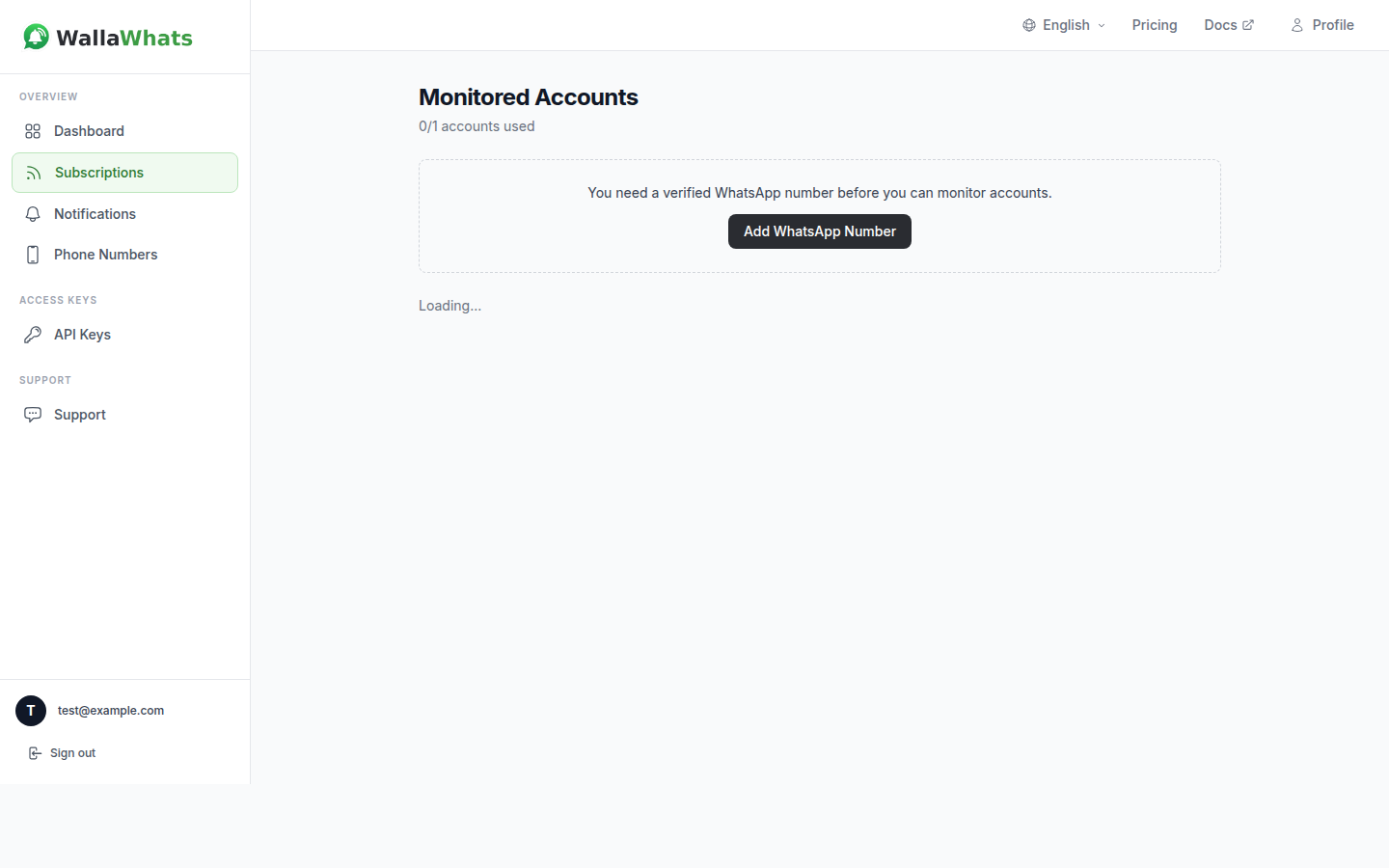
1. Sign up and verify a destination. Auth is passwordless — a 6-digit code sent to WhatsApp or email gets you in, no password to manage. Verify the WhatsApp number (and optionally an email as backup) on the Channels page; alerts fan out to every enabled, verified channel, so a trigger event reaches your phone even if your team is spread across time zones.
2. Add target accounts to your subscriptions. Head to Subscriptions and add the X handle for each company and executive on your list. The Free plan covers 2 accounts to prove the model on your top target; paid tiers scale up from there for a full pipeline watchlist.
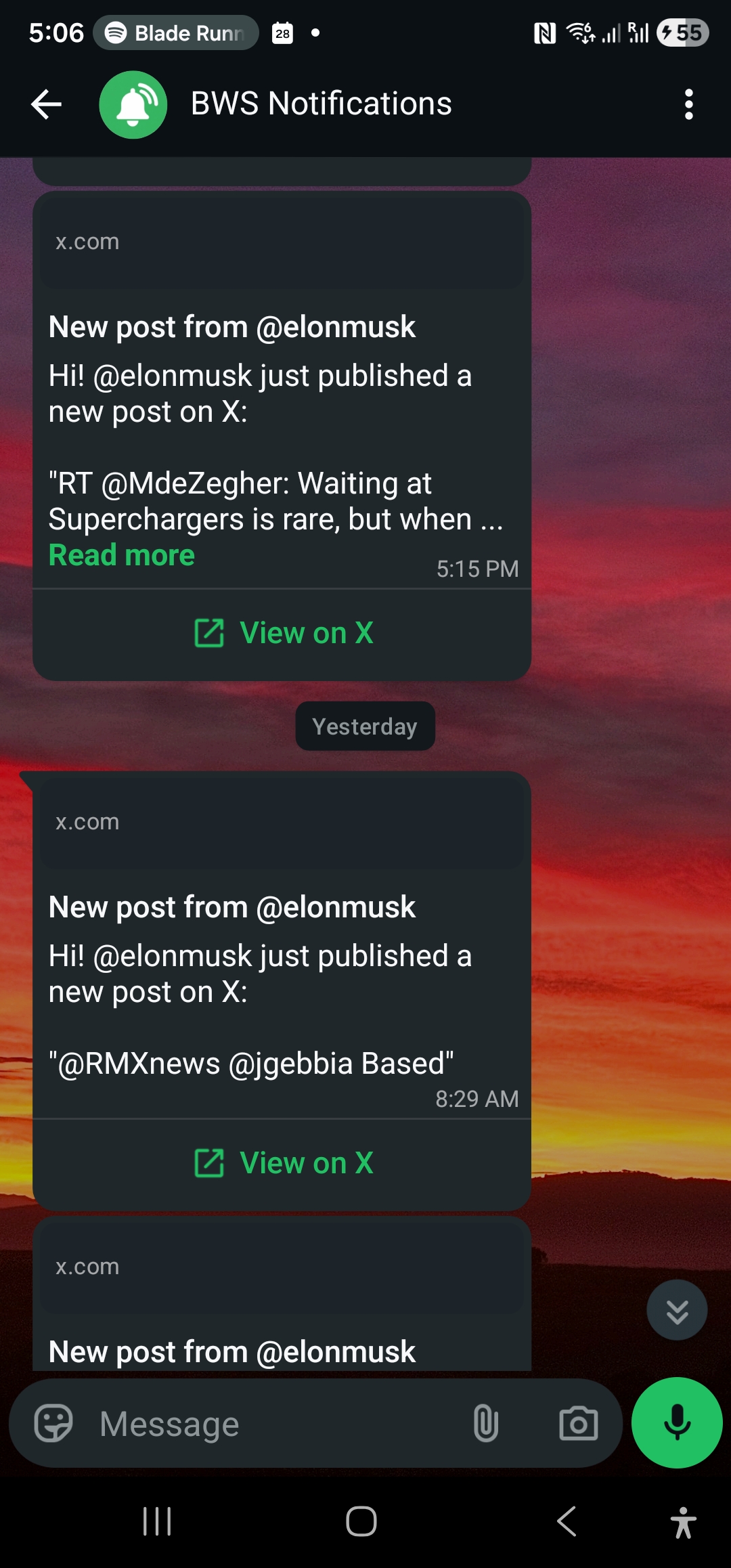
3. Let alerts do the timing work. From that point on, a new post from a monitored account triggers a WhatsApp message within seconds of going live — the post text, the handle, and a link back to the original on X so you’re reacting to the real thing, not a summary.
For teams that want trigger events to write directly into a CRM or sequencing tool instead of just a phone, the same subscription management is available over the WALLAWHATS REST API, authenticated with a simple x-api-key header — useful for auto-subscribing to newly sourced target accounts the moment a rep adds them to a list:
curl -X POST https://api.wallawhats.com/subscriptions \
  -H "x-api-key: your_api_key_here" \
  -H "Content-Type: application/json" \
  -d '{"xUsername": "target_account_handle"}'
Acting on the Trigger Within Minutes
Catching a trigger only matters if the outreach that follows is fast and specific. The playbook is straightforward once the alert lands:
- Reference the actual post, not a paraphrase. Because the alert links back to the original post on X, your outreach can quote or link the specific announcement — “saw you just closed your Series B” reads very differently from a generic “checking in.”
- Route the trigger to the right owner immediately. If the target account is already in a deal, the alert should go to the rep who owns that relationship. If it’s a new-hire trigger at a target account with no open deal, it’s a prospecting signal for whoever owns that territory. Either way, the value decays fast — a same-day response to a hiring announcement lands very differently than one sent a week later once the new hire has already had six other vendors reach out.
- Don’t over-rotate on a single trigger type. A funding announcement, a launch, and an exec’s public post about a problem all call for a different angle. Treat the trigger as a reason to reach out with something specific, not a template to fill in.
Handling Busy Weeks Without Getting Buried
Funding season, a major industry conference, or a target account’s own launch week can produce a burst of posts from the same handle in a short window. Without protection, that’s a string of WhatsApp pings in a few minutes — exactly the kind of noise that gets notifications muted, which defeats the purpose of watching for triggers in the first place.
WALLAWHATS applies a per-user velocity cap on a rolling 60-minute window. Once your alert volume crosses your plan’s hourly threshold, additional posts get buffered into a digest and delivered as one consolidated message per account every 15 minutes instead of pinging individually. You still see every post — just batched instead of scattered during a burst.
| Plan | Monthly alerts | X accounts | Velocity cap (alerts/hr) |
|---|---|---|---|
| Free | 3 | 2 | 2 |
| Pro | 50 | 3 | 5 |
| Pro+ | 250 | 10 | 15 |
| Business | 1,000 | 20 | 30 |
| Enterprise | 3,000 | 50 | 100 |
A solo AE testing the model on a handful of top-priority accounts fits comfortably on Free or Pro. A full sales team running trigger-event monitoring across an active pipeline and a target account list benefits from Pro+ or Business, both for the higher account cap and the higher velocity threshold during busy weeks. For the mechanics of how the digest batching works, see Avoiding Alert Storms.
Notification History as a Sales Audit Trail
Every alert WALLAWHATS delivers is logged as a row in your notification history — one entry per channel per post, with a status trail of queued, sent, delivered, and, for WhatsApp when the recipient has read receipts enabled, read. For a sales team, that history is more than a delivery log. It’s a timestamped record of exactly when a trigger event became public, which is useful the next time someone asks why a deal moved when it did, or wants to confirm the outreach followed the funding announcement rather than the other way around.
Pull that history through the dashboard or the GET /notifications API endpoint, filtered by date range. See Every Alert Tracked for a full walkthrough of what each status means and how to use it for auditing outreach timing across a team.
What Trigger-Event Monitoring Doesn’t Do
Worth being direct about the limits: this surfaces what target accounts and executives choose to post publicly on X. It won’t tell you about a funding round before it’s announced, an internal reorg that hasn’t been posted, or a buying decision happening entirely inside a target company’s own tools. It’s a real-time layer on top of public signal — not a replacement for discovery calls, champion relationships, or the rest of a sales process that depends on information companies haven’t chosen to share out loud.
What it reliably does is close the gap between “this became public” and “my team knew about it.” For trigger-event selling, that gap is usually the whole game — the rep who reaches out the same afternoon a target account posts a funding announcement is working from a completely different starting position than the one who hears about it from a newsletter three weeks later.
Start Watching Your Target List
You don’t need a fully built-out sales stack to try this. Add your top few target accounts and active pipeline handles on the Free tier — 2 monitored accounts and 1 verified WhatsApp number, no credit card required — and see what it feels like to have a trigger event land on your phone within seconds of going live instead of finding it secondhand. Every subscription is opt-in, every destination is verified with its own one-time code, and every alert links straight back to the original post on X.
Never miss an important post again. Create a free account — 1 WhatsApp number, real-time alerts, no credit card required.
About the author
Nacho Coll
Founder & Engineer at WallaWhats
Nacho founded WallaWhats so you get the alerts that matter without depending on X's algorithm to surface them — pick the accounts you care about and get a WhatsApp for every post the moment it goes live, in order, nothing throttled or buried. Writes about real-time notification systems, social-signal monitoring, and serverless delivery pipelines from the operator side of the wire.