Never Miss a Drop: WhatsApp Alerts for Your Favorite Creators' X Posts
Algorithms bury the posts you follow. Subscribe to your favorite creators on X and get every drop, thread, and announcement on WhatsApp instantly.
 by Nacho Coll
Nacho founded WallaWhats so you get the alerts that matter without depending on X's algorithm to surface them — pick the accounts you care about and get a WhatsApp for every post the moment it goes live, in order, nothing throttled or buried.
Some posts are only valuable for a short window. A musician announces a surprise album and the pre-save link is live for a day. An artist posts a limited print run that sells out in an hour. A game studio shares a beta key giveaway. A streamer tells followers the schedule changed, and the stream starts in ten minutes. If you hear about any of these the next morning, you heard about them too late.
For fans, that’s the frustrating part of following creators on X. You chose to follow them, and you still miss the post. Not because anyone did anything wrong, but because a feed is built to show a mix of things, ranked in an order you don’t control. The post you cared about can sit below a dozen others, or appear hours after it was published.
There’s a simple fix, and it doesn’t involve unfollowing anyone or living in the app. Pick the handful of creators whose posts you really don’t want to miss, and have each new public post sent to WhatsApp, which you already check all day. This guide covers how to set that up, who is worth putting on the list, how to handle a creator who posts constantly, and what to expect from the delivery.
What “a drop” actually means
“Drop” gets used loosely, so it helps to be concrete. For the purposes of this guide, a drop is any public post from a creator, artist or brand that has a clock on it. A few common types:
- Releases. New music, a video, a game, a book chapter, a podcast episode or a product. The post is the first public notice, and it often includes the link.
- Limited sales. Prints, merch, collectibles, tickets or pre-orders with capped quantities or a short window.
- Giveaways and codes. Beta keys, discount codes and contests that close quickly or run out.
- Schedule changes. A stream starting early, a show moved, a signing cancelled, a meet-up location changed.
- Announcements. Tour dates, collaborations, season launches, new channels or a hiatus.
- Threads. Long-form posts where the first message arrives alone and the rest follows. Getting the first one promptly tells you to go and read the whole thing.
Not every post from a creator is a drop. Most are chat, reposts and reactions, and you probably don’t need a WhatsApp message for those. That distinction matters for the next section.
Why the feed isn’t built for this
An algorithmic feed is designed to give you a varied mix of content. That works well for browsing and discovery. It works less well when you want one specific account’s post at the moment it’s published, because ranking and timing are separate things. A post can show up late, or sit below content from accounts you don’t follow, during a busy session.
Notifications from the X app help, and plenty of people use them. The trade-off is that they’re app-level. You turn them on per account inside an app that you may have deliberately muted, they share a notification channel with everything else the app wants to tell you, and it’s easy to end up either overwhelmed or switched off.
A per-account alert is a different model. You choose the accounts. When one of them publishes a new public post, you get a message. There’s no ranking step in between. It’s meant to work alongside the X app rather than replace it: keep X for conversation and discovery, and use alerts for the specific accounts where timing matters.
What arrives on your phone
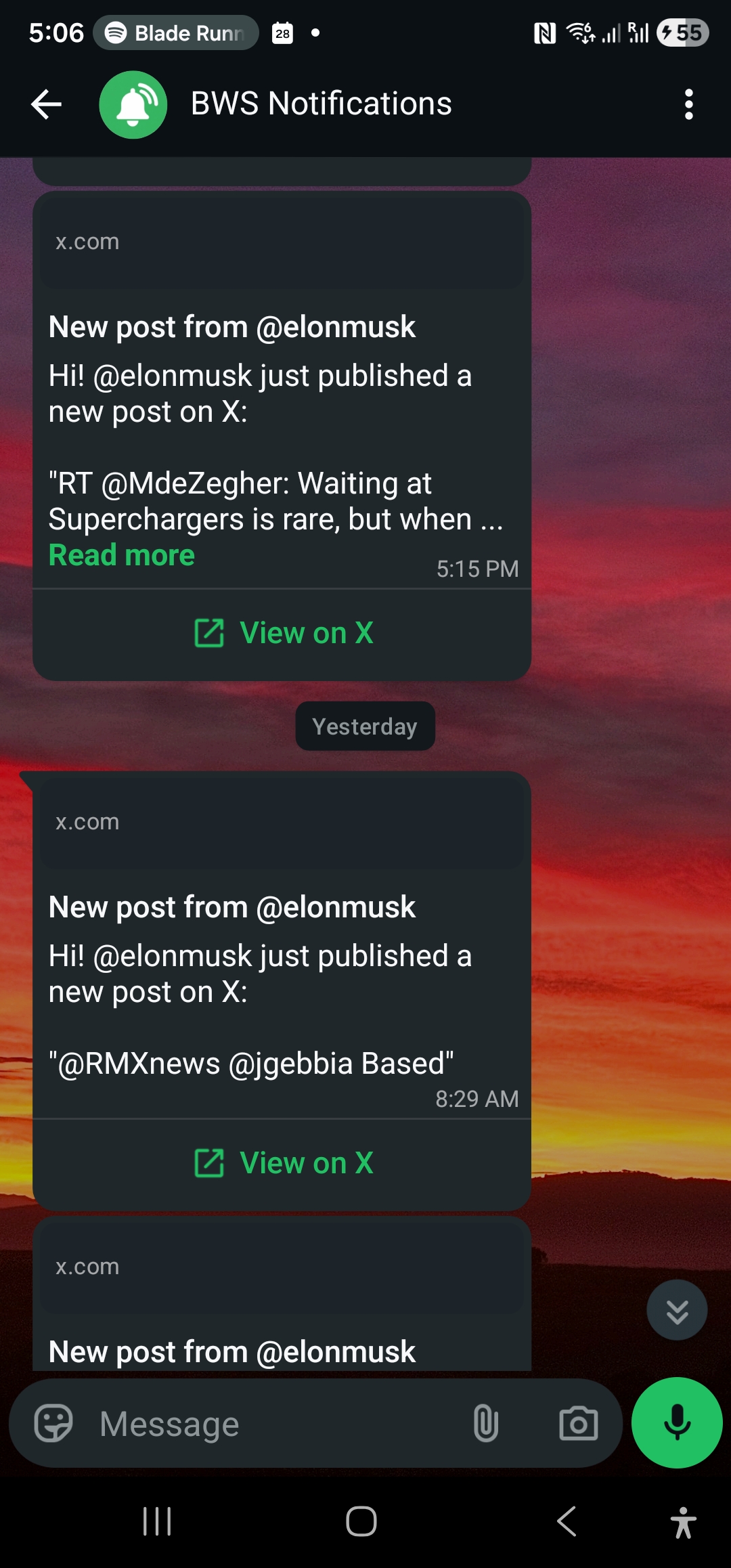
When a followed account publishes a new public post, WallaWhats sends a WhatsApp message within seconds of the post becoming publicly visible on X, when it’s available. The message shows the creator’s handle, a snippet of the post and a button that opens the original post on X. The text is passed through exactly as the creator wrote it. Nothing is summarised, rewritten or reworded.
A few honest limits are worth knowing before you rely on it:
- Alerts cover public accounts. Protected accounts can’t be subscribed to.
- “Within seconds” is the right expectation. It is not instant to the millisecond, and delivery also depends on WhatsApp itself.
- Edge cases exist. A post deleted before it could be delivered, a brief outage or content that X has withheld may not arrive. Treat alerts as a fast signal, not a guarantee that you’ll receive every single post.
Building a creator list that doesn’t annoy you
The most common mistake is adding everyone you like. Alerts are only useful if you still care about them in a month, and the quickest way to ignore your own phone is to give it fifty reasons to buzz. A better method is to sort the creators you follow into three buckets.
Bucket 1: drops you’d regret missing. These are creators whose posts have real deadlines: a musician who announces releases with little warning, a maker who sells small batches, a studio that runs short giveaways. Put these on alerts.
Bucket 2: updates you want, but can wait. Newsletters, long-running series, creators with a steady posting rhythm. The feed or a weekly catch-up is fine. Leave them off.
Bucket 3: pure entertainment. Accounts you enjoy browsing. Alerts would ruin them. Leave them off.
Start with three accounts from bucket one. Run it for a week. If you act on every message, add another. If you find yourself swiping away alerts, remove the account that caused it. The point is to replace the anxiety of “what if I missed something” with a small, trusted list.
A short note on framing. This is about a fan opting in to the public posts that a creator publishes for an audience. It’s the same information you’d see by opening their profile, just delivered when it happens. It isn’t a way to follow anyone’s private life, and it won’t show anything that isn’t already public on X.
Setting it up in a few minutes
Everything below happens in the dashboard. No code is needed.
- Create an account. Sign-up is passwordless. You receive a six-digit one-time code on WhatsApp or by email and type it in. There’s no password to remember.
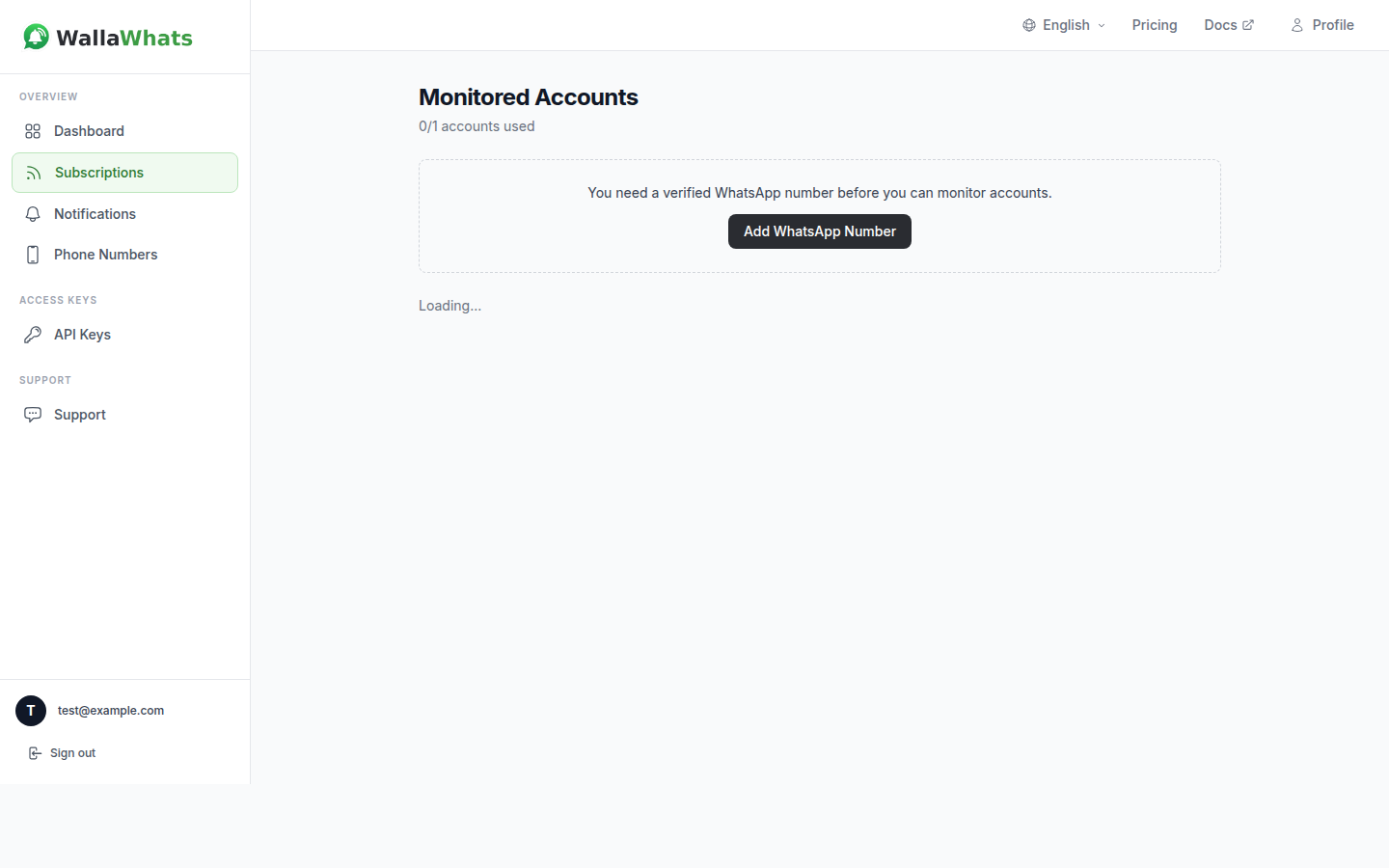
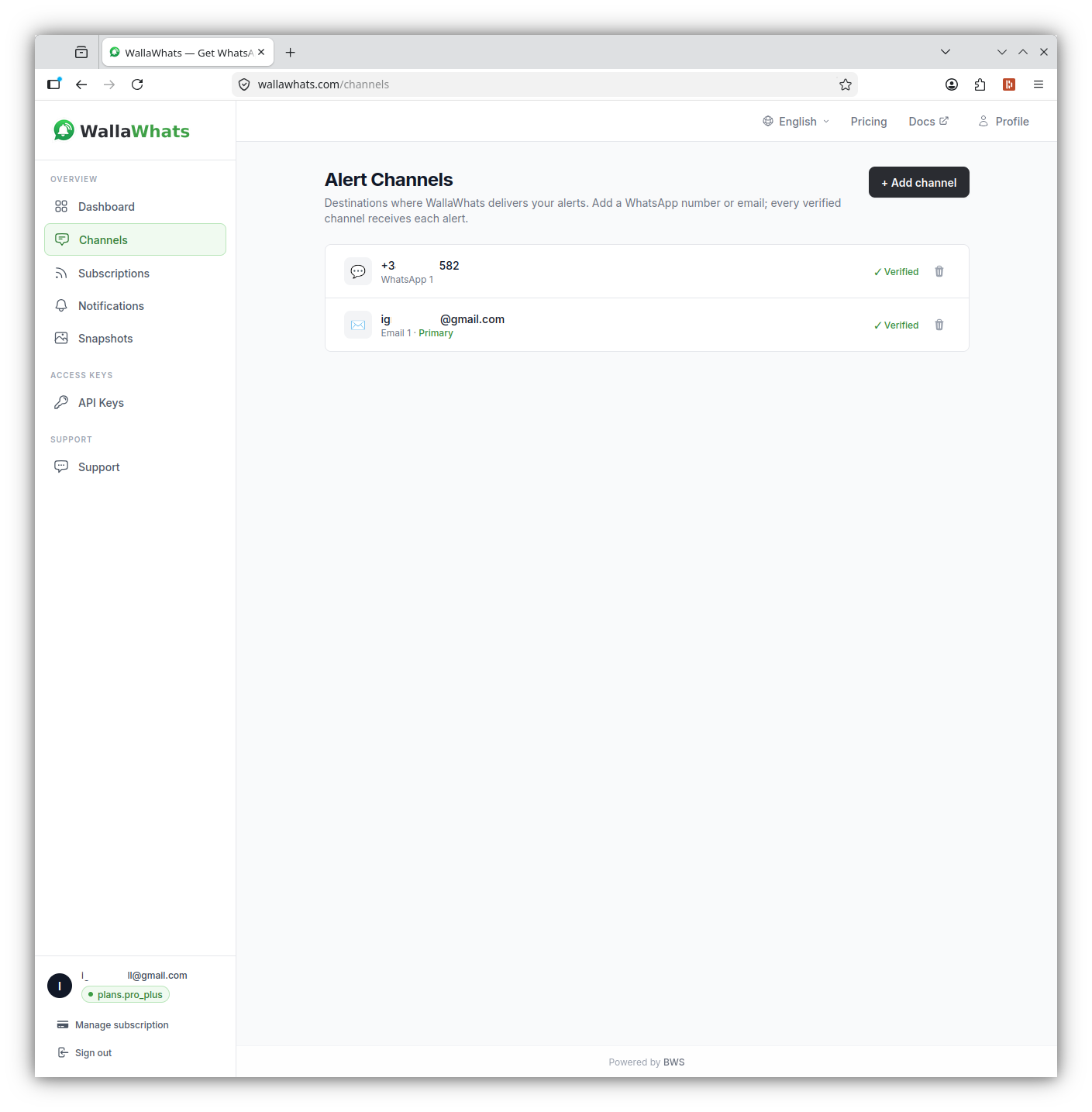
- Add and verify your WhatsApp number. On the Channels page, enter your number. WallaWhats sends a one-time code to that number, and alerts only start after you’ve confirmed it. Every destination verifies itself before it can receive anything, which is also why you can only set alerts up for yourself.
- Add your creators. On the Subscriptions page, enter the X handle of each account, without the @.
- Wait for the next post. When one of those accounts publishes, the message arrives in WhatsApp. The Notifications page lists each alert with its delivery status.
Which plan fits a fan
The Free plan is deliberately small, and it’s a good way to test whether this suits you. Here are the limits that matter when you’re following creators:
| Plan | Price | Alerts per month | X accounts |
|---|---|---|---|
| Free | $0 | 3 | 2 |
| Pro | $5 | 50 | 3 |
| Pro+ | $12 | 250 | 10 |
| Business | $29 | 1,000 | 20 |
| Enterprise | $99 | 3,000 | 50 |
The number that matters most is the monthly alert allowance, not the account count. A creator who posts twice a week uses roughly eight or nine alerts a month. One who posts several times a day can use fifty in a week. Before you subscribe, scroll through a creator’s recent posts and count how many you would genuinely want a message for.
For a quick test with two accounts, Free is enough. If you follow a handful of creators who post occasionally, Pro covers three accounts and 50 alerts. If you want ten accounts across music, art and games, Pro+ gives you ten accounts and 250 alerts. You can compare the tiers on the pricing page.
What about creators who post constantly?
Some accounts are drops mixed with a lot of chatter. A streamer might post twenty times on a launch day. Sending twenty separate pings would defeat the purpose, so WallaWhats has a per-user velocity cap: a limit on how many individual alerts you receive in a rolling 60-minute window, scaled by plan.
| Plan | Velocity cap (alerts per hour) |
|---|---|
| Free | 2 |
| Pro | 5 |
| Pro+ | 15 |
| Business | 30 |
| Enterprise | 100 |
When you go over the cap, the extra posts aren’t discarded. They are held and flushed every 15 minutes as a single digest message per followed account, sent to the same channels as your regular alerts. A burst of posts during a launch turns into one grouped message instead of a string of notifications. The cap is per user, not per account, so it applies across everything you follow. The details are in how velocity caps handle alert storms.
The practical advice: if a creator’s account is mostly chatter, it probably belongs in bucket two, not on alerts. Reserve alerts for accounts where most posts are worth a message.
Add email as a second channel
WhatsApp is the default channel, but you can add an email address as well. Alerts fan out to all of your enabled and verified channels. There’s no per-subscription routing, so you can’t send one creator to WhatsApp and another to email. Channels are switched on or off globally from the Channels page.
Email adds something WhatsApp doesn’t: each email alert includes a rendered image of the post. The dashboard also keeps a searchable gallery of those snapshots for 30 days. That’s handy when you remember seeing a post, such as a release date or a discount code, but not where. The gallery isn’t a permanent archive, and it’s not meant to be. If a creator deletes a post on X, the cached version is removed or updated, in line with X’s policies. For a full comparison of the two channels, see email vs WhatsApp alerts.
SMS is not currently available as a delivery option, so plan around WhatsApp and email.
A worked example: a surprise release
Say you follow an independent musician, their label, and a music journalist who covers the scene. Here is what a release day can look like:
- The journalist posts that something is coming this week. You get a WhatsApp message with a link to the original post. You now know to pay attention.
- The musician posts the cover art and announces the release time. A second message arrives with the exact time.
- The label publishes the pre-save and ticket links. A third message, with a button straight to the post.
You didn’t open X for any of it. You received three messages in the order they happened, each linking back to the source so you can read the replies if you want. Compare that with refreshing the app throughout the day and hoping that the right post is near the top when you look.
The same pattern works for a limited print run, a game’s closed beta signup or a convention ticket sale. In each case the value is being early by minutes, which is often the difference between getting one and not.
Checking that alerts really arrived
Once you’re set up, the Notifications page records each alert per channel with a status: queued, sent, delivered, read or failed. The “read” status only appears for WhatsApp, and only when the recipient has read receipts switched on, so don’t treat it as guaranteed. If you suspect you missed something, that history is the first place to check. Notification history and delivery status explains what each status means and how to track down a gap.
For developers and fan-site builders
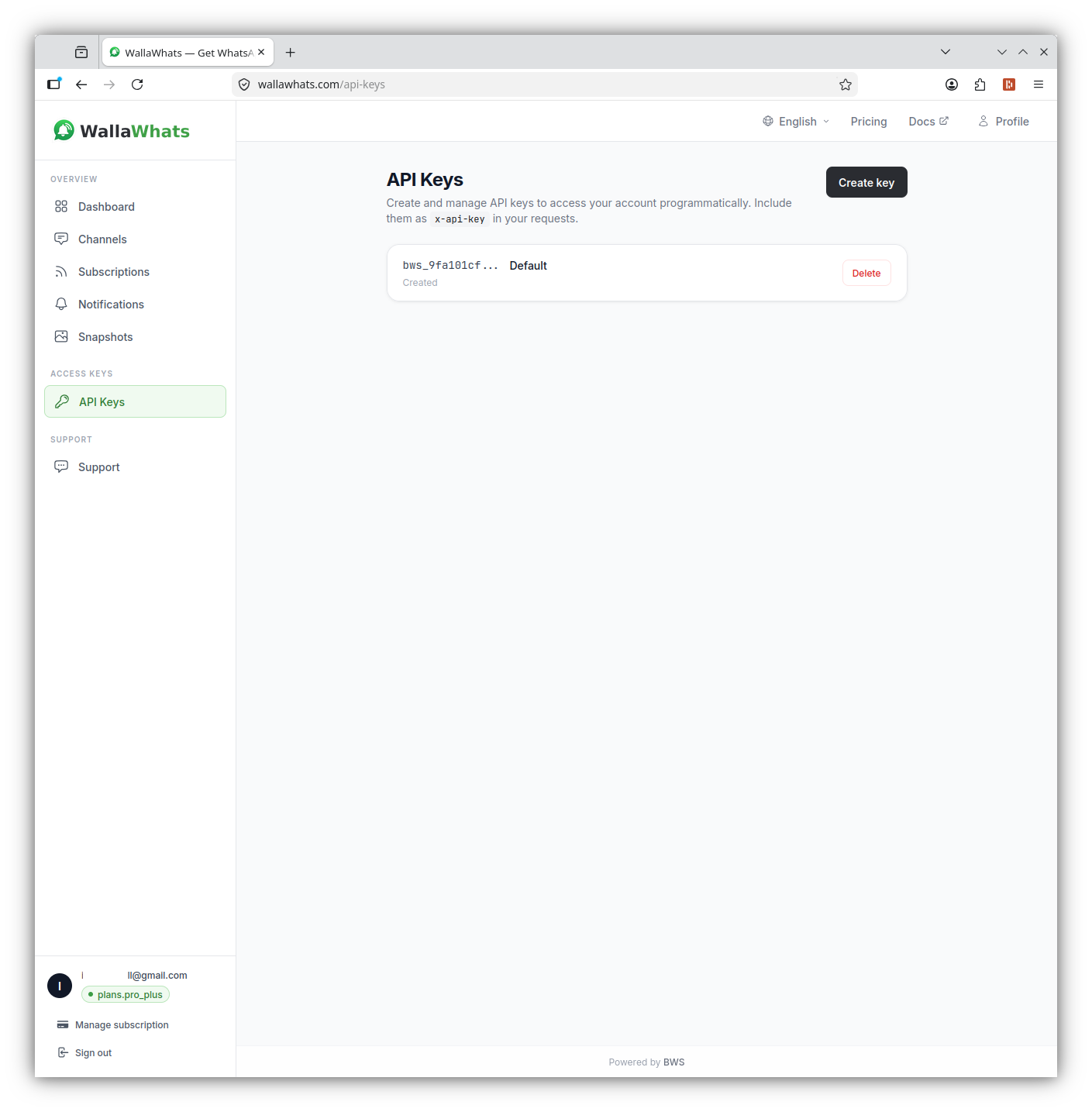
Every plan includes API access, so if you run a fan site, a Discord bot for your friends or a personal dashboard, you can manage subscriptions programmatically. Authentication uses the x-api-key header.
Follow a creator:
curl -X POST https://api.wallawhats.com/subscriptions \
  -H "x-api-key: <key>" \
  -H "Content-Type: application/json" \
  -d '{"xUsername": "examplecreator"}'
List what you follow:
curl https://api.wallawhats.com/subscriptions \
  -H "x-api-key: <key>"
Stop following a creator once a campaign is over:
curl -X DELETE https://api.wallawhats.com/subscriptions/examplecreator \
  -H "x-api-key: <key>"
Review recent alerts for a time window (millisecond timestamps):
curl "https://api.wallawhats.com/notifications?from=1759622400000&to=1759708800000" \
  -H "x-api-key: <key>"
The notifications response is paginated, with one row per post and channel. The API reference lists all routes and parameters.
Tips for keeping it calm
- Start with three creators. Add more only after a week, when you know which alerts you actually act on.
- Rotate with the season. Following a tour, a festival or a game launch? Add the account now and remove it when the campaign is over.
- Count before you commit. Check how often an account posts before adding it, and compare that with your monthly alert allowance.
- Keep the app for conversation. Use alerts for “what just happened” and the X app for “what do people think.”
- Use the history, not your memory. If a message scrolled past, the Notifications page and the snapshot gallery are there to help.
- Share the idea, not your number. Each person sets up their own alerts and verifies their own number. That is how it’s designed to work.
Summary
Creators announce time-sensitive things on X first, but a ranked feed isn’t a reliable place to wait for them. A short list of the right accounts, delivered to WhatsApp within seconds of each public post, gets you the release, the sale or the schedule change when it happens. Velocity caps and 15-minute digests keep busy days manageable, email adds a backup channel with post snapshots, and the setup takes a few minutes on the Free plan.
Never miss an important post again. Create a free account — 1 WhatsApp number, real-time alerts, no credit card required.
About the author
Nacho Coll
Founder & Engineer at WallaWhats
Nacho founded WallaWhats so you get the alerts that matter without depending on X's algorithm to surface them — pick the accounts you care about and get a WhatsApp for every post the moment it goes live, in order, nothing throttled or buried. Writes about real-time notification systems, social-signal monitoring, and serverless delivery pipelines from the operator side of the wire.