Crisis-Ready PR: Real-Time X Monitoring on WhatsApp for Comms Teams
In PR, minutes matter. Follow journalists, executives, and rival brands on X and get their posts on WhatsApp instantly — respond before the story sets.
 by Nacho Coll
Nacho founded WallaWhats so you get the alerts that matter without depending on X's algorithm to surface them — pick the accounts you care about and get a WhatsApp for every post the moment it goes live, in order, nothing throttled or buried.
A story doesn’t wait for your morning check-in. By the time a comms team opens X, refreshes a feed, and scrolls past the noise to find the one post that matters, a narrative can already be forming without them. In PR, the gap between “a reporter posted something” and “we knew about it” is the whole game — and a feed you have to check is not a substitute for being told.
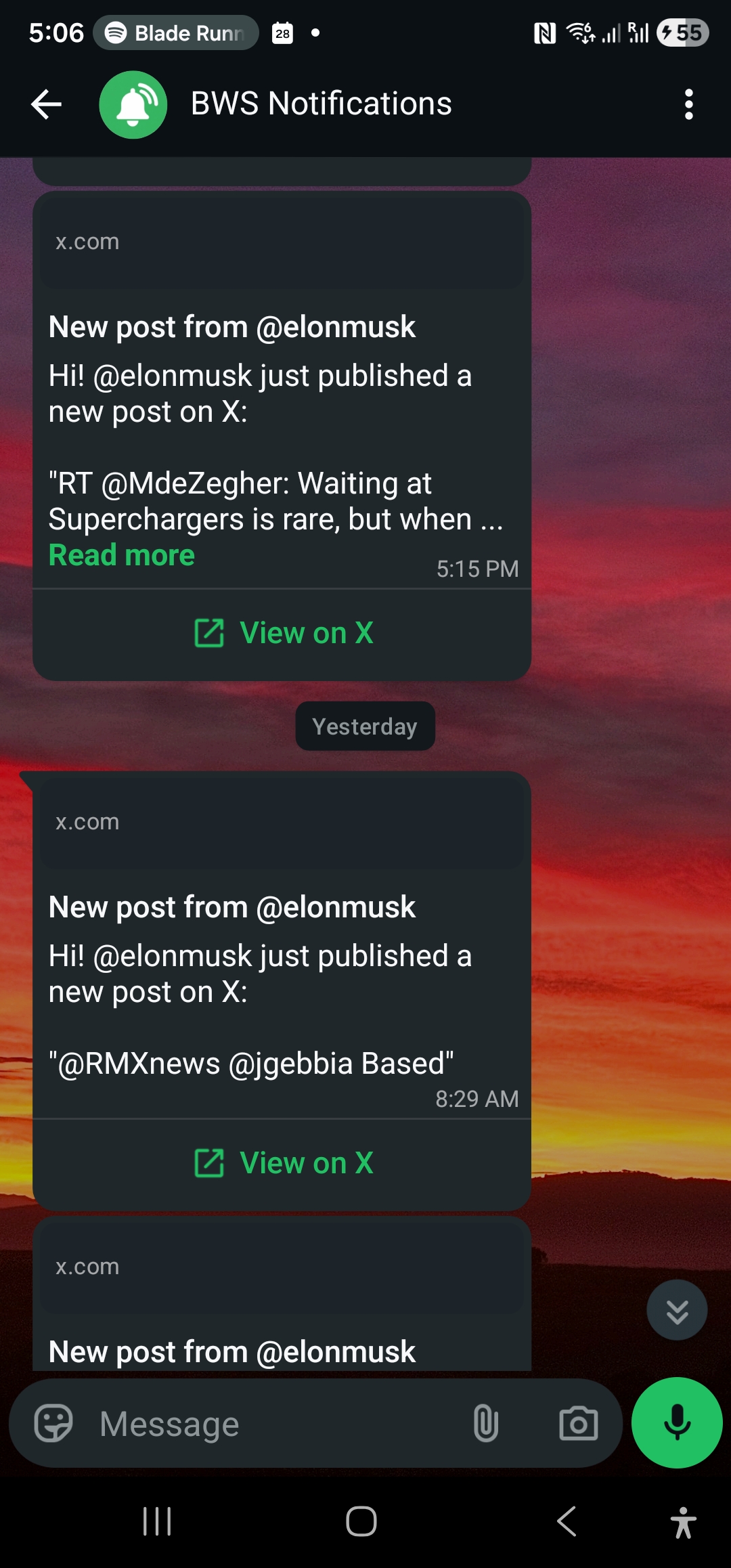
That’s the case for moving beat reporters, executive accounts, and rival brands out of a feed you scroll and into a list you’re notified about. WALLAWHATS turns specific X (Twitter) accounts into WhatsApp alerts, seconds after they post, so a comms team finds out the same way they’d want to hear about anything urgent — a message, not a search.
Why a feed isn’t a monitoring system
X’s timeline is built to surface what’s popular, not what’s relevant to your brand’s next hour. A beat reporter’s post about your industry might sit two scrolls down while a trending meme takes the top slot. For most people, that’s fine. For a comms team trying to catch the first mention of a developing situation, it’s a structural problem:
You’re competing with engagement, not with time. A post doesn’t rise in your feed because it’s urgent — it rises because people are liking and replying to it. Early on, a post you need to see may have neither.
Refreshing doesn’t scale. No one on a comms team can keep a feed open all day, every day, across the dozen accounts that actually matter to the brand.
Off-hours are a blind spot. Stories don’t wait for business hours, and a feed nobody is watching at 11pm is the same as no monitoring at all.
The fix isn’t a better habit of checking X more often. It’s routing the handful of accounts that matter directly to a channel your team already has open constantly — WhatsApp — so the alert finds you instead of the other way around.
How it works
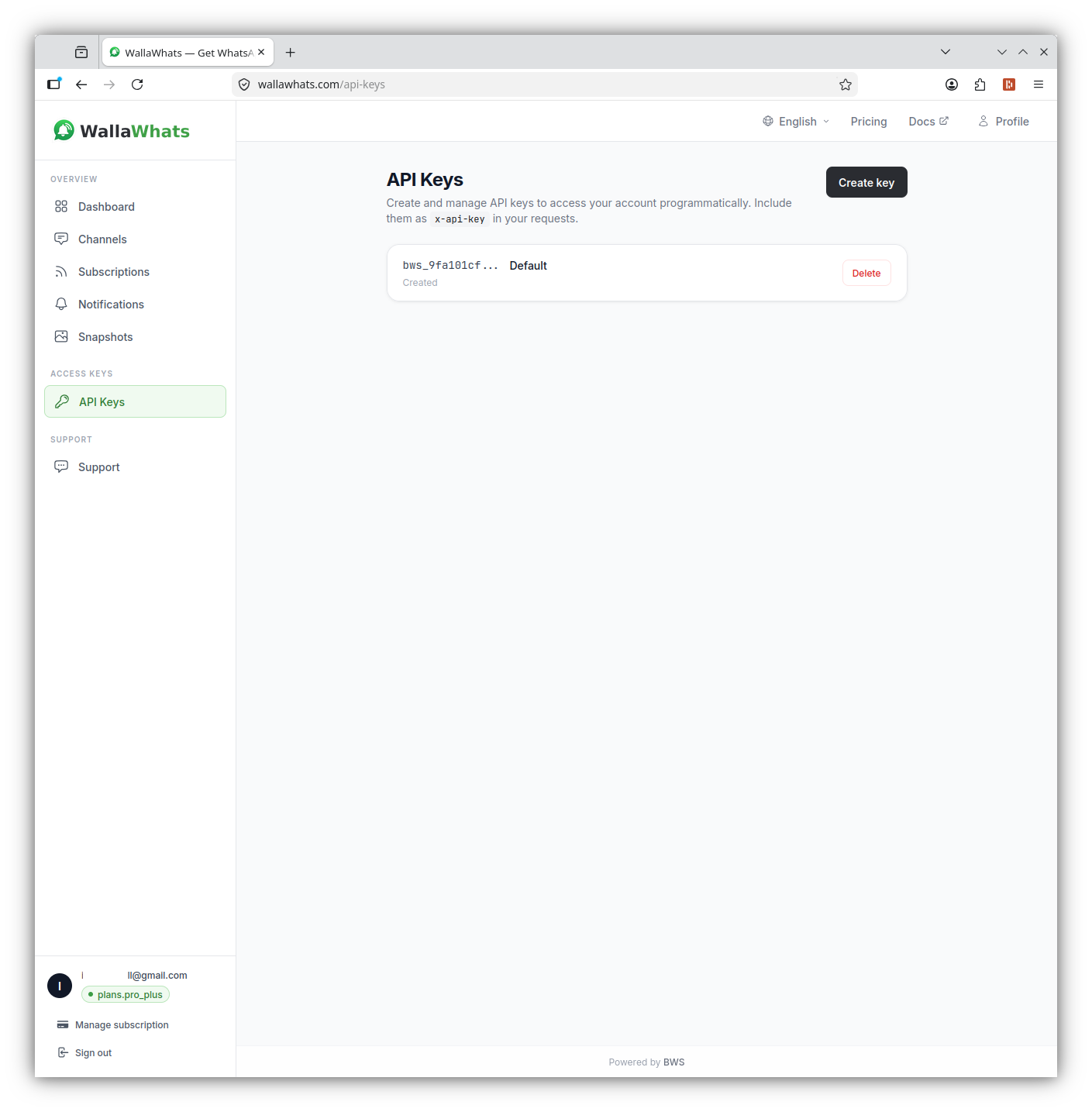
You pick the X accounts worth watching — reporters on your beat, your own executives, competitor brand accounts, official agency handles — and subscribe to each one by handle. From that point, a new public post from a monitored account typically triggers a WhatsApp message within seconds of it going live on X, along with an email carrying the full tweet text and a rendered snapshot.
A few things worth knowing about how that delivery actually behaves:
- Every channel you enable gets every alert. WALLAWHATS doesn’t route individual subscriptions to individual channels — WhatsApp and email are toggled on for your account as a whole, and any alert from any subscription reaches everything you’ve verified.
- Every destination verifies itself first. A phone number or email address has to confirm a one-time code before alerts can land there, so there’s no way to route someone else’s posts to a number they didn’t opt in to receive them on.
- Alerts cover public posts, when available. WALLAWHATS reflects what’s publicly visible on X — it can’t and doesn’t reach into protected accounts or anything not publicly posted.
Who to actually put on the list
The value here comes entirely from who you subscribe to. A short, deliberate list beats a long, noisy one.
Beat reporters and desks
The journalists who cover your industry, your competitors, or your category are often the first public signal that a story is moving — a request for comment, a thread building context before publication, a correction. Following journalists directly means you see that activity as it happens instead of finding out when the piece is already live.
Your own executives and spokespeople
Comms teams are frequently the last to know when a founder or exec posts something off-script — a stray reply, an unplanned announcement, a comment that needs context fast. Subscribing to your own leadership’s accounts closes that gap. If a post needs a follow-up statement or a quiet word before it spreads, minutes matter.
Competitor and rival brand accounts
Product launches, statements about your category, or a rival brand wading into a controversy your company is also associated with — all worth knowing about the moment they’re public, not the next time someone happens to check.
Regulators, agencies, and official accounts
For regulated industries, the agency or regulator account overseeing your sector is often where a policy shift, an enforcement action, or a public statement about the industry appears first — well before it reaches a press release or a news cycle.
Verified partners and platforms your brand depends on
If your product, campaign, or event depends on a platform, venue, or partner organization, their account posting about an outage, a delay, or a change affects your messaging too.
Keep the framing simple: every account on this list is public, and every person receiving the alert opted in and verified their own number. This isn’t about building a profile of anyone — it’s a short list of public accounts your team has decided are relevant to what they’re already responsible for watching.
What this looks like on an ordinary Tuesday
Most days, the list is quiet — that’s the point. A comms lead has 15 accounts on watch: three executives, four beat reporters, two competitor brand handles, a regulator, and a handful of partner accounts. Most days produce a handful of WhatsApp messages total, easy to skim between meetings.
Then a beat reporter who covers your category posts a short thread asking for comment on a rumor about your industry. The alert lands on WhatsApp within seconds — not after a colleague forwards a screenshot, not after someone happens to search the reporter’s handle. The comms lead reads the post, loops in legal, and has a holding statement ready before the reporter’s third follow-up post goes out. That gap — between “posted” and “known” — is the entire value of routing the account to a channel someone is actually watching, instead of hoping it surfaces in a feed nobody has open.
The same setup catches quieter signals too: a competitor’s brand account testing messaging around a shared industry issue, an agency account posting a rule change relevant to an upcoming campaign, an executive’s own reply that needs a quick word before it spreads further than intended. None of these are big enough to justify a standing headline-watch, but each is exactly the kind of thing a comms team would rather hear about in seconds than discover during a Monday review.
Setting it up
Adding an account to watch takes a minute from the dashboard: enter the X handle, confirm, and it starts producing alerts on the next public post. For teams that want this wired into an existing tool — a Slack bridge, an internal dashboard, an on-call rotation script — the same thing is available over the API, on every plan including Free:
curl -X POST https://api.wallawhats.com/subscriptions \
  -H "x-api-key: YOUR_API_KEY" \
  -H "Content-Type: application/json" \
  -d '{"xUsername": "reuters"}'
Removing an account when a story cools off or a reporter moves beats is just as direct:
curl -X DELETE https://api.wallawhats.com/subscriptions/reuters \
  -H "x-api-key: YOUR_API_KEY"
And pulling the list you’re currently watching, useful when handing a rotation off to the next person on-call:
curl -X GET https://api.wallawhats.com/subscriptions \
  -H "x-api-key: YOUR_API_KEY"
Note the header: WALLAWHATS authenticates with x-api-key, not Authorization: Bearer — every request needs that header set.
Routing the alert to the right phone
A crisis-ready setup usually means alerts landing on whoever’s actually on call, not just one inbox. Add and verify the numbers or addresses that should receive alerts through the Channels page or the API:
curl -X POST https://api.wallawhats.com/channels \
  -H "x-api-key: YOUR_API_KEY" \
  -H "Content-Type: application/json" \
  -d '{"type": "whatsapp", "destination": "+15551234567"}'
Each destination has to confirm its own one-time code before it starts receiving alerts, so a number only ever ends up on the list because the person holding it agreed to be there. On the higher tiers, a team can verify multiple WhatsApp numbers — Business supports up to 3, Enterprise up to 10 — so an on-call rotation can each carry their own verified number rather than sharing one phone.
When one account posts a burst, not just one post
Crisis moments rarely produce a single post — they produce a thread, a correction, three follow-ups within ten minutes. Getting pinged separately for each one during an actual fast-moving event can bury the signal in noise rather than help you react. WALLAWHATS handles this with a per-user velocity cap: once your plan’s hourly alert threshold is hit, additional posts from the same account get buffered and delivered as a single digest roughly every 15 minutes instead of one ping per post. You still see everything — just grouped, so a 20-post burst doesn’t turn into 20 separate interruptions. For the full mechanics of how the caps and digest windows work per plan, see how velocity caps prevent alert storms.
After the moment: the audit trail
Once the immediate response is handled, comms teams often need to reconstruct exactly what happened and when — for a post-mortem, a leadership briefing, or simply confirming the alert actually reached the right person. Every alert is logged with a delivery status (queued, sent, delivered, read for WhatsApp when read receipts are on, or failed), queryable by date range:
curl -X GET "https://api.wallawhats.com/notifications?from=1735689600000&to=1735776000000" \
  -H "x-api-key: YOUR_API_KEY"
That history — covered in more detail here — turns “did the alert even go out” from a guess into a lookup, which matters when a post-incident review asks exactly when the team first knew.
What this doesn’t replace
Worth being direct about the limits. WALLAWHATS tells you the moment a monitored account posts something public — it doesn’t read replies for sentiment, doesn’t summarize a thread’s meaning, and doesn’t tell you whether a post is worth escalating. Tweet content passes through exactly as posted, unedited, with a link back to the original on x.com so your team is always looking at the source, not a paraphrase. The judgment call — is this the start of something, or noise — still belongs to the person who gets the alert. What changes is how fast that person gets the chance to make it.
It’s also not a way to monitor anything beyond what’s already public. Protected accounts, DMs, and anything not visible on X stay out of reach — the service reflects the public timeline, on the accounts you’ve chosen to follow, delivered somewhere your team already checks constantly.
That said, “public and opt-in” isn’t just a compliance footnote — it’s what makes this usable long-term. A monitoring list built only from public brand, press, and official accounts is one a team can hand off between shifts without a second thought about who’s on it or why. There’s no private list to secure, no non-consenting third party being tracked, nothing beyond a short roster of accounts your team has already decided are relevant to the job they do anyway.
Getting started
A crisis-ready monitoring list doesn’t need to be large on day one. Start with the handful of accounts that would actually change your next move if they posted right now — your own executives, the two or three reporters who cover your category most closely, and your closest competitor’s brand account. The Free plan covers 2 accounts and 3 monthly alerts, enough to validate the setup before expanding to a full watch list on a paid tier.
| tier | price | monthly alerts | X accounts | WhatsApp numbers | velocity cap |
|---|---|---|---|---|---|
| Free | $0 | 3 | 2 | 1 | 2/hr |
| Pro | $5 | 50 | 3 | 1 | 5/hr |
| Pro+ | $12 | 250 | 10 | 1 | 15/hr |
| Business | $29 | 1,000 | 20 | 3 | 30/hr |
| Enterprise | $99 | 3,000 | 50 | 10 | 100/hr |
Business and Enterprise are built for the way comms teams actually staff a rotation — multiple verified WhatsApp numbers, enough monthly alerts to cover an active watch list, and API keys for wiring subscriptions into whatever on-call tooling you already run.
Never miss an important post again. Create a free account — 1 WhatsApp number, real-time alerts, no credit card required.
About the author
Nacho Coll
Founder & Engineer at WallaWhats
Nacho founded WallaWhats so you get the alerts that matter without depending on X's algorithm to surface them — pick the accounts you care about and get a WhatsApp for every post the moment it goes live, in order, nothing throttled or buried. Writes about real-time notification systems, social-signal monitoring, and serverless delivery pipelines from the operator side of the wire.