Community Managers: Watch the Accounts That Matter on X, Straight from WhatsApp
Can't refresh X all day? Follow your brand handles, partners, and rivals and get every post on WhatsApp so you react in minutes, not hours.
 by Nacho Coll
Nacho founded WallaWhats so you get the alerts that matter without depending on X's algorithm to surface them — pick the accounts you care about and get a WhatsApp for every post the moment it goes live, in order, nothing throttled or buried.
Community management runs on timing. A partner posts a co-marketing announcement and you’re expected to amplify it within the hour. A competitor ships a feature your community starts asking about, and you need an answer before the questions pile up. Your own brand account posts something that needs a quick follow-up thread, and every minute you’re not watching is a minute someone else shapes the conversation instead of you.
The problem is that “watching X” doesn’t scale to a full-time job. You have Slack, a content calendar, a support queue, and a dozen other channels competing for attention — and the X feed algorithm doesn’t make it easier. It shows you what’s popular right now, not what the specific handful of accounts you actually care about just posted. So you end up either refreshing X compulsively between tasks, or missing things and finding out secondhand.
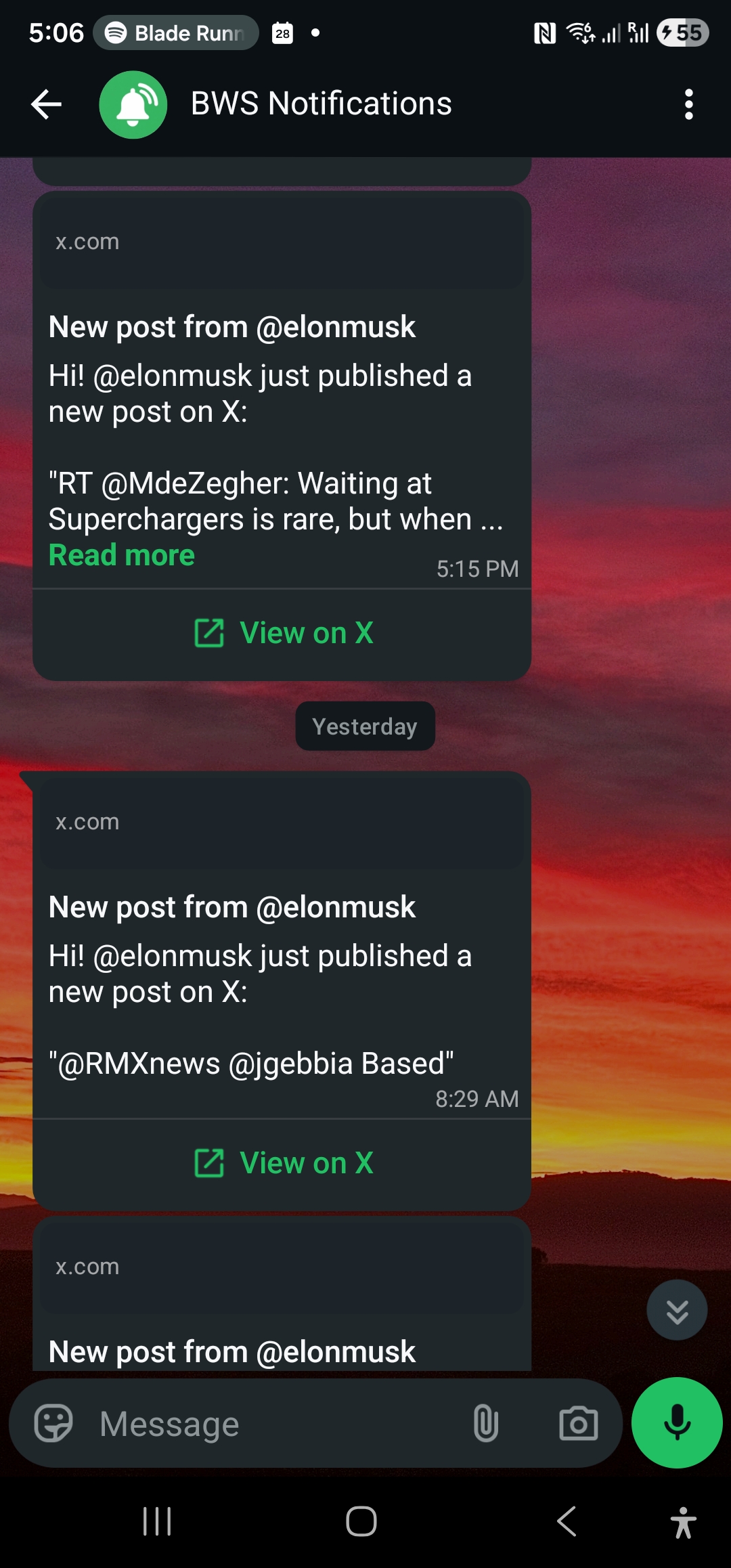
WALLAWHATS fixes the mismatch by letting you follow a specific list of X accounts and get every new post delivered to WhatsApp within seconds of it going live — no feed, no algorithm, no manual refreshing.
The Always-On Problem
Community managers are expected to be reachable around the clock without actually being glued to a screen around the clock. That tension shows up in a few predictable ways:
- You’re the last to know about your own brand’s posts. If a teammate or agency schedules a post and you’re not staring at the account, you find out it went live when someone replies asking a question you haven’t seen yet.
- Partner announcements slip past you. Co-marketing only works if both sides amplify in the same window. If you catch a partner’s launch post six hours late, the coordinated moment is gone.
- Competitor moves reach your community before you do. Members ask “did you see what [competitor] just posted?” and the honest answer is no — which is a bad look when your job is to be the informed voice in the room.
- Time zones create real gaps. A global community doesn’t sleep on your schedule. Posts that land in your community’s off-hours can sit unaddressed until someone finally opens the app the next morning.
None of this requires more hours at a screen. It requires a short, deliberate list of accounts and a way to get notified the instant one of them posts — which is exactly what an opt-in subscription model gives you, without turning your job into a surveillance exercise.
Which Accounts to Watch
The value here comes entirely from a tight, intentional list. WALLAWHATS lets you subscribe to specific public X accounts by handle — there’s no keyword search or mention-tracking across all of X, just the accounts you choose to follow. That constraint is a feature: it keeps the list focused on accounts whose next post genuinely matters to your job, not a noisy stream of everything tangentially related to your brand.
Four categories cover most community management needs:
1. Your Own Brand Handles
Start with your own official account (and any secondary or regional accounts your team runs). If you’re not the only person posting, this closes the “found out from a reply” gap immediately — you see the post the moment it’s live, same as everyone else, instead of hearing about it after the fact.
2. Partners
Follow the official accounts of active co-marketing and integration partners. When their side of a joint announcement goes live, you want to be amplifying within minutes, not scrambling once someone on your team notices it in a group chat. This is especially useful when a launch is scheduled at a specific time and your amplification is part of the coordinated moment.
3. Competitors
Following competitor accounts is a well-established, acceptable use of public X data — you’re watching product announcements, pricing changes, and public statements, all things the account owner chose to publish. It’s not about building a profile of a person; it’s about knowing when the product conversation in your space shifts, so your community team has an informed answer ready instead of getting caught flat-footed.
4. Top Community Voices
If there are a handful of well-known, active voices in your community — power users, ambassadors, frequent commenters with real reach — following their public accounts helps you catch praise worth amplifying and friction worth addressing before it snowballs. Keep this list to people who are already public figures in your space with an active, public X presence; the goal is staying informed about publicly available posts you’d otherwise miss in the feed, not building a watch list of private individuals.
Four short lists, revisited quarterly. That’s the whole model — no algorithm deciding what you see, no scrolling required.
Setup: From Zero to Watching in a Few Minutes
1. Sign up. WALLAWHATS uses passwordless auth — enter your email or WhatsApp number, get a 6-digit code, you’re in. No password to manage for a shared team login.
2. Verify your WhatsApp number. Add it on the Channels page and confirm with a one-time code. You can add a backup email channel too — every alert fans out to all your enabled, verified channels, so a post still reaches you by email if your phone is off.
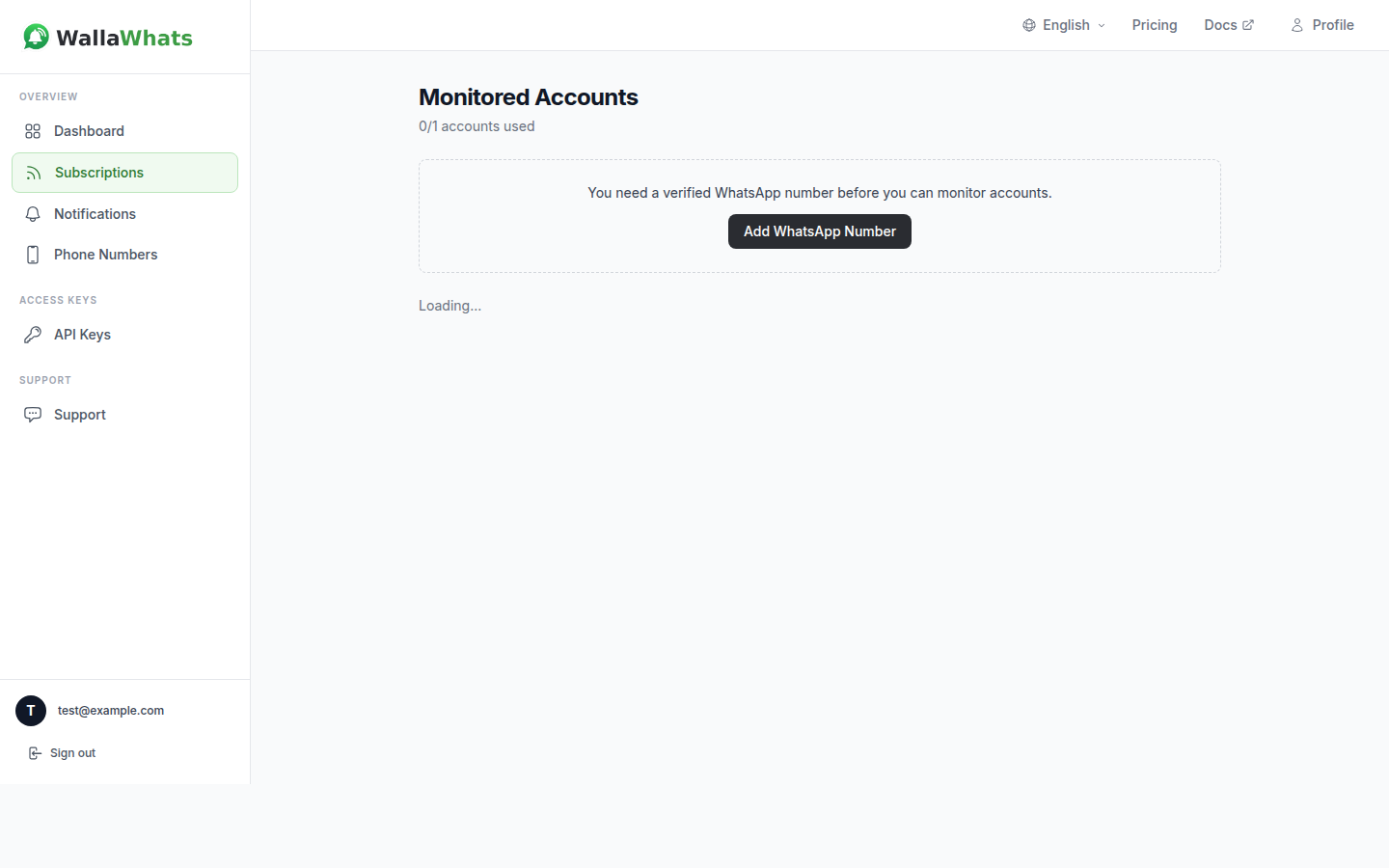
3. Add your watchlist. On the Subscriptions page, add each X handle from your four categories: your own brand accounts, active partners, key competitors, and top community voices. The Free plan includes 2 monitored accounts to start; paid tiers scale up from there for teams tracking a longer list.
4. Done. From here, every new post from a monitored account triggers a WhatsApp alert within seconds of going live.
If your team manages subscriptions through an internal tool — say, auto-adding a partner’s handle the moment a co-marketing deal is signed — the same functionality is available over the WALLAWHATS REST API, authenticated with a simple x-api-key header:
curl -X POST https://api.wallawhats.com/subscriptions \
  -H "x-api-key: your_api_key_here" \
  -H "Content-Type: application/json" \
  -d '{"xUsername": "partner_handle"}'
For a closer look at building out a competitor-specific watchlist, see Monitor Competitors on X — the account-selection approach there maps directly onto the “competitors” bucket above.
Faster Reactions, Real Coverage Across Time Zones
The whole point of moving from a feed to per-account alerts is compressing the gap between “post goes live” and “someone on your team sees it.” For a community manager, that gap is the difference between an on-time reply and a stale one.
It also solves the time-zone problem more cleanly than a rotating on-call schedule. If your team has members in different regions, everyone can verify the same shared destinations — or their own — so a post landing at 3am your time still reaches whoever’s actually awake to handle it, instead of sitting until someone opens the app in the morning. If you’d rather one person catch overnight posts and follow up in the morning without missing anything, email works as the backup channel: the alert still lands, just in an inbox instead of on a phone. Email vs WhatsApp Alerts breaks down when each channel makes more sense for a given workflow.
Every alert links back to the original post on x.com, so whoever picks it up is reacting to the real thing — not a summary or a secondhand description — before drafting a reply or looping in the rest of the team.
Event-Day Floods Won’t Bury You
Community managers know the scenario: a launch day, a conference, or a viral moment, and suddenly one of your monitored accounts is posting a dozen times in twenty minutes. Without protection, that’s a dozen WhatsApp buzzes back to back — exactly the kind of noise that makes people mute notifications entirely, which defeats the purpose of watching in the first place.
WALLAWHATS handles this with per-user velocity caps. Once your alert volume crosses your plan’s hourly threshold, additional posts get buffered and delivered as a single digest message every 15 minutes instead of pinging you individually for each one. You still see every post — just consolidated instead of scattered across your lock screen.
| Plan | Monthly alerts | X accounts | Velocity cap (alerts/hr) |
|---|---|---|---|
| Free | 3 | 2 | 2 |
| Pro | 50 | 3 | 5 |
| Pro+ | 250 | 10 | 15 |
| Business | 1,000 | 20 | 30 |
| Enterprise | 3,000 | 50 | 100 |
A single-brand community manager tracking a short list usually fits comfortably on Free or Pro. Once you’re covering multiple partner accounts, a longer competitor set, and several community voices — or your team shares one WALLAWHATS account across multiple people — Pro+ or Business gives you the account headroom and a higher velocity cap for the busy weeks that matter most. Avoiding Alert Storms covers the digest mechanics in more detail if you want to see exactly how the batching works.
A Record You Can Point To
Every alert WALLAWHATS delivers is logged in your notification history, one row per channel per post, with a status trail: queued, sent, delivered, and (for WhatsApp, when the recipient has read receipts enabled) read. For a community manager, that turns into a simple answer to “when did we actually see this?” — useful when you’re explaining a response-time gap to a partner, or reviewing how quickly your team reacted to a competitor’s announcement during a retro. You can filter by date range on the dashboard or pull the same data through the GET /notifications API endpoint.
Every alert also comes with a rendered snapshot of the post, delivered inline with the email alert and kept in a searchable gallery on the dashboard for 30 days — available on every plan, including Free. If a partner or competitor deletes a post shortly after publishing, you still have a record of what it said while it was live, useful when you’re referencing “what they originally posted” in an internal recap. Treat it as a working reference window for the weeks right after something happens, not a permanent archive.
What This Doesn’t Replace
Worth saying plainly: this is a way to see public posts from accounts you’ve chosen to follow, the moment they go live. It’s not a listening tool for mentions across all of X, and it won’t surface private conversations, DMs, or anything not publicly posted. What it reliably gives you is the specific signal you asked for — your brand’s own posts, your partners’ announcements, your competitors’ public moves, and your top community voices’ public activity — without you needing to be staring at the app when it happens.
For most community teams, that’s the actual bottleneck. The information you need is already public; the gap is just noticing it in time.
Start on the Free Tier
You don’t need a team plan to try this. The Free tier gives you 2 monitored X accounts and 1 verified WhatsApp number — enough to cover your own brand handle and your top competitor, with no credit card required. Once you feel the difference between refreshing X between tasks and getting told the moment something posts, adding partners and community voices to the list is a quick upgrade away.
Never miss an important post again. Create a free account — 1 WhatsApp number, real-time alerts, no credit card required.
About the author
Nacho Coll
Founder & Engineer at WallaWhats
Nacho founded WallaWhats so you get the alerts that matter without depending on X's algorithm to surface them — pick the accounts you care about and get a WhatsApp for every post the moment it goes live, in order, nothing throttled or buried. Writes about real-time notification systems, social-signal monitoring, and serverless delivery pipelines from the operator side of the wire.