X Alerts API: प्रोग्रामैटिक सब्स्क्रिप्शन और notification हिस्ट्री
WALLAWHATS के ऊपर custom integrations बनाएं। X subscriptions जोड़ें और हटाएं, alerts को channels में route करें, notification history pull करें — सब REST के द्वारा।
 द्वारा Nacho Coll
Nacho founded WallaWhats so you get the alerts that matter without depending on X's algorithm to surface them — pick the accounts you care about and get a WhatsApp for every post the moment it goes live, in order, nothing throttled or buried.
जब real-time X (Twitter) alerts आपके business के लिए mission-critical बन जाते हैं, तो manual dashboard management एक दीवार से टकराता है। चाहे आप customer intelligence dashboards बना रहे हों, brand monitoring workflows को automate कर रहे हों, या trading desks के लिए custom notification systems create कर रहे हों, आपको अपने X alert subscriptions पर programmatic control की जरूरत होती है।
WALLAWHATS एक REST API प्रदान करता है जो आपको web interface को छुए बिना X alert subscriptions create, manage, और audit करने की अनुमति देता है। Monitored accounts जोड़ें या हटाएं, delivery status के साथ notification history pull करें, और real-time X alerts को किसी भी system में integrate करें जो HTTP बोलती हो।
WALLAWHATS API का उपयोग क्यों करें?
Dashboard manual workflows के लिए बेहतरीन काम करता है, लेकिन API access उन automation scenarios को unlock करता है जो human management से आगे scale होते हैं:
Customer Intelligence Platforms: Research tools या CRM integrations के माध्यम से discover होने पर newly identified competitor executives, product leads, या industry analysts को automatically subscribe करें।
Trading और Financial Workflows: Portfolio changes या market events के आधार पर regulatory accounts, CEO handles, या sector-specific journalists को programmatically monitor करें — manual subscription management के बिना।
Scale पर Brand Monitoring: जैसे-जैसे नई campaigns launch होती हैं, products ship होते हैं, या crisis situations develop होती हैं, brand mention tracking को add या remove करें।
Multi-Tenant SaaS Applications: अपने customers के लिए real-time X monitoring को white-label करें, programmatic subscription management के साथ।
Compliance और Audit Systems: Regulatory reporting, internal audit trails, या SLA monitoring के लिए delivery status के साथ complete notification history pull करें।
API Authentication और Access
हर WALLAWHATS plan में scaling key quotas के साथ API access शामिल है:
- Free: 1 API key
- Pro: 1 API key
- Pro+: 2 API keys
- Business: 5 API keys
- Enterprise: 20 API keys
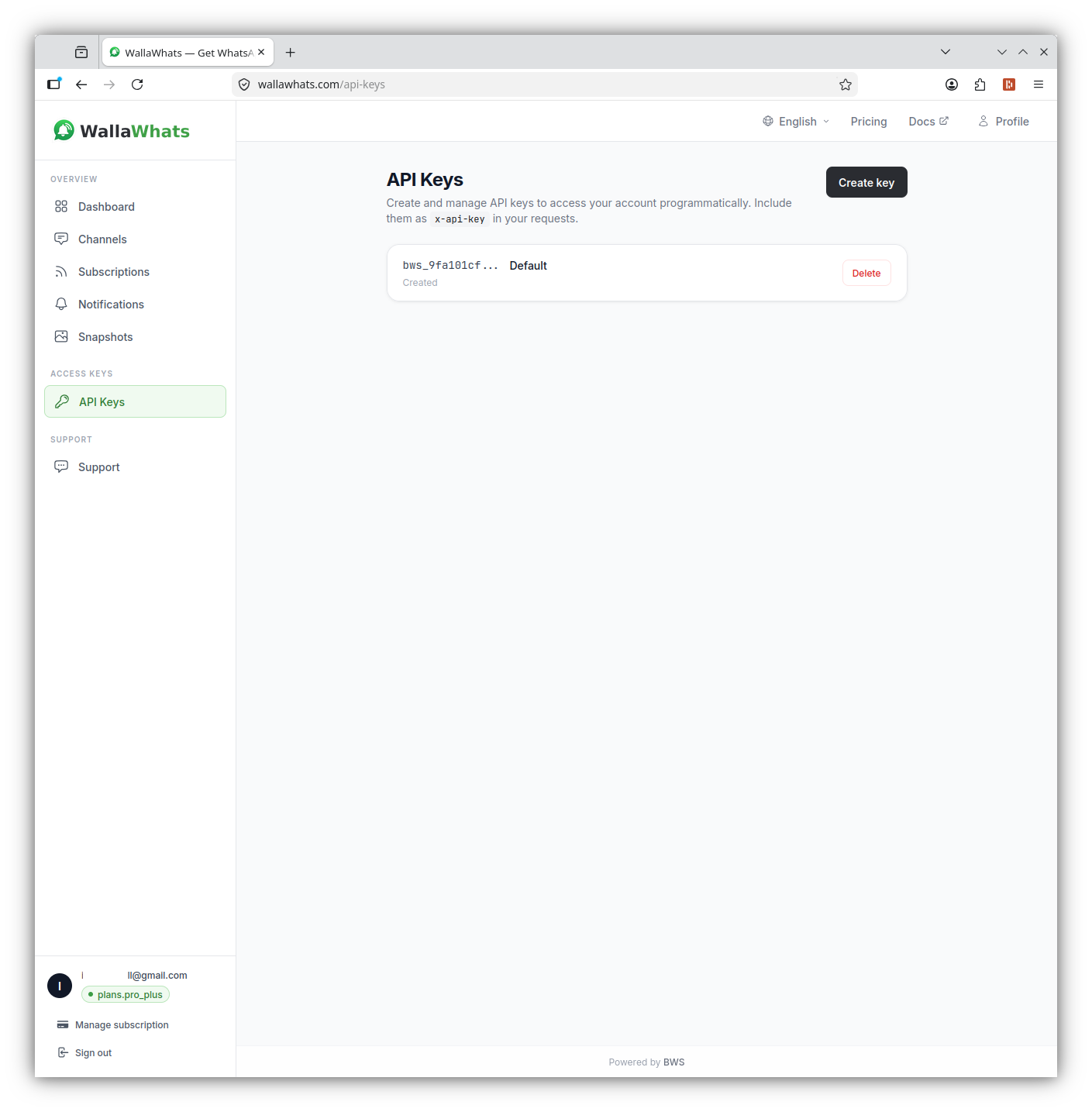
Authentication x-api-key header का उपयोग करता है (Authorization: Bearer नहीं)। Dashboard के API section से अपनी keys generate करें, और उन्हें passwords की तरह treat करें — वे full account privileges carry करती हैं।
curl -H "x-api-key: your_api_key_here" \
     https://api.wallawhats.com/subscriptions
Core API Endpoints
WALLAWHATS API integrations build करने के लिए पांच मुख्य resource groups प्रदान करता है:
Subscription Management
नया subscription create करें:
POST /subscriptions
Content-Type: application/json
x-api-key: your_api_key_here

{
  "xUsername": "elonmusk"
}
सभी subscriptions list करें:
GET /subscriptions
x-api-key: your_api_key_here
Subscription remove करें:
DELETE /subscriptions/elonmusk
x-api-key: your_api_key_here
ध्यान दें कि delete endpoint X handle को path parameter के रूप में लेता है — internal subscription ID नहीं।
Notification History और Audit
Delivery status के साथ notification history pull करें:
GET /notifications?from=1704067200000&to=1704153600000
x-api-key: your_api_key_here
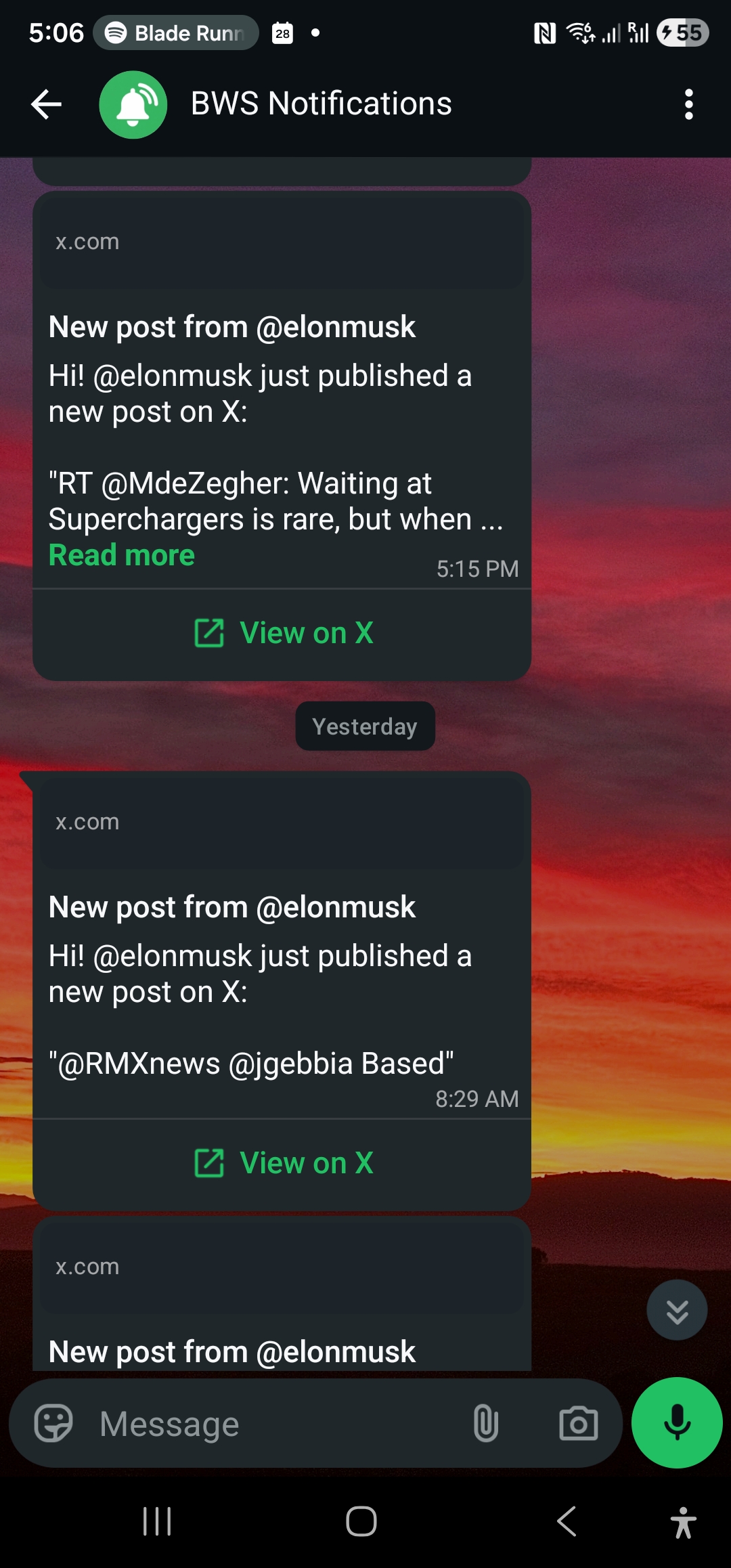
Notifications endpoint paginated results return करता है जहाँ हर row एक channel में deliver हुए एक alert को represent करती है। Status values में शामिल हैं:
queued: Alert accepted, delivery के लिए wait कर रहा हैsent: Channel provider को dispatch किया गयाdelivered: Destination द्वारा प्राप्त होने की पुष्टिread: Recipient द्वारा खोला गया (केवल WhatsApp, read receipts enabled होना चाहिए)failed: Delivery attempt unsuccessful
Channel Management
Configured channels list करें:
GET /channels
x-api-key: your_api_key_here
नया channel add करें:
POST /channels
Content-Type: application/json
x-api-key: your_api_key_here

{
  "type": "email",
  "destination": "alerts@yourcompany.com"
}
Channel remove करें:
DELETE /channels/channel_id_here
x-api-key: your_api_key_here
Tweet Snapshots
Snapshot gallery access करें:
GET /snapshots
x-api-key: your_api_key_here
Specific snapshot delete करें:
DELETE /snapshots/tweet_id_here
x-api-key: your_api_key_here
Integrations Building: Code Examples
Node.js Integration
यहाँ एक Node.js example है जो subscription add करता है और नई notifications के लिए polls करता है:
const axios = require('axios');

class WallaWhatsClient {
  constructor(apiKey) {
    this.apiKey = apiKey;
    this.baseURL = 'https://api.wallawhats.com';
  }

  async addSubscription(xUsername) {
    try {
      const response = await axios.post(
        `${this.baseURL}/subscriptions`,
        { xUsername },
        { headers: { 'x-api-key': this.apiKey } }
      );
      return response.data;
    } catch (error) {
      throw new Error(`Failed to add subscription: ${error.response?.data?.message || error.message}`);
    }
  }

  async getNotifications(from, to, lastKey = null) {
    try {
      let url = `${this.baseURL}/notifications?from=${from}&to=${to}`;
      if (lastKey) url += `&lastKey=${lastKey}`;

      const response = await axios.get(url, {
        headers: { 'x-api-key': this.apiKey }
      });
      return response.data;
    } catch (error) {
      throw new Error(`Failed to fetch notifications: ${error.response?.data?.message || error.message}`);
    }
  }

  async listSubscriptions() {
    try {
      const response = await axios.get(
        `${this.baseURL}/subscriptions`,
        { headers: { 'x-api-key': this.apiKey } }
      );
      return response.data;
    } catch (error) {
      throw new Error(`Failed to list subscriptions: ${error.response?.data?.message || error.message}`);
    }
  }
}

// Usage example
async function monitorCompetitor() {
  const client = new WallaWhatsClient('your_api_key_here');

  // Add a new subscription
  await client.addSubscription('vercel');
  console.log('Now monitoring @vercel');

  // Check recent notifications
  const oneDayAgo = Date.now() - (24 * 60 * 60 * 1000);
  const notifications = await client.getNotifications(oneDayAgo, Date.now());

  console.log(`Found ${notifications.items.length} recent alerts`);
  notifications.items.forEach(notification => {
    console.log(`${notification.xUsername}: ${notification.status} at ${notification.timestamp}`);
  });
}
Python Integration
Python workflows के लिए, यहाँ एक class है जो subscription management और notification polling handle करती है:
import requests
import time
from datetime import datetime, timedelta

class WallaWhatsAPI:
    def __init__(self, api_key):
        self.api_key = api_key
        self.base_url = 'https://api.wallawhats.com'
        self.headers = {'x-api-key': api_key}

    def add_subscription(self, x_username):
        """Add a new X account to monitor"""
        response = requests.post(
            f'{self.base_url}/subscriptions',
            json={'xUsername': x_username},
            headers=self.headers
        )
        response.raise_for_status()
        return response.json()

    def remove_subscription(self, x_username):
        """Remove an X account from monitoring"""
        response = requests.delete(
            f'{self.base_url}/subscriptions/{x_username}',
            headers=self.headers
        )
        response.raise_for_status()
        return response.status_code == 200

    def get_notifications(self, from_ms, to_ms, last_key=None):
        """Fetch notification history with pagination"""
        params = {'from': from_ms, 'to': to_ms}
        if last_key:
            params['lastKey'] = last_key

        response = requests.get(
            f'{self.base_url}/notifications',
            params=params,
            headers=self.headers
        )
        response.raise_for_status()
        return response.json()

    def get_all_notifications(self, from_ms, to_ms):
        """Fetch all notifications in a time range, handling pagination"""
        all_notifications = []
        last_key = None

        while True:
            batch = self.get_notifications(from_ms, to_ms, last_key)
            all_notifications.extend(batch['items'])

            if not batch.get('lastKey'):
                break
            last_key = batch['lastKey']

        return all_notifications

    def list_subscriptions(self):
        """Get all current subscriptions"""
        response = requests.get(
            f'{self.base_url}/subscriptions',
            headers=self.headers
        )
        response.raise_for_status()
        return response.json()

# Example: Daily audit report
def generate_daily_report():
    api = WallaWhatsAPI('your_api_key_here')

    # Get yesterday's notifications
    end_time = int(time.time() * 1000)
    start_time = end_time - (24 * 60 * 60 * 1000)

    notifications = api.get_all_notifications(start_time, end_time)

    # Group by account and status
    report = {}
    for notification in notifications:
        account = notification['xUsername']
        status = notification['status']

        if account not in report:
            report[account] = {'total': 0, 'delivered': 0, 'failed': 0}

        report[account]['total'] += 1
        if status in ['delivered', 'read']:
            report[account]['delivered'] += 1
        elif status == 'failed':
            report[account]['failed'] += 1

    # Print summary
    print(f"Daily Alert Report - {datetime.now().strftime('%Y-%m-%d')}")
    print("-" * 50)
    for account, stats in report.items():
        success_rate = (stats['delivered'] / stats['total']) * 100 if stats['total'] > 0 else 0
        print(f"@{account}: {stats['total']} alerts, {success_rate:.1f}% delivered")
Channel Routing को समझना
WALLAWHATS एक global channel routing model का उपयोग करता है — हर subscription से हर alert सभी enabled और verified channels में fan out होता है। आप API के माध्यम से specific accounts को specific destinations में route नहीं कर सकते (जैसे “@elonmusk → WhatsApp, @vercel → email”)।
Channel selection account level पर Channels page पर होता है। जब आप API के माध्यम से channel add करते हैं, तो verify होने के बाद यह सभी alerts के लिए available हो जाता है। जब आप channel remove करते हैं, तो यह सभी subscriptions से alerts प्राप्त करना बंद कर देता है।
यह design automation को simplify करते हुए alert fragmentation को prevent करता है। आपके integration code को per-subscription routing rules track करने की जरूरत नहीं है — बस manage करें कि कौन से accounts monitor करने हैं और कौन से channels enable करने हैं।
Rate Limits और Velocity Caps
WALLAWHATS high-activity periods के दौरान alert spam को prevent करने के लिए user-level velocity caps implement करता है:
- Free: 2 alerts/hour
- Pro: 5 alerts/hour
- Pro+: 15 alerts/hour
- Business: 30 alerts/hour
- Enterprise: 100 alerts/hour
जब velocity caps exceed हो जाते हैं, additional tweets को digest messages में buffer किया जाता है और हर 15 मिनट में deliver किया जाता है। आपका API integration इन्हें separate notification records के रूप में देखेगा — एक immediate alert के लिए, और हर digest batch के लिए एक।
API स्वयं subscription management या notification queries पर separate rate limits impose नहीं करता। हालांकि, endpoints को unnecessary requests से hammer करने से बचें — subscription lists को locally cache करें और notification queries को efficiently batch करें।
Error Handling और Troubleshooting
Common API error patterns और उन्हें handle करने का तरीका:
Authentication failures (401):
- Verify करें कि आपकी API key correct है और revoke नहीं हुई है
- सुनिश्चित करें कि आप
x-api-keyheader का उपयोग कर रहे हैं,Authorizationका नहीं
Subscription conflicts (409):
- Account already monitored: Subscription exist करता है, success के रूप में treat करें
- Account protected/private: WALLAWHATS इन्हें design से refuse करता है
Rate limiting (429):
- Retry करने से पहले exponentially back off करें
- Check करें कि कहीं आप monitored accounts पर plan limits के पास तो नहीं हैं
Channel verification issues:
- नए channels को alerts receive करने से पहले OTP verification की जरूरत होती है
- Programmatically added channels तब तक काम नहीं करेंगे जब तक user verification complete नहीं करता
अपने Integrations को Monitoring और Alerting
चूंकि business workflows में integrate होने पर WALLAWHATS critical infrastructure बन जाता है, अपने integration health को monitor करें:
Subscription Drift Detection:
// Check if expected subscriptions are still active
async function auditSubscriptions(expectedHandles) {
  const current = await client.listSubscriptions();
  const currentHandles = current.map(s => s.xUsername);

  const missing = expectedHandles.filter(h => !currentHandles.includes(h));
  if (missing.length > 0) {
    console.warn(`Missing subscriptions: ${missing.join(', ')}`);
  }

  return missing;
}
Delivery Success Rate Monitoring:
def check_delivery_health():
    # Check last 6 hours
    end_time = int(time.time() * 1000)
    start_time = end_time - (6 * 60 * 60 * 1000)

    notifications = api.get_all_notifications(start_time, end_time)
    if not notifications:
        return None

    delivered = sum(1 for n in notifications if n['status'] in ['delivered', 'read'])
    total = len(notifications)
    success_rate = (delivered / total) * 100

    if success_rate < 95:
        # Alert your ops team
        print(f"WARNING: Delivery success rate dropped to {success_rate:.1f}%")

    return success_rate
Integration Patterns और Best Practices
Webhook-Style Processing: हालांकि WALLAWHATS directly webhooks provide नहीं करता, आप नए alerts के लिए notifications endpoint को poll कर सकते हैं और उन्हें near-real-time में process कर सकते हैं:
async function pollForNewAlerts() {
  const lastCheck = localStorage.getItem('lastNotificationCheck') || Date.now() - 300000;
  const now = Date.now();

  const notifications = await client.getNotifications(lastCheck, now);

  for (const notification of notifications.items) {
    if (notification.status === 'delivered') {
      // Process the alert - send to Slack, update database, etc.
      await processAlert(notification);
    }
  }

  localStorage.setItem('lastNotificationCheck', now);
}

// Poll every 30 seconds
setInterval(pollForNewAlerts, 30000);
Conditional Subscription Management: External triggers के आधार पर dynamically subscriptions add या remove करें:
def update_competitor_monitoring(portfolio_companies):
    """Update X monitoring based on current portfolio"""
    current_subs = {s['xUsername'] for s in api.list_subscriptions()}

    # Accounts we should be monitoring
    target_accounts = set()
    for company in portfolio_companies:
        if company.get('ceo_twitter_handle'):
            target_accounts.add(company['ceo_twitter_handle'])
        if company.get('company_twitter_handle'):
            target_accounts.add(company['company_twitter_handle'])

    # Add missing subscriptions
    for account in target_accounts - current_subs:
        try:
            api.add_subscription(account)
            print(f"Started monitoring @{account}")
        except Exception as e:
            print(f"Failed to add @{account}: {e}")

    # Remove outdated subscriptions
    for account in current_subs - target_accounts:
        api.remove_subscription(account)
        print(f"Stopped monitoring @{account}")
WALLAWHATS API real-time X alerts को manual dashboard tool से एक programmable infrastructure component में transform करता है। चाहे आप custom intelligence workflows build कर रहे हों, brand monitoring को automate कर रहे हों, या white-label notification services create कर रहे हों, API production integration के लिए जरूरी control और audit capabilities provide करता है।
अपनी monitoring को competitors से आगे expand करना चाहते हैं? Market signals के लिए crypto Twitter monitor करने पर हमारा guide देखें या जानें कि journalists real-time source monitoring के लिए WALLAWHATS का उपयोग कैसे करते हैं।
कभी भी कोई important post miss न करें। Free account create करें — 1 WhatsApp number, real-time alerts, कोई credit card जरूरी नहीं।
लेखक के बारे में
Nacho Coll
Founder & Engineer at WallaWhats
Nacho founded WallaWhats so you get the alerts that matter without depending on X's algorithm to surface them — pick the accounts you care about and get a WhatsApp for every post the moment it goes live, in order, nothing throttled or buried. Writes about real-time notification systems, social-signal monitoring, and serverless delivery pipelines from the operator side of the wire.