TweetDeck अब Paywall के पीछे चला गया — यहाँ एक Free Alternative है जो WhatsApp पर Alerts भेजता है
TweetDeck (अब X Pro) के लिए paid X subscription की जरूरत है। अगर आप इसका इस्तेमाल specific accounts को monitor करने के लिए करते थे, तो WallaWhats एक free, no-install alternative है — alerts सीधे WhatsApp पर आते हैं।
 द्वारा Nacho Coll
Nacho founded WallaWhats so you get the alerts that matter without depending on X's algorithm to surface them — pick the accounts you care about and get a WhatsApp for every post the moment it goes live, in order, nothing throttled or buried.
एक दशक से भी अधिक समय तक, TweetDeck एक सरल सवाल का जवाब था: मैं algorithmic feed को scroll किए बिना Twitter accounts की specific list पर नजर कैसे रखूं? Columns। Real-time। Free। Twitter द्वारा ही बनाया गया। यह journalists, traders, marketers, और हर उस व्यक्ति द्वारा पसंद किया जाता था जिसका काम specific लोगों को track करना था।
फिर Twitter, X बन गया, TweetDeck, X Pro बन गया, और access एक Premium subscription के पीछे चला गया जो $8/month से शुरू होता है और वहाँ से ऊपर जाता है। एक ऐसे tool के लिए जिसका इस्तेमाल कई लोग केवल एक specific काम के लिए करते थे — notification पाने के लिए कि certain accounts ने post किया है — यह निगलने के लिए एक कड़वी गोली है।
और भी बुरी बात यह है कि X Pro अभी भी एक screen-based tool है। आपको columns को देखना होता है ताकि पता चल सके कि नया क्या है। ज्यादातर लोगों का use case यह नहीं था “मुझे multi-column dashboard चाहिए।” यह था: “मुझे notification चाहिए जब यह specific account post करे।” WallaWhats उस single job के इर्द-गिर्द बनाया गया है।
WallaWhats वास्तव में क्या करता है
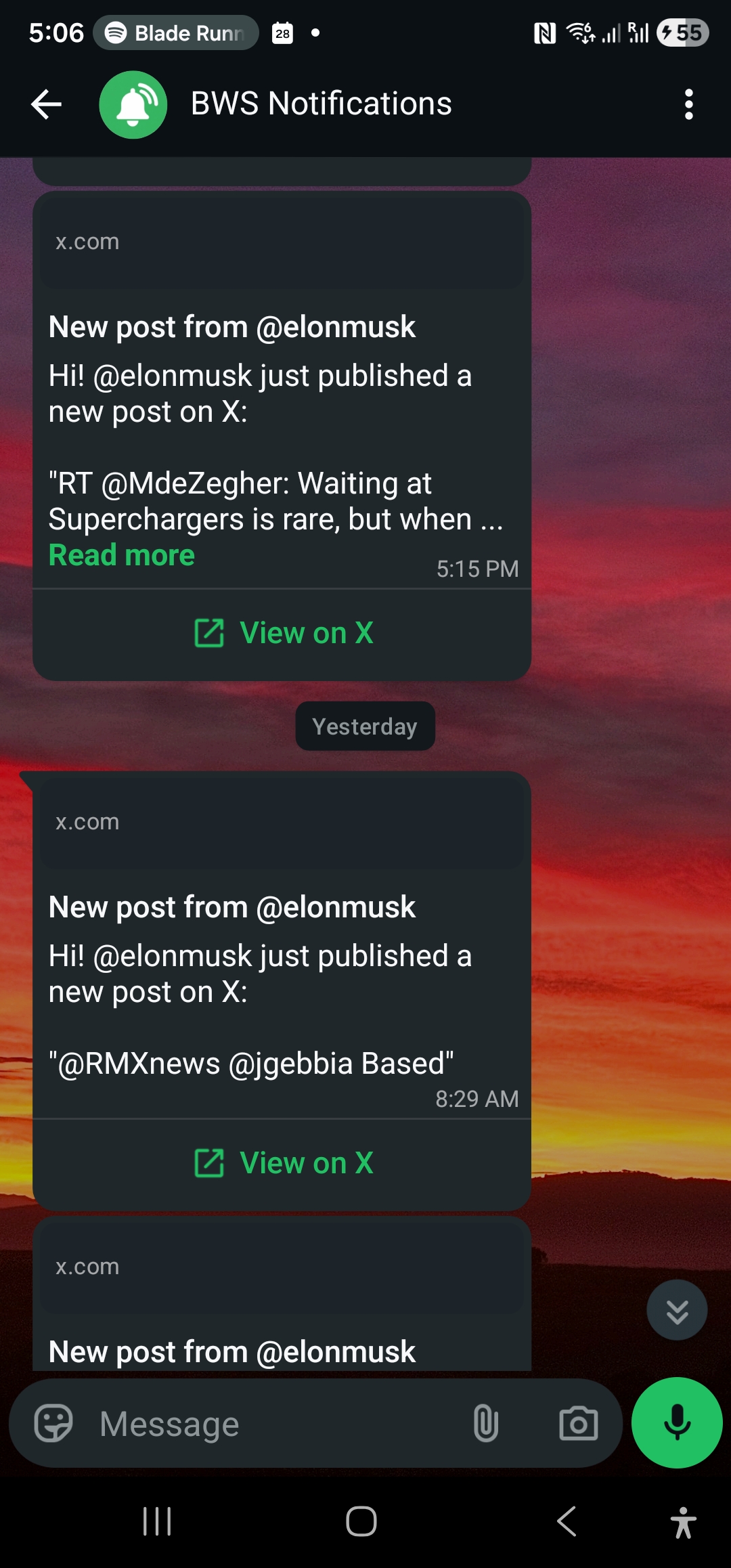
आप उन X accounts को pick करते हैं जिनकी आपको परवाह है। हम X की public stream को monitor करते हैं, और जैसे ही आपके accounts में से कोई post करता है, आपको post content और link के साथ एक WhatsApp message मिल जाता है।
बस इतना ही। कोई browser tab खुला रखने की जरूरत नहीं। कोई columns set up करने की जरूरत नहीं। X की subscription की जरूरत नहीं (हमारी तरफ से आपको X account की भी जरूरत नहीं — हम posts पढ़ने के लिए X के public APIs का इस्तेमाल करते हैं, आपकी personal feed का नहीं)।
यह TweetDeck का notification half है, dashboard half से अलग किया गया। ज्यादातर TweetDeck users के लिए, notification ही असली value थी।
WhatsApp delivery alternatives से क्यों बेहतर है
ज्यादातर TweetDeck-alternative articles में Hootsuite, Sprout Social, Buffer, या विभिन्न scheduling-focused platforms जैसे tools की list होती है। वे जो करते हैं उसके लिए उपयोगी हैं, लेकिन वे social media managers के लिए बनाए गए हैं जो outbound presence चलाते हैं — उन individuals के लिए नहीं जो बस यह जानना चाहते हैं कि specific account ने कब post किया।
TweetDeck alternatives का दूसरा thread email-alert tools (Twilert, Warble) है जो daily या hourly digests भेजते हैं। यह उन चीजों के लिए काम करता है जहाँ minutes मायने नहीं रखते। लेकिन अगर आप TweetDeck का इस्तेमाल breaking news, market-moving posts, या competitor announcements को जैसे ही हों catch करने के लिए करते थे, तो hourly email कोई substitute नहीं है।
WhatsApp एक notification channel के रूप में uniquely suited है क्योंकि:
- आप पहले से ही वहाँ हैं। यह वह messaging app है जिसे आप वैसे भी check करते हैं।
- Lock-screen delivery। Audible, top-of-screen, undeniable। वही channel जैसा कि कोई दोस्त आपको text करता है।
- कोई additional app नहीं। Email, Slack, Discord — सभी के लिए आपको उन apps में होना जरूरी है। WhatsApp वह है जो ज्यादातर लोगों के पास पहले से always-on है।
- Open rate functionally 100% है। इसकी तुलना email (~20%) या push notifications से करें (जिन्हें X non-engaged users के लिए throttle कर रहा है)।
TweetDeck से migration कैसी दिखती है
Mapping straightforward है:
आपके TweetDeck columns of “specific user X” → WallaWhats में tracked accounts। Same accounts, same purpose। बस WhatsApp messages के रूप में deliver होता है scrolling column के बजाय।
आपके TweetDeck “User Activity” या “Notifications” columns → WallaWhats original posts को cover करता है। Reply tracking और like tracking scope में नहीं हैं (और honestly, वे TweetDeck में भी noisy थे)।
आपका TweetDeck “Mentions” column → Currently supported नहीं है। WallaWhats account-level है। अगर आपका TweetDeck use primarily अपने या अपने brand के mentions monitor करने के बारे में था, तो एक अलग tool (Hootsuite, Brand24) बेहतर fit है।
आपका TweetDeck “Search” column hashtag या keyword के लिए → यह भी currently supported नहीं है। यह हमारे roadmap पर है लेकिन आज वहाँ नहीं है।
अगर आपका TweetDeck use 80%+ specific accounts को track करने के बारे में था (और ज्यादातर journalists, traders, और individuals के लिए ऐसा ही था), तो WallaWhats असली job को cover करता है।
ज्यादातर लोगों के लिए पाँच accounts काफी हैं
कुछ सौ TweetDeck setups को देखते हुए जिन्हें लोगों ने publicly describe किया: ज्यादातर users के पास 5-15 columns setup थे, और उनमें से ज्यादातर columns specific accounts को track कर रहे थे। ज्यादातर personal use cases के लिए पाँच accounts sweet spot है।
WallaWhats की free tier 2 accounts monitor करती है, Pro tier ($5/month) 3 accounts cover करती है, और Pro+ ($12/month) 10 accounts cover करती है। Paid plans के बीच breakpoint पैसा extract करने के लिए design नहीं किया गया — यह बस इसलिए है ताकि आप वह cap pick कर सकें जो आपके actual usage से match करे। अगर आप TweetDeck पर 5 accounts track करते थे, तो Pro+ plan $12/month पर आपको 5 accounts का headroom देता है और अभी भी X Premium से सस्ता है।
Setup की तुलना
TweetDeck (X Pro) setup आज:
- X Premium की subscription लें ($8+/month)
- Browser में X Pro खोलें (web only — अब कोई native client नहीं)
- Columns build करें
- Tab खुला रखें
- उम्मीद करें कि column actually real time में update हो (X Pro performance post-acquisition से spotty रहा है)
WallaWhats setup:
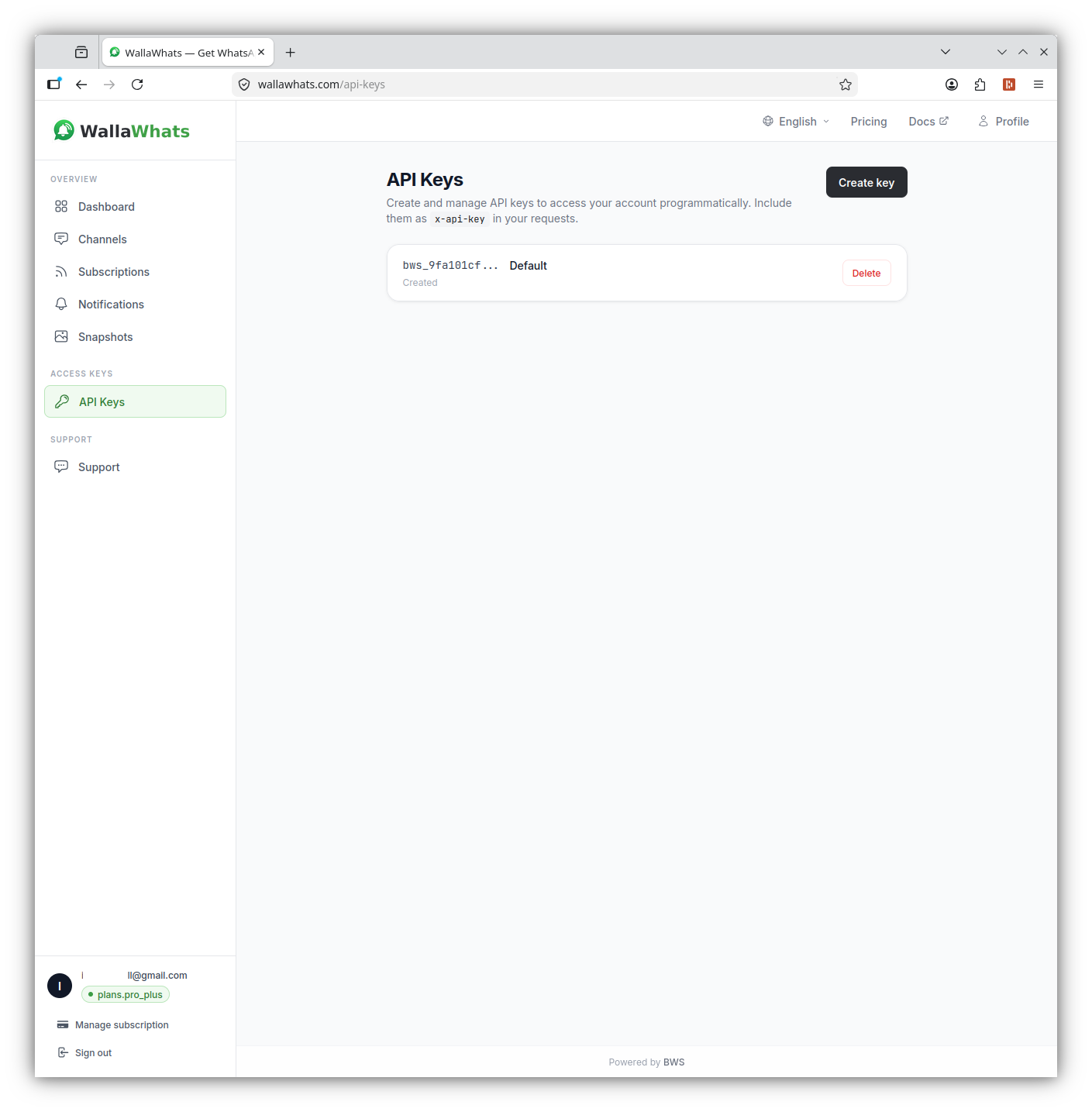
- wallawhats.com पर free sign up करें (email या Google)
- वे X handles add करें जिन्हें आप monitor करना चाहते हैं
- One-time code के साथ अपना WhatsApp number verify करें
- Done। Posts publish होने के seconds बाद WhatsApp पर arrive करते हैं।
Latency comparison
X Pro posts को API के publish करते ही display करता है — typically high-volume events के दौरान noticeable lag के साथ। Refresh-button vs auto-load behavior इस पर depend करता है कि आप किस column type में हैं।
WallaWhats X की filtered stream API का इस्तेमाल करता है और WhatsApp Cloud API के via push करता है। Post-published से WhatsApp-delivered तक end-to-end latency:
X post published          → 0s
X stream delivers          → ~5s
WallaWhats forwards        → +1-2s
WhatsApp message arrives   → +0.5s
─────────────────────────────────
Total                      → 6-8s
ज्यादातर use cases के लिए — journalism, trading, competitive monitoring, fan tracking — यह latency budget के भीतर ही है। आपको अपने lock screen पर post मिल जाता है इससे पहले कि ज्यादातर लोगों ने अपना feed refresh किया हो।
क्या होगा अगर आपको वास्तव में multi-column dashboard चाहिए?
अगर columns खुद ही value हैं (आप एक social media manager हैं जो multiple accounts चला रहे हैं, आपको scheduling चाहिए, आपको analytics चाहिए), तो WallaWhats उसे replace करने की कोशिश नहीं कर रहा। Tools जो अभी भी dashboard niche को occupy करने की कोशिश करते हैं उनमें Hootsuite, Sprout Social, और नए entrants जैसे OpenTweet शामिल हैं। ज्यादातर paid हैं, और ज्यादातर marketing teams को aim करते हैं।
WallaWhats सरल — और अधिक common — case के लिए है: मुझे बस notification चाहिए जब ये specific accounts post करें। उस job के लिए, columns overkill हैं, और WhatsApp message सबसे lowest-friction delivery method available है।
Pricing
- Free: 2 accounts, 3 alerts/month — उन accounts पर latency test करने के लिए काफी जिनकी आपको actually परवाह है।
- Pro ($5/mo): 3 accounts, 50 alerts/month
- Pro+ ($12/mo): 10 accounts, 250 alerts/month — typical TweetDeck setup का सबसे closest match
- Business ($29/mo): 20 accounts, 1,000 alerts/month
- Enterprise ($99/mo): 50 accounts, 3,000 alerts/month
शुरू करें
TweetDeck-to-WallaWhats migration में लगभग 30 seconds लगते हैं। Sign up करें, वे handles paste करें जिन्हें आप track करते थे, WhatsApp verify करें, और आप फिर से उन accounts के लिए alerts पाने के लिए तैयार हैं जिनकी आपको परवाह है — कोई X subscription की जरूरत नहीं, कोई browser tab babysit करने की जरूरत नहीं, कोई columns maintain करने की जरूरत नहीं।
लेखक के बारे में
Nacho Coll
Founder & Engineer at WallaWhats
Nacho founded WallaWhats so you get the alerts that matter without depending on X's algorithm to surface them — pick the accounts you care about and get a WhatsApp for every post the moment it goes live, in order, nothing throttled or buried. Writes about real-time notification systems, social-signal monitoring, and serverless delivery pipelines from the operator side of the wire.