Alert Storms से बचना: कैसे Velocity Caps WhatsApp को सुरक्षित रखते हैं
जब कोई monitored account एक minute में 30 बार post करता है, तो आप 30 WhatsApp pings नहीं चाहते। यहाँ देखें per-plan velocity caps और digest batching कैसे काम करते हैं।
 द्वारा Nacho Coll
Nacho founded WallaWhats so you get the alerts that matter without depending on X's algorithm to surface them — pick the accounts you care about and get a WhatsApp for every post the moment it goes live, in order, nothing throttled or buried.
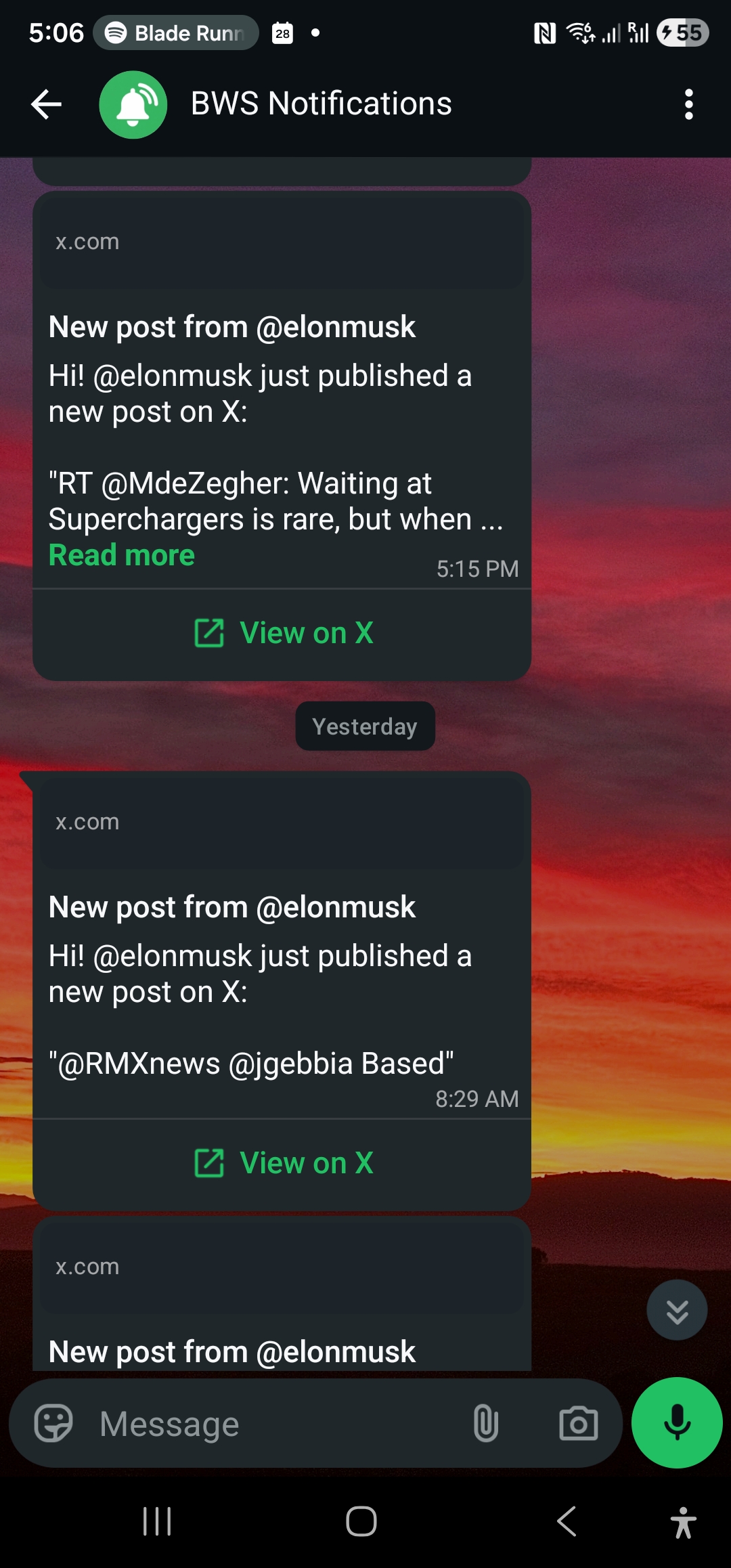
इस scenario की कल्पना करें: आप @ElonMusk के X account को market-moving announcements के लिए monitor कर रहे हैं। रात के 2 बज रहे हैं और Elon एक 45-minute Twitter storm शुरू करता है — Tesla की अगली earnings, SpaceX launches, और AI regulation पर अपने विचारों के बारे में rapid-fire thoughts post करता है। एक घंटे के भीतर, आपका WhatsApp 30+ notifications से भर जाता है, हर ping आपको जगाती रहती है।
यह वही nightmare scenario है जिसे रोकने के लिए velocity caps को design किया गया था। जब high-activity accounts breaking news, AMAs, या late-night posting sprees के दौरान burst mode में जाते हैं, तो आपको notification floods से सुरक्षा की जरूरत होती है जो आपके phone को overwhelm कर सकते हैं और वास्तव में महत्वपूर्ण चीजों पर focus करना असंभव बना सकते हैं।
समस्या: High-Activity Accounts Alert Storms पैदा करते हैं
कुछ X accounts naturally bursty होते हैं। Breaking stories के दौरान news organizations, market volatility के समय crypto influencers, product launches के दौरान tech founders, या debates के समय politicians आसानी से एक घंटे में 20-50 बार post कर सकते हैं। Proper flood control के बिना, आपके real-time alerts एक asset के बजाय liability बन जाते हैं।
इन common scenarios पर विचार करें:
Breaking News Events: जब कोई major story break करती है, तो journalists और news accounts अक्सर rapid updates post करते हैं जैसे-जैसे information develop होती है। एक single reporter developing crisis के दौरान 30 minutes में 15-20 बार post कर सकता है।
Crypto Market Volatility: Significant price movements के दौरान, crypto analysts और traders frequently rapid-fire market commentary, technical analysis updates, और breaking news post करते हैं जो minutes में दर्जनों alerts trigger कर सकते हैं।
Product Launches: Tech executives अक्सर product announcements को live-tweet करते हैं, feature details से लेकर behind-the-scenes insights तक सब कुछ extended periods में share करते हैं।
AMAs और Q&A Sessions: जब public figures X पर impromptu Q&A sessions host करते हैं, तो वे rapid succession में दर्जनों questions का जवाब दे सकते हैं।
इन scenarios में से हर एक valuable signal represent करता है जब ये होता है — लेकिन 20 minutes में 30 individual WhatsApp pings receive करना जल्दी ही useful information के बजाय noise बन जाता है।
WallaWhats Velocity Caps कैसे काम करते हैं
WallaWhats intelligent velocity caps implement करता है जो आपको notification floods से protect करते हैं जबकि ensure करते हैं कि आप कभी important updates miss न करें। यहाँ बताया गया है कि system कैसे काम करता है:
Per-User Rate Limiting
Velocity caps rolling 60-minute window पर आपकी सभी subscriptions में per-user apply होते हैं। इसका मतलब है अगर आप 10 accounts monitor कर रहे हैं और आपके plan में 5 alerts/hour cap है, तो आप उन accounts के किसी भी combination से first 5 alerts receive करेंगे, चाहे कोई भी specific handles उन्हें generate करें।
Cap continuously reset होता है — यह कोई hard hourly boundary नहीं है। इसके बजाय, system पिछले 60 minutes के आपके alerts को track करता है। अगर आपने 2:00-3:00 PM के बीच 5 alerts receive किए, तो आप 2:01 PM पर फिर से new alerts receive कर सकते हैं (उस window में आपके first alert के 60 minutes बाद)।
Plan-Based Caps
हर WallaWhats plan में typical usage patterns से match करने के लिए design किए गए different velocity limits include हैं:
- Free Plan: 2 alerts per hour
- Pro Plan: 5 alerts per hour
- Pro+ Plan: 15 alerts per hour
- Business Plan: 30 alerts per hour
- Enterprise Plan: 100 alerts per hour
ये limits real user behavior के आधार पर calibrate किए गए हैं। 2-3 accounts monitor करने वाले most users normal periods के दौरान Free tier limit भी rarely hit करते हैं, लेकिन caps high-activity events के दौरान crucial protection provide करते हैं।
जब आप Cap Hit करते हैं तो क्या होता है
जब आपका velocity cap reach हो जाता है, तो WallaWhats additional tweets को simply drop नहीं करता। इसके बजाय, excess alerts को digest system में buffer किया जाता है जो ensure करता है कि आप अभी भी सभी important information receive करें — बस एक अधिक manageable format में।
यहाँ step-by-step process है:
- Normal Operation: Alerts 1-N (जहाँ N आपके plan की hourly limit है) आपके सभी verified channels पर immediately deliver होते हैं
- Cap Reached: Additional tweets immediate alerts trigger करने के बजाय digest buffer में store होते हैं
- Digest Generation: हर 15 minutes में, एक automated system buffered tweets को process करता है
- Digest Delivery: आपको हर monitored account के लिए जिसके buffered tweets थे, एक digest message receive होता है
- Multi-Channel Delivery: Digest messages आपके सभी enabled channels पर भेजे जाते हैं, बिल्कुल regular alerts की तरह
Digest Messages को समझना
जब velocity caps digest mode trigger करते हैं, तो आप specially formatted messages receive करेंगे जो buffered activity को summarize करते हैं। यहाँ typical digest कैसा दिखता है:
WhatsApp Digest Format:
📊 WallaWhats Digest: @elonmusk (3 tweets, 2:45-3:00 PM)

• "Thinking about Mars colony architecture again..."
• "Tesla FSD beta 12.3 rolling out next week"
• "The future is going to be wild 🚀"

View all tweets: https://x.com/elonmusk
Email Digest Format: Email digests में same text summary plus हर buffered tweet के rendered PNG snapshots include होते हैं, जो आपके inbox को manageable रखते हुए individual alerts के साथ मिलने वाला visual context maintain करते हैं।
Digest Timing और Grouping
Digests हर 15 minutes में EventBridge-scheduled Lambda function द्वारा generate होते हैं। यह timing timeliness और practical usability के बीच balance करती है — काफी frequent ताकि आप updates के लिए घंटों wait न करें, लेकिन काफी infrequent ताकि extended high-activity periods के दौरान notification spam prevent हो।
Important बात यह है कि digests per (user, X-handle) combination grouped होते हैं। अगर आप @elonmusk और @vercel दोनों को monitor कर रहे हैं और दोनों accounts simultaneously high activity hit करते हैं, तो आपको एक combined summary के बजाय हर account के लिए separate digest messages receive होंगे।
Channels के Across Velocity Caps
WallaWhats के velocity cap system का एक crucial aspect यह है कि limits आपके सभी enabled channels पर collectively apply होते हैं, per-channel नहीं। यह unified approach sophisticated workarounds को prevent करता है while simplicity maintain करता है।
उदाहरण के लिए, अगर आपके पास WhatsApp और email दोनों enabled हैं और आपके plan में 5 alerts per hour allow हैं:
- Alert #1 WhatsApp और email दोनों पर जाता है (आपके cap के लिए 1 count करता है)
- Alert #2 WhatsApp और email दोनों पर जाता है (आपके cap के लिए 1 count करता है)
- Alert #5 तक continue करें
- Alert #6+ digest delivery के लिए दोनों channels पर buffer होते हैं
यह design ensure करता है कि velocity caps meaningful protection provide करें regardless of कितने notification channels आपने configure किए हैं।
अपने Velocity Usage को Monitor करना
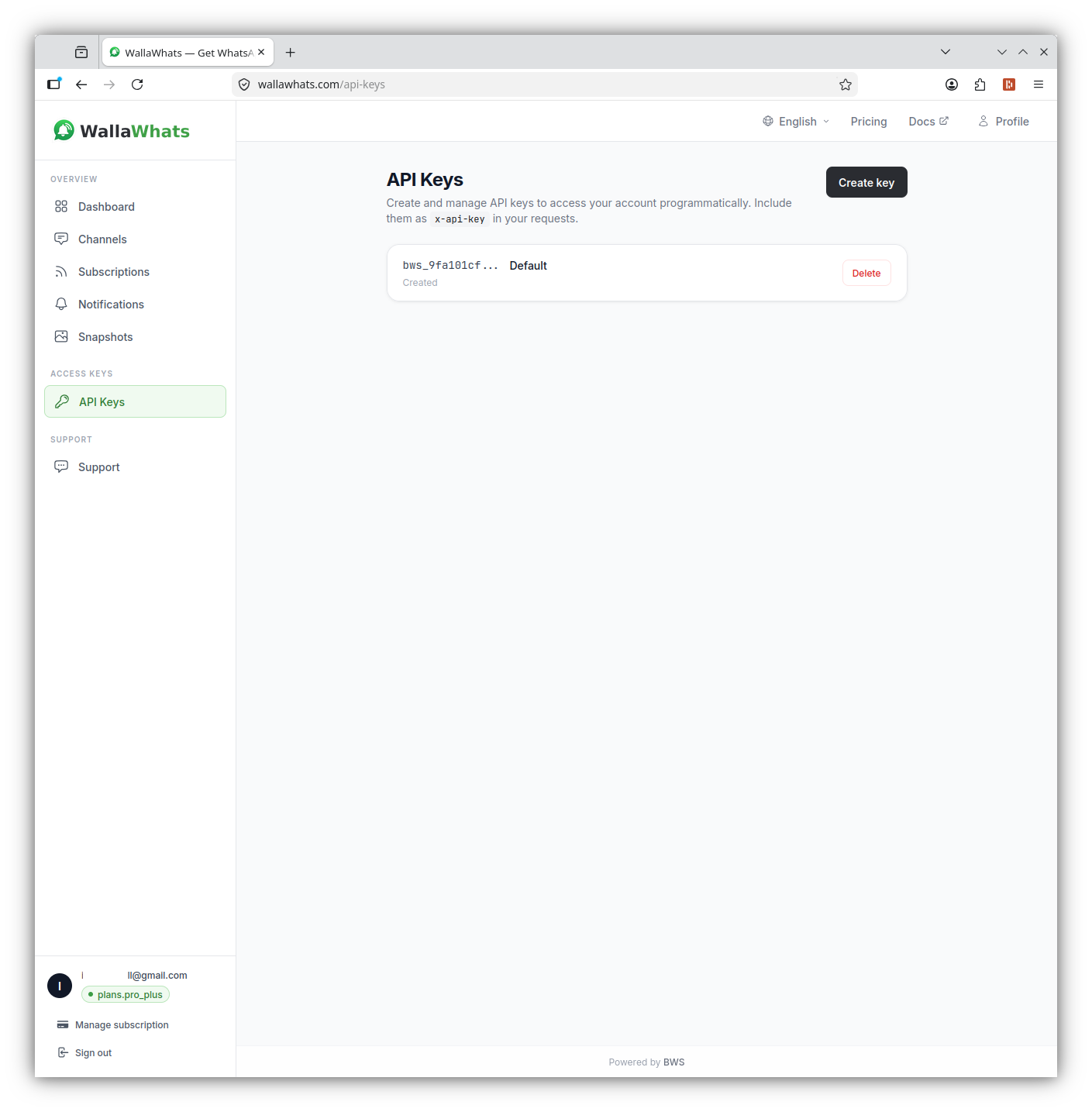
WallaWhats dashboard कई mechanisms के through आपके current velocity cap usage में visibility provide करता है:
Real-Time Status
आपका dashboard “Messages this month” statistics show करता है जो current UTC cycle में सभी channels के across sent, delivered, और read alerts reflect करती है। यह आपके overall notification volume को समझने में help करता है और यह कि आप frequently velocity limits hit कर रहे हैं या नहीं।
Notification History
Notifications history page हर alert में detailed insight provide करता है, जिसमें शामिल है:
- Individual message status (queued/sent/delivered/read/failed)
- Burst patterns समझने के लिए timestamp information
- Channel-specific delivery details
- Digest vs. individual alert identification
API Monitoring
WallaWhats API leverage करने वाले users के लिए, आप अपने notification patterns को programmatically monitor कर सकते हैं:
curl -H "x-api-key: your-api-key" \
  "https://api.wallawhats.com/notifications?from=1609459200000&to=1609545600000"
API response में timing data include होता है जो समझने में help करता है कि velocity caps कब engage हुए और कितना content digest-batched vs. immediately delivered था।
अपने Use Case के लिए Optimize करना
Different monitoring scenarios velocity cap management के लिए different approaches से benefit करते हैं:
High-Frequency Trading और Market Analysis
अगर आप multiple crypto traders या financial analysts को monitor कर रहे हैं, तो Pro+ plan (15 alerts/hour) या Business plan (30 alerts/hour) consider करें। Major market events के दौरान, आप हर key account से first several posts के लिए immediate alerts चाहते हैं, digests के साथ detailed analysis capture करते हैं जो follow करती है।
Breaking News Monitoring
Journalists और news professionals अक्सर Business plan के 30 alerts/hour cap से benefit करते हैं। यह breaking developments के लिए immediate alerts provide करता है while extended coverage periods के दौरान notification storms से still protecting करता है।
Competitive Intelligence
Competitor announcements monitor करने के लिए, Pro plan (5 alerts/hour) अक्सर sufficient होता है। Product announcements rarely rapid bursts में happen होती हैं, और digest system ensure करता है कि आप कोई भी follow-up posts या clarifications capture करें।
Personal Interest Following
अगर आप casually thought leaders या industry experts को follow कर रहे हैं, तो Free plan के 2 alerts/hour with digest backup notification fatigue से good protection provide करते हैं while ensure करते हैं कि आप important content miss न करें।
Technical Implementation Details
Velocity caps कैसे under the hood काम करते हैं, इसे समझना आपकी monitoring strategy को optimize करने में help कर सकता है:
Rolling Window Calculation
60-minute rolling window का मतलब है आपका available “alert budget” fixed hourly intervals पर reset होने के बजाय continuously refresh होता है। यह more natural behavior provide करता है — अगर आपने 2:00-2:30 PM के बीच 5 alerts receive किए, तो आप 3:00 PM पर (first alert के 60 minutes बाद) फिर से immediate alerts पाना start करेंगे, 3:00 PM sharp पर नहीं।
Buffer Processing
Digest buffer system हर 15 minutes में processing trigger करने के लिए EventBridge use करता है। Processing के दौरान, buffered tweets:
- (User, X-handle) combination द्वारा grouped होते हैं
- Chronologically sort होते हैं
- Digest messages में format होते हैं
- सभी enabled, verified channels पर deliver होते हैं
- Buffer से remove हो जाते हैं
इसका मतलब है कि किसी भी tweet का आप तक पहुँचने का maximum delay 15 minutes है (अगर यह digest processing cycle के तुरंत बाद arrive करता है)।
Cross-Account Behavior
Velocity caps आपके सभी monitored accounts के across apply होते हैं। यह design system को overly complex बनने से prevent करता है while meaningful protection provide करता है। अगर @account1 3 times post करता है और @account2 एक घंटे के भीतर 3 times post करता है, और आपका cap 5 alerts/hour है, तो आप whichever accounts first post करते हैं उनसे 5 immediate alerts receive करेंगे, remaining tweet digest में जाएगी।
Velocity Cap Management के लिए Best Practices
Right Plan Choose करें
Normal और high-activity periods दोनों के दौरान अपनी typical monitoring needs को evaluate करें। अगर आप important events के दौरान frequently अपने velocity cap को hit करते हैं, तो time-sensitive content के लिए immediate alerts miss करने के बजाय higher tier पर upgrade करने को consider करें।
Usage Patterns Monitor करें
अपने actual alert patterns को समझने के लिए notifications history का use करें। Many users discover करते हैं कि उन्हें expected से कम immediate alerts की जरूरत होती है, जो उन्हें effective digest coverage के साथ lower-cost plan के लिए optimize करने की allow करती है।
Time Zones Consider करें
Velocity caps daily statistics के लिए UTC boundaries पर operate करते हैं, लेकिन rate limiting के लिए rolling 60-minute window real-time में operate करती है। अगर आप उन accounts को monitor कर रहे हैं जो specific time zones के दौरान most active होते हैं, तो इसे अपनी plan selection में factor करें।
Channel Strategy
याद रखें कि multiple channels (WhatsApp + email) enable करना आपके velocity cap को increase नहीं करता — हर alert सभी enabled channels पर fan out होता है। Throughput increase करने की कोशिश करने के बजाय delivery preferences के around अपनी channel strategy design करें।
Existing Workflows के साथ Integration
Velocity caps existing WallaWhats features के साथ seamlessly काम करते हैं:
API Access
सभी plans में API access include है, जो आपको notifications endpoint के through immediate alerts और digest content दोनों को programmatically retrieve करने की allow करती है। यह existing monitoring dashboards या alert systems के साथ integration enable करती है।
Tweet Snapshots
Immediate alerts और digest messages दोनों में 30-day gallery के through tweet snapshots का access include है। यह ensure करता है कि आप important posts के लिए visual context maintain करें regardless of कि वे immediately या digest के via deliver हुए हों।
Multi-Account Monitoring
Velocity caps multi-account monitoring को more practical बनाते हैं कोई भी single high-activity account को आपके notification channels overwhelm करने से prevent करके while आप multiple sources track कर रहे हों।
Looking Ahead
Velocity cap system practical, real-world usability के लिए WallaWhats की commitment को represent करता है। जैसे-जैसे X usage patterns evolve होते हैं और new types की high-frequency content emerge होती है, system को immediate awareness और notification sanity के बीच right balance maintain करने के लिए tune किया जा सकता है।
Most users के लिए, velocity caps background में invisibly operate करते हैं — जरूरत पड़ने पर protection provide करते हैं while normal monitoring activities में कभी interfere नहीं करते। जब वे engage करते हैं, digest system ensure करता है कि आप अभी भी अपने monitored accounts से सभी activity का comprehensive coverage receive करें।
Real-time alerts most valuable होते हैं जब वे आपके attention को overwhelm किए बिना actionable intelligence provide करते हैं। Velocity caps उस balance को possible बनाते हैं, आपको confidence के साथ high-activity accounts monitor करने की allow देते हैं कि important updates आप तक promptly पहुँचेंगे while notification storms के दौरान आपके focus को protect करेंगे।
फिर कभी कोई important post miss न करें। Free account बनाएं — 1 WhatsApp number, real-time alerts, कोई credit card required नहीं।
लेखक के बारे में
Nacho Coll
Founder & Engineer at WallaWhats
Nacho founded WallaWhats so you get the alerts that matter without depending on X's algorithm to surface them — pick the accounts you care about and get a WhatsApp for every post the moment it goes live, in order, nothing throttled or buried. Writes about real-time notification systems, social-signal monitoring, and serverless delivery pipelines from the operator side of the wire.