X Alerts API: 프로그래밍 방식 구독 및 알림 기록
WALLAWHATS 위에서 맞춤형 통합을 구축하세요. REST API로 X 구독 계정을 추가·제거하고, 알림을 원하는 채널로 라우팅하며, 전달 상태가 포함된 알림 기록을 조회할 수 있습니다.
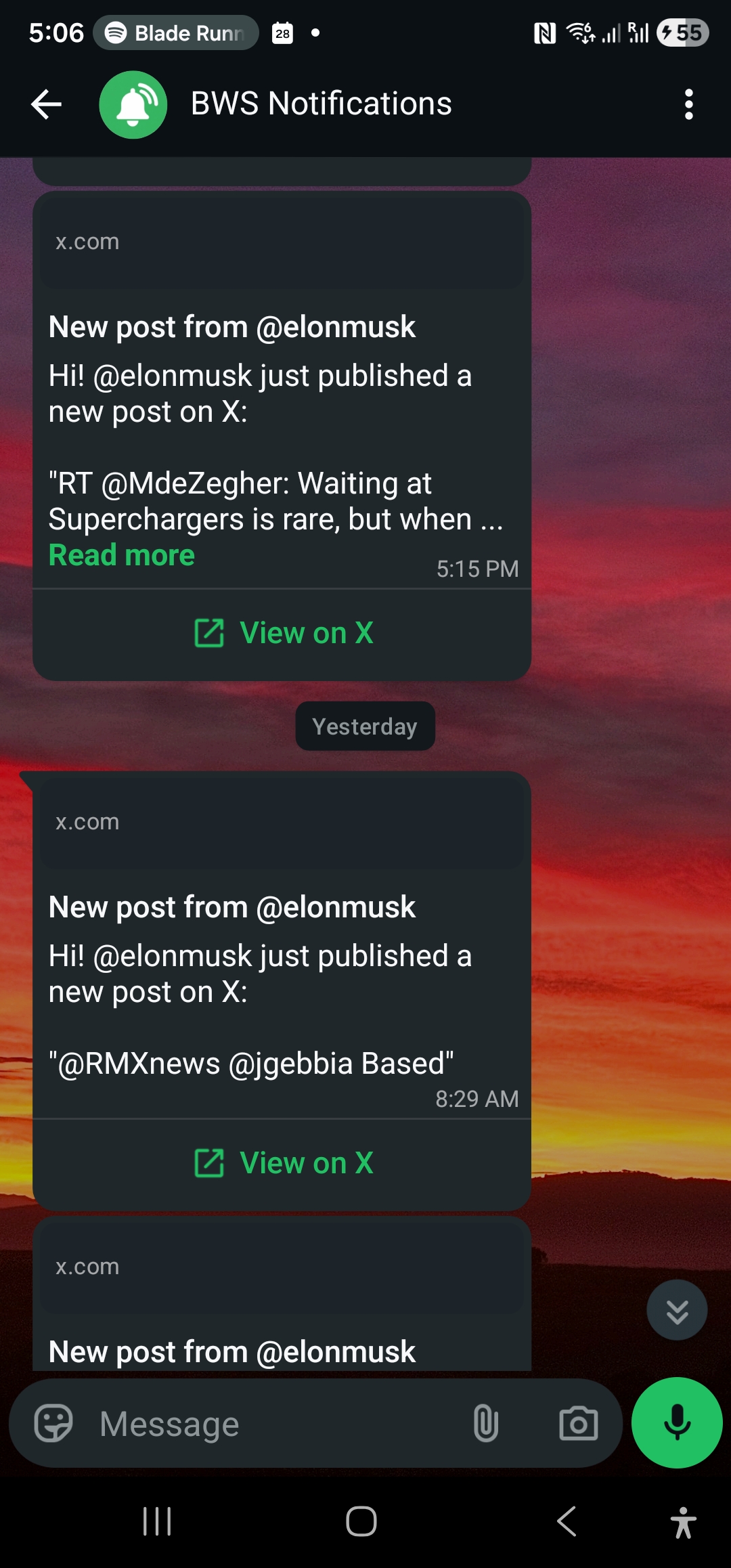
실시간 X (Twitter) 알림이 비즈니스에서 미션 크리티컬해질 때, 수동 대시보드 관리는 한계에 부딪힙니다. 고객 인텔리전스 대시보드를 구축하든, 브랜드 모니터링 워크플로를 자동화하든, 트레이딩 데스크를 위한 맞춤형 알림 시스템을 만들든, X 알림 구독에 대한 프로그래밍 방식의 제어가 필요합니다.
WALLAWHATS는 웹 인터페이스를 건드리지 않고도 X 알림 구독을 생성, 관리, 감사할 수 있는 REST API를 제공합니다. 모니터링 계정을 추가하거나 제거하고, 전달 상태와 함께 알림 기록을 가져오고, 실시간 X 알림을 HTTP를 구사하는 모든 시스템에 통합하세요.
왜 WALLAWHATS API를 사용할까요?
대시보드는 수동 워크플로에는 훌륭하지만, API 액세스는 인간 관리를 넘어서 확장되는 자동화 시나리오를 열어줍니다:
고객 인텔리전스 플랫폼: 리서치 도구나 CRM 통합을 통해 새로 발견된 경쟁사 임원, 제품 리더, 또는 업계 분석가를 자동으로 구독하세요.
트레이딩 및 금융 워크플로: 포트폴리오 변경이나 시장 이벤트에 따라 규제 계정, CEO 핸들, 또는 섹터별 저널리스트를 프로그래밍 방식으로 모니터링하세요—수동 구독 관리 없이.
대규모 브랜드 모니터링: 새 캠페인 런칭, 제품 출시, 또는 위기 상황 전개에 따라 브랜드 언급 추적을 추가하거나 제거하세요.
멀티 테넌트 SaaS 애플리케이션: 고객을 위한 화이트라벨 실시간 X 모니터링을 백그라운드에서 프로그래밍 방식 구독 관리와 함께 제공하세요.
컴플라이언스 및 감사 시스템: 규제 리포팅, 내부 감사 추적, 또는 SLA 모니터링을 위한 전달 상태가 포함된 완전한 알림 기록을 가져오세요.
API 인증 및 액세스
모든 WALLAWHATS 플랜에는 확장되는 키 할당량과 함께 API 액세스가 포함됩니다:
- Free: 1개 API 키
- Pro: 1개 API 키
- Pro+: 2개 API 키
- Business: 5개 API 키
- Enterprise: 20개 API 키
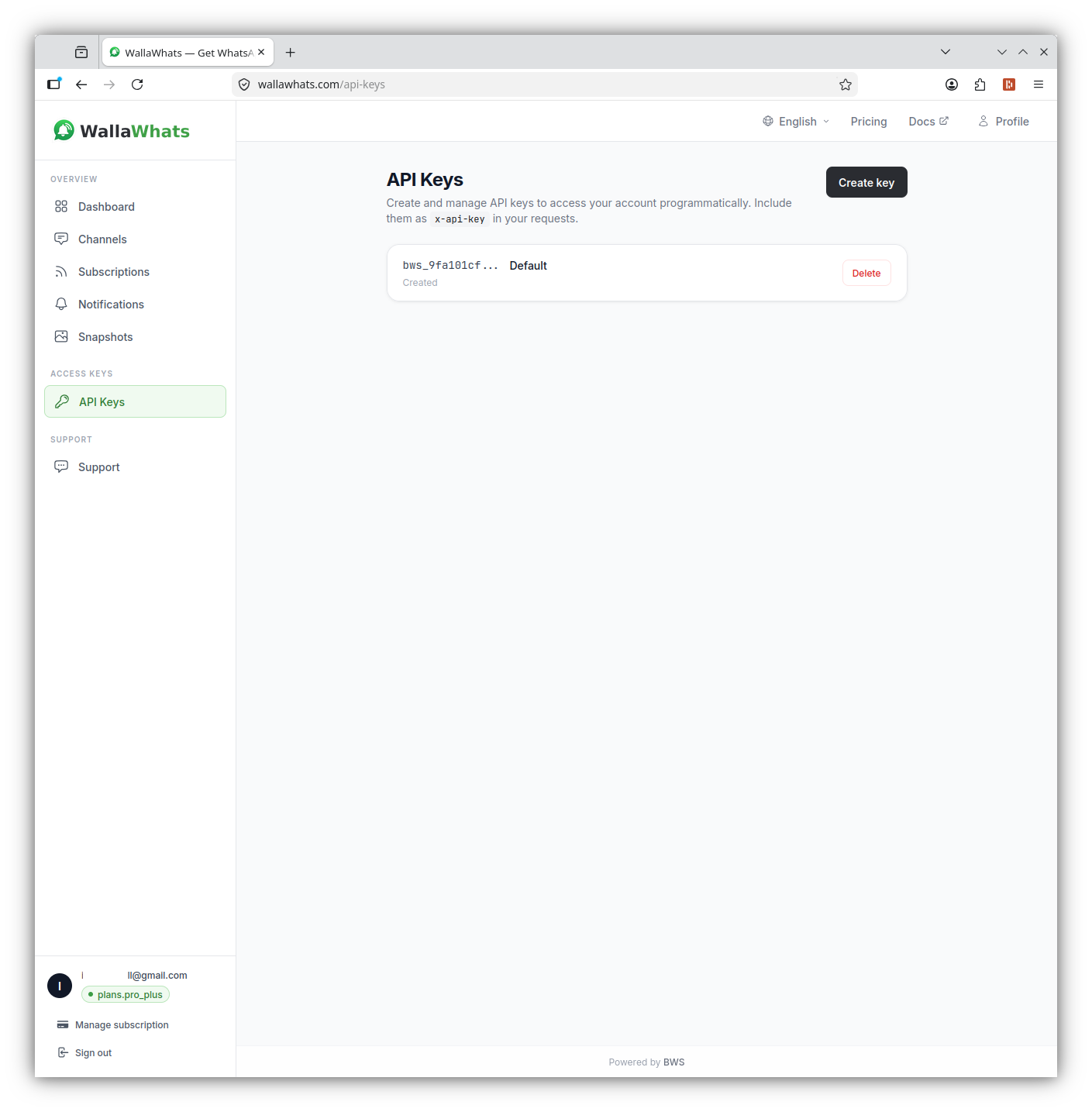
인증은 x-api-key 헤더를 사용합니다 (Authorization: Bearer가 아님). 대시보드의 API 섹션에서 키를 생성하고, 패스워드처럼 취급하세요—전체 계정 권한을 갖습니다.
curl -H "x-api-key: your_api_key_here" \
     https://api.wallawhats.com/subscriptions
핵심 API 엔드포인트
WALLAWHATS API는 통합 구축을 위한 5개의 주요 리소스 그룹을 제공합니다:
구독 관리
새 구독 생성:
POST /subscriptions
Content-Type: application/json
x-api-key: your_api_key_here

{
  "xUsername": "elonmusk"
}
모든 구독 나열:
GET /subscriptions
x-api-key: your_api_key_here
구독 제거:
DELETE /subscriptions/elonmusk
x-api-key: your_api_key_here
삭제 엔드포인트는 내부 구독 ID가 아닌 X 핸들을 경로 매개변수로 사용한다는 점에 주목하세요.
알림 기록 및 감사
전달 상태와 함께 알림 기록 가져오기:
GET /notifications?from=1704067200000&to=1704153600000
x-api-key: your_api_key_here
알림 엔드포인트는 각 행이 하나의 채널에 전달된 하나의 알림을 나타내는 페이지네이션된 결과를 반환합니다. 상태 값은 다음과 같습니다:
queued: 알림 수락됨, 전달 대기 중sent: 채널 제공업체로 발송됨delivered: 목적지에서 수신 확인됨read: 수신자가 열람함 (WhatsApp만, 읽음 확인 활성화 필요)failed: 전달 시도 실패
채널 관리
구성된 채널 나열:
GET /channels
x-api-key: your_api_key_here
새 채널 추가:
POST /channels
Content-Type: application/json
x-api-key: your_api_key_here

{
  "type": "email",
  "destination": "alerts@yourcompany.com"
}
채널 제거:
DELETE /channels/channel_id_here
x-api-key: your_api_key_here
트윗 스냅샷
스냅샷 갤러리 액세스:
GET /snapshots
x-api-key: your_api_key_here
특정 스냅샷 삭제:
DELETE /snapshots/tweet_id_here
x-api-key: your_api_key_here
통합 구축: 코드 예제
Node.js 통합
다음은 구독을 추가하고 새로운 알림을 폴링하는 Node.js 예제입니다:
const axios = require('axios');

class WallaWhatsClient {
  constructor(apiKey) {
    this.apiKey = apiKey;
    this.baseURL = 'https://api.wallawhats.com';
  }

  async addSubscription(xUsername) {
    try {
      const response = await axios.post(
        `${this.baseURL}/subscriptions`,
        { xUsername },
        { headers: { 'x-api-key': this.apiKey } }
      );
      return response.data;
    } catch (error) {
      throw new Error(`Failed to add subscription: ${error.response?.data?.message || error.message}`);
    }
  }

  async getNotifications(from, to, lastKey = null) {
    try {
      let url = `${this.baseURL}/notifications?from=${from}&to=${to}`;
      if (lastKey) url += `&lastKey=${lastKey}`;

      const response = await axios.get(url, {
        headers: { 'x-api-key': this.apiKey }
      });
      return response.data;
    } catch (error) {
      throw new Error(`Failed to fetch notifications: ${error.response?.data?.message || error.message}`);
    }
  }

  async listSubscriptions() {
    try {
      const response = await axios.get(
        `${this.baseURL}/subscriptions`,
        { headers: { 'x-api-key': this.apiKey } }
      );
      return response.data;
    } catch (error) {
      throw new Error(`Failed to list subscriptions: ${error.response?.data?.message || error.message}`);
    }
  }
}

// 사용 예제
async function monitorCompetitor() {
  const client = new WallaWhatsClient('your_api_key_here');

  // 새 구독 추가
  await client.addSubscription('vercel');
  console.log('Now monitoring @vercel');

  // 최근 알림 확인
  const oneDayAgo = Date.now() - (24 * 60 * 60 * 1000);
  const notifications = await client.getNotifications(oneDayAgo, Date.now());

  console.log(`Found ${notifications.items.length} recent alerts`);
  notifications.items.forEach(notification => {
    console.log(`${notification.xUsername}: ${notification.status} at ${notification.timestamp}`);
  });
}
Python 통합
Python 워크플로를 위해, 구독 관리와 알림 폴링을 처리하는 클래스입니다:
import requests
import time
from datetime import datetime, timedelta

class WallaWhatsAPI:
    def __init__(self, api_key):
        self.api_key = api_key
        self.base_url = 'https://api.wallawhats.com'
        self.headers = {'x-api-key': api_key}

    def add_subscription(self, x_username):
        """모니터링할 새 X 계정 추가"""
        response = requests.post(
            f'{self.base_url}/subscriptions',
            json={'xUsername': x_username},
            headers=self.headers
        )
        response.raise_for_status()
        return response.json()

    def remove_subscription(self, x_username):
        """모니터링에서 X 계정 제거"""
        response = requests.delete(
            f'{self.base_url}/subscriptions/{x_username}',
            headers=self.headers
        )
        response.raise_for_status()
        return response.status_code == 200

    def get_notifications(self, from_ms, to_ms, last_key=None):
        """페이지네이션과 함께 알림 기록 가져오기"""
        params = {'from': from_ms, 'to': to_ms}
        if last_key:
            params['lastKey'] = last_key

        response = requests.get(
            f'{self.base_url}/notifications',
            params=params,
            headers=self.headers
        )
        response.raise_for_status()
        return response.json()

    def get_all_notifications(self, from_ms, to_ms):
        """시간 범위 내 모든 알림 가져오기, 페이지네이션 처리"""
        all_notifications = []
        last_key = None

        while True:
            batch = self.get_notifications(from_ms, to_ms, last_key)
            all_notifications.extend(batch['items'])

            if not batch.get('lastKey'):
                break
            last_key = batch['lastKey']

        return all_notifications

    def list_subscriptions(self):
        """현재 모든 구독 가져오기"""
        response = requests.get(
            f'{self.base_url}/subscriptions',
            headers=self.headers
        )
        response.raise_for_status()
        return response.json()

# 예제: 일일 감사 리포트
def generate_daily_report():
    api = WallaWhatsAPI('your_api_key_here')

    # 어제 알림 가져오기
    end_time = int(time.time() * 1000)
    start_time = end_time - (24 * 60 * 60 * 1000)

    notifications = api.get_all_notifications(start_time, end_time)

    # 계정과 상태별로 그룹화
    report = {}
    for notification in notifications:
        account = notification['xUsername']
        status = notification['status']

        if account not in report:
            report[account] = {'total': 0, 'delivered': 0, 'failed': 0}

        report[account]['total'] += 1
        if status in ['delivered', 'read']:
            report[account]['delivered'] += 1
        elif status == 'failed':
            report[account]['failed'] += 1

    # 요약 출력
    print(f"Daily Alert Report - {datetime.now().strftime('%Y-%m-%d')}")
    print("-" * 50)
    for account, stats in report.items():
        success_rate = (stats['delivered'] / stats['total']) * 100 if stats['total'] > 0 else 0
        print(f"@{account}: {stats['total']} alerts, {success_rate:.1f}% delivered")
채널 라우팅 이해하기
WALLAWHATS는 글로벌 채널 라우팅 모델을 사용합니다—모든 구독의 모든 알림이 활성화되고 검증된 모든 채널로 팬아웃됩니다. API를 통해 특정 계정을 특정 목적지로 라우팅할 수는 없습니다 (“@elonmusk → WhatsApp, @vercel → email”과 같은).
채널 선택은 채널 페이지에서 계정 수준에서 발생합니다. API를 통해 채널을 추가하면, 검증 후 모든 알림에 사용할 수 있게 됩니다. 채널을 제거하면, 모든 구독의 알림 수신을 중단합니다.
이 설계는 알림 분산을 방지하면서 자동화를 단순화합니다. 통합 코드는 구독별 라우팅 규칙을 추적할 필요가 없으며—모니터링할 계정과 활성화할 채널만 관리하면 됩니다.
속도 제한 및 속도 상한
WALLAWHATS는 고활성 기간 동안의 알림 스팸을 방지하기 위해 사용자별 속도 상한을 구현합니다:
- Free: 시간당 2개 알림
- Pro: 시간당 5개 알림
- Pro+: 시간당 15개 알림
- Business: 시간당 30개 알림
- Enterprise: 시간당 100개 알림
속도 상한이 초과되면, 추가 트윗은 요약 메시지로 버퍼링되어 15분마다 전달됩니다. API 통합에서는 이것을 별도의 알림 레코드로 볼 수 있습니다—즉시 알림용 하나와 각 요약 배치용 하나씩.
API 자체는 구독 관리나 알림 쿼리에 별도의 속도 제한을 부과하지 않습니다. 하지만 불필요한 요청으로 엔드포인트를 해머링하지 마세요—구독 목록을 로컬에 캐시하고 알림 쿼리를 효율적으로 배치 처리하세요.
에러 처리 및 문제 해결
일반적인 API 에러 패턴과 처리 방법:
인증 실패 (401):
- API 키가 올바르고 취소되지 않았는지 확인
Authorization이 아닌x-api-key헤더를 사용하고 있는지 확인
구독 충돌 (409):
- 이미 모니터링되는 계정: 구독이 존재함, 성공으로 처리
- 보호/비공개 계정: WALLAWHATS가 의도적으로 거부
속도 제한 (429):
- 재시도 전 지수적으로 백오프
- 모니터링되는 계정의 플랜 제한에 접근하고 있는지 확인
채널 검증 문제:
- 새 채널은 알림을 받기 전에 OTP 검증 필요
- 프로그래밍 방식으로 추가된 채널은 사용자가 검증을 완료할 때까지 작동하지 않음
통합 모니터링 및 알림
WALLAWHATS가 비즈니스 워크플로에 통합되어 중요한 인프라가 될 때, 통합 상태를 모니터링하세요:
구독 드리프트 탐지:
// 예상 구독이 여전히 활성인지 확인
async function auditSubscriptions(expectedHandles) {
  const current = await client.listSubscriptions();
  const currentHandles = current.map(s => s.xUsername);

  const missing = expectedHandles.filter(h => !currentHandles.includes(h));
  if (missing.length > 0) {
    console.warn(`Missing subscriptions: ${missing.join(', ')}`);
  }

  return missing;
}
전달 성공률 모니터링:
def check_delivery_health():
    # 지난 6시간 확인
    end_time = int(time.time() * 1000)
    start_time = end_time - (6 * 60 * 60 * 1000)

    notifications = api.get_all_notifications(start_time, end_time)
    if not notifications:
        return None

    delivered = sum(1 for n in notifications if n['status'] in ['delivered', 'read'])
    total = len(notifications)
    success_rate = (delivered / total) * 100

    if success_rate < 95:
        # 운영팀에 알림
        print(f"WARNING: Delivery success rate dropped to {success_rate:.1f}%")

    return success_rate
통합 패턴 및 모범 사례
웹훅 스타일 처리: WALLAWHATS가 직접 웹훅을 제공하지는 않지만, 알림 엔드포인트를 폴링하여 새 알림을 거의 실시간으로 처리할 수 있습니다:
async function pollForNewAlerts() {
  const lastCheck = localStorage.getItem('lastNotificationCheck') || Date.now() - 300000;
  const now = Date.now();

  const notifications = await client.getNotifications(lastCheck, now);

  for (const notification of notifications.items) {
    if (notification.status === 'delivered') {
      // 알림 처리 - Slack으로 전송, 데이터베이스 업데이트 등
      await processAlert(notification);
    }
  }

  localStorage.setItem('lastNotificationCheck', now);
}

// 30초마다 폴링
setInterval(pollForNewAlerts, 30000);
조건부 구독 관리: 외부 트리거에 따라 동적으로 구독을 추가하거나 제거:
def update_competitor_monitoring(portfolio_companies):
    """현재 포트폴리오를 바탕으로 X 모니터링 업데이트"""
    current_subs = {s['xUsername'] for s in api.list_subscriptions()}

    # 모니터링해야 할 계정
    target_accounts = set()
    for company in portfolio_companies:
        if company.get('ceo_twitter_handle'):
            target_accounts.add(company['ceo_twitter_handle'])
        if company.get('company_twitter_handle'):
            target_accounts.add(company['company_twitter_handle'])

    # 누락된 구독 추가
    for account in target_accounts - current_subs:
        try:
            api.add_subscription(account)
            print(f"Started monitoring @{account}")
        except Exception as e:
            print(f"Failed to add @{account}: {e}")

    # 구식 구독 제거
    for account in current_subs - target_accounts:
        api.remove_subscription(account)
        print(f"Stopped monitoring @{account}")
WALLAWHATS API는 실시간 X 알림을 수동 대시보드 도구에서 프로그래밍 가능한 인프라 구성요소로 변환합니다. 맞춤형 인텔리전스 워크플로를 구축하든, 브랜드 모니터링을 자동화하든, 화이트라벨 알림 서비스를 만들든, API는 프로덕션 통합에 필요한 제어 및 감사 기능을 제공합니다.
경쟁사를 넘어서 모니터링을 확장하고 싶나요? 시장 신호를 위한 크립토 Twitter 모니터링 가이드를 확인하거나 저널리스트가 실시간 소스 모니터링을 위해 WALLAWHATS를 사용하는 방법을 알아보세요.
중요한 포스트를 다시는 놓치지 마세요. 무료 계정 만들기 — WhatsApp 번호 1개, 실시간 알림, 신용카드 불필요.

작성자 소개
Nacho Coll
Founder & Engineer at WallaWhats
Nacho founded WallaWhats so you get the alerts that matter without depending on X's algorithm to surface them — pick the accounts you care about and get a WhatsApp for every post the moment it goes live, in order, nothing throttled or buried. Writes about real-time notification systems, social-signal monitoring, and serverless delivery pipelines from the operator side of the wire.