X アラート API:プログラマティックなサブスクリプションと通知履歴
WALLAWHATS の上にカスタム統合を構築します。X サブスクリプションの追加・削除、チャンネルへのアラートルーティング、通知履歴の取得 — すべて REST 経由で。
 著者: Nacho Coll
Nacho founded WallaWhats so you get the alerts that matter without depending on X's algorithm to surface them — pick the accounts you care about and get a WhatsApp for every post the moment it goes live, in order, nothing throttled or buried.
リアルタイム X(Twitter)アラートがビジネスにとってミッションクリティカルになったとき、手動でのダッシュボード管理は限界に達します。顧客インテリジェンスダッシュボードの構築、ブランドモニタリングワークフローの自動化、トレーディングデスク向けのカスタム通知システムの作成など、X アラートサブスクリプションをプログラマティックに制御する必要があります。
WALLAWHATS は、Web インターフェースを使わずに X アラートサブスクリプションを作成、管理、監査できる REST API を提供します。監視対象アカウントの追加・削除、配信ステータス付きの通知履歴の取得、HTTP を使用するあらゆるシステムへのリアルタイム X アラートの統合が可能です。
WALLAWHATS API を使用する理由
ダッシュボードは手動ワークフローには最適ですが、API アクセスにより、人間の管理を超えてスケールする自動化シナリオが可能になります:
顧客インテリジェンスプラットフォーム:研究ツールや CRM 統合を通じて発見された競合他社の幹部、製品責任者、業界アナリストを自動的にサブスクライブします。
トレーディングと金融ワークフロー:ポートフォリオの変更や市場イベントに基づいて、規制当局アカウント、CEO ハンドル、セクター特化ジャーナリストを手動のサブスクリプション管理なしでプログラマティックに監視します。
スケールでのブランドモニタリング:新しいキャンペーンの開始、製品出荷、危機的状況の展開に応じて、ブランドメンション追跡を追加・削除します。
マルチテナント SaaS アプリケーション:顧客向けにホワイトラベルのリアルタイム X モニタリングを提供し、背後でプログラマティックなサブスクリプション管理を行います。
コンプライアンスと監査システム:規制レポート、内部監査証跡、SLA モニタリング用に、配信ステータス付きの完全な通知履歴を取得します。
API 認証とアクセス
すべての WALLAWHATS プランには、キー割当量がスケールする API アクセスが含まれています:
- Free:1 API キー
- Pro:1 API キー
- Pro+:2 API キー
- Business:5 API キー
- Enterprise:20 API キー
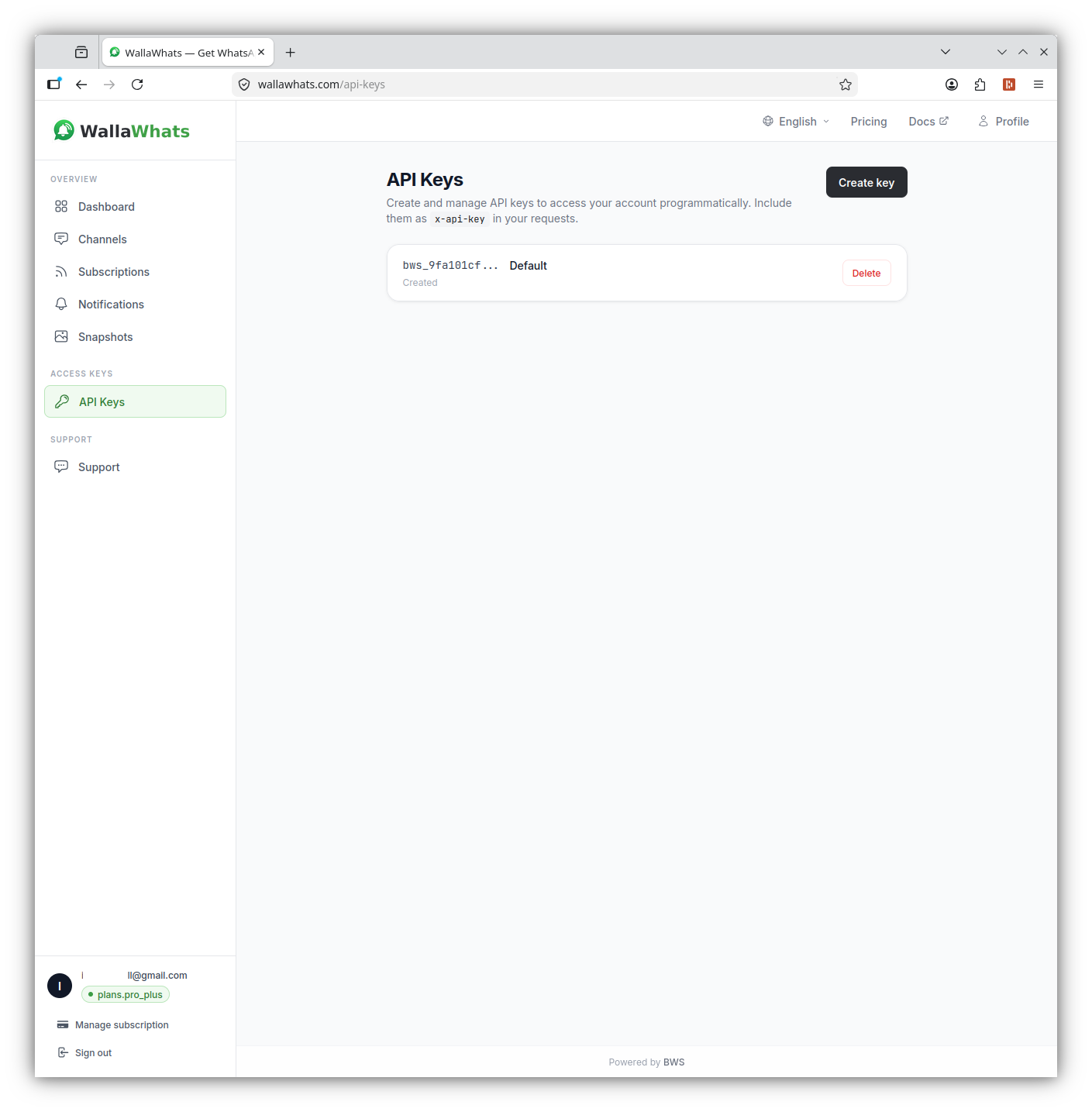
認証には x-api-key ヘッダーを使用します(Authorization: Bearer ではありません)。ダッシュボードの API セクションからキーを生成し、パスワードと同様に扱ってください。完全なアカウント権限を持っています。
curl -H "x-api-key: your_api_key_here" \
     https://api.wallawhats.com/subscriptions
コア API エンドポイント
WALLAWHATS API は、統合構築用に 5 つの主要リソースグループを提供します:
サブスクリプション管理
新しいサブスクリプションを作成:
POST /subscriptions
Content-Type: application/json
x-api-key: your_api_key_here

{
  "xUsername": "elonmusk"
}
すべてのサブスクリプションを一覧表示:
GET /subscriptions
x-api-key: your_api_key_here
サブスクリプションを削除:
DELETE /subscriptions/elonmusk
x-api-key: your_api_key_here
削除エンドポイントは、内部サブスクリプション ID ではなく、X ハンドルをパスパラメータとして受け取ります。
通知履歴と監査
配信ステータス付きの通知履歴を取得:
GET /notifications?from=1704067200000&to=1704153600000
x-api-key: your_api_key_here
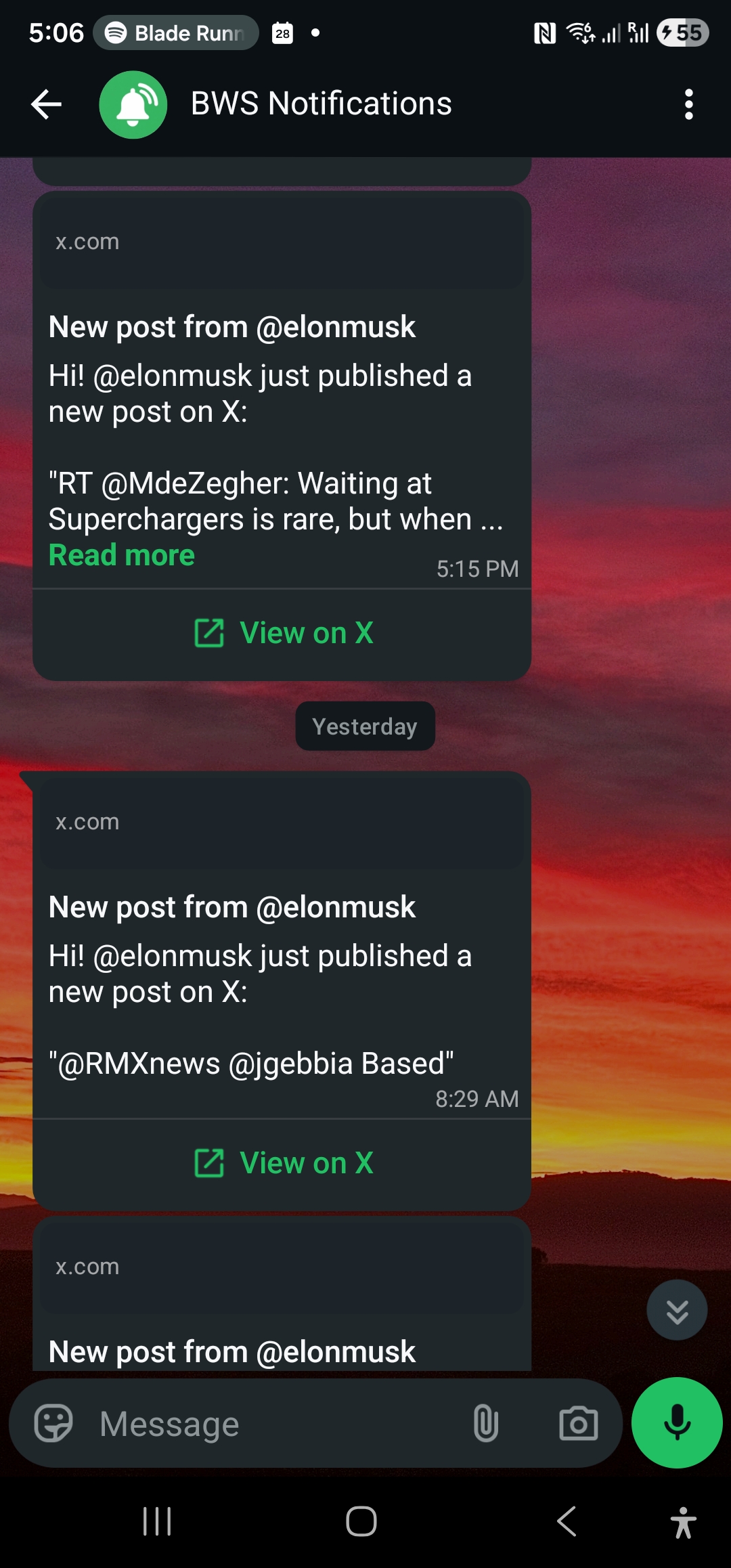
通知エンドポイントは、各行が 1 つのチャンネルに配信された 1 つのアラートを表すページネーション結果を返します。ステータス値には以下が含まれます:
queued:アラート受理済み、配信待機中sent:チャンネルプロバイダーに送信済みdelivered:宛先での受信確認済みread:受信者により開封済み(WhatsApp のみ、既読確認が有効な場合)failed:配信試行失敗
チャンネル管理
設定されたチャンネルを一覧表示:
GET /channels
x-api-key: your_api_key_here
新しいチャンネルを追加:
POST /channels
Content-Type: application/json
x-api-key: your_api_key_here

{
  "type": "email",
  "destination": "alerts@yourcompany.com"
}
チャンネルを削除:
DELETE /channels/channel_id_here
x-api-key: your_api_key_here
ツイートスナップショット
スナップショットギャラリーにアクセス:
GET /snapshots
x-api-key: your_api_key_here
特定のスナップショットを削除:
DELETE /snapshots/tweet_id_here
x-api-key: your_api_key_here
統合の構築:コード例
Node.js 統合
サブスクリプションを追加し、新しい通知をポーリングする Node.js の例です:
const axios = require('axios');

class WallaWhatsClient {
  constructor(apiKey) {
    this.apiKey = apiKey;
    this.baseURL = 'https://api.wallawhats.com';
  }

  async addSubscription(xUsername) {
    try {
      const response = await axios.post(
        `${this.baseURL}/subscriptions`,
        { xUsername },
        { headers: { 'x-api-key': this.apiKey } }
      );
      return response.data;
    } catch (error) {
      throw new Error(`Failed to add subscription: ${error.response?.data?.message || error.message}`);
    }
  }

  async getNotifications(from, to, lastKey = null) {
    try {
      let url = `${this.baseURL}/notifications?from=${from}&to=${to}`;
      if (lastKey) url += `&lastKey=${lastKey}`;

      const response = await axios.get(url, {
        headers: { 'x-api-key': this.apiKey }
      });
      return response.data;
    } catch (error) {
      throw new Error(`Failed to fetch notifications: ${error.response?.data?.message || error.message}`);
    }
  }

  async listSubscriptions() {
    try {
      const response = await axios.get(
        `${this.baseURL}/subscriptions`,
        { headers: { 'x-api-key': this.apiKey } }
      );
      return response.data;
    } catch (error) {
      throw new Error(`Failed to list subscriptions: ${error.response?.data?.message || error.message}`);
    }
  }
}

// 使用例
async function monitorCompetitor() {
  const client = new WallaWhatsClient('your_api_key_here');

  // 新しいサブスクリプションを追加
  await client.addSubscription('vercel');
  console.log('Now monitoring @vercel');

  // 最近の通知をチェック
  const oneDayAgo = Date.now() - (24 * 60 * 60 * 1000);
  const notifications = await client.getNotifications(oneDayAgo, Date.now());

  console.log(`Found ${notifications.items.length} recent alerts`);
  notifications.items.forEach(notification => {
    console.log(`${notification.xUsername}: ${notification.status} at ${notification.timestamp}`);
  });
}
Python 統合
Python ワークフロー用に、サブスクリプション管理と通知ポーリングを処理するクラスです:
import requests
import time
from datetime import datetime, timedelta

class WallaWhatsAPI:
    def __init__(self, api_key):
        self.api_key = api_key
        self.base_url = 'https://api.wallawhats.com'
        self.headers = {'x-api-key': api_key}

    def add_subscription(self, x_username):
        """監視する新しい X アカウントを追加"""
        response = requests.post(
            f'{self.base_url}/subscriptions',
            json={'xUsername': x_username},
            headers=self.headers
        )
        response.raise_for_status()
        return response.json()

    def remove_subscription(self, x_username):
        """監視から X アカウントを削除"""
        response = requests.delete(
            f'{self.base_url}/subscriptions/{x_username}',
            headers=self.headers
        )
        response.raise_for_status()
        return response.status_code == 200

    def get_notifications(self, from_ms, to_ms, last_key=None):
        """ページネーション付きで通知履歴を取得"""
        params = {'from': from_ms, 'to': to_ms}
        if last_key:
            params['lastKey'] = last_key

        response = requests.get(
            f'{self.base_url}/notifications',
            params=params,
            headers=self.headers
        )
        response.raise_for_status()
        return response.json()

    def get_all_notifications(self, from_ms, to_ms):
        """時間範囲内のすべての通知を取得(ページネーション処理)"""
        all_notifications = []
        last_key = None

        while True:
            batch = self.get_notifications(from_ms, to_ms, last_key)
            all_notifications.extend(batch['items'])

            if not batch.get('lastKey'):
                break
            last_key = batch['lastKey']

        return all_notifications

    def list_subscriptions(self):
        """現在のすべてのサブスクリプションを取得"""
        response = requests.get(
            f'{self.base_url}/subscriptions',
            headers=self.headers
        )
        response.raise_for_status()
        return response.json()

# 例:日次監査レポート
def generate_daily_report():
    api = WallaWhatsAPI('your_api_key_here')

    # 昨日の通知を取得
    end_time = int(time.time() * 1000)
    start_time = end_time - (24 * 60 * 60 * 1000)

    notifications = api.get_all_notifications(start_time, end_time)

    # アカウントとステータスでグループ化
    report = {}
    for notification in notifications:
        account = notification['xUsername']
        status = notification['status']

        if account not in report:
            report[account] = {'total': 0, 'delivered': 0, 'failed': 0}

        report[account]['total'] += 1
        if status in ['delivered', 'read']:
            report[account]['delivered'] += 1
        elif status == 'failed':
            report[account]['failed'] += 1

    # サマリーを印刷
    print(f"Daily Alert Report - {datetime.now().strftime('%Y-%m-%d')}")
    print("-" * 50)
    for account, stats in report.items():
        success_rate = (stats['delivered'] / stats['total']) * 100 if stats['total'] > 0 else 0
        print(f"@{account}: {stats['total']} alerts, {success_rate:.1f}% delivered")
チャンネルルーティングの理解
WALLAWHATS はグローバルチャンネルルーティングモデルを使用します。すべてのサブスクリプションからのアラートが、有効で検証済みのすべてのチャンネルにファンアウトされます。API 経由で特定のアカウントを特定の宛先にルーティングすることはできません(「@elonmusk → WhatsApp、@vercel → email」など)。
チャンネル選択は、チャンネルページでアカウントレベルで行われます。API 経由でチャンネルを追加すると、検証後にすべてのアラートで利用可能になります。チャンネルを削除すると、すべてのサブスクリプションからのアラート受信が停止します。
この設計により、アラートの断片化を防ぎながら自動化が簡素化されます。統合コードは、サブスクリプションごとのルーティングルールを追跡する必要がありません。監視するアカウントと有効にするチャンネルを管理するだけです。
レート制限と速度制限
WALLAWHATS は、高アクティビティ期間中のアラートスパムを防ぐために、ユーザーレベルの速度制限を実装しています:
- Free:2 アラート / 時間
- Pro:5 アラート / 時間
- Pro+:15 アラート / 時間
- Business:30 アラート / 時間
- Enterprise:100 アラート / 時間
速度制限を超えると、追加のツイートはダイジェストメッセージにバッファされ、15 分ごとに配信されます。API 統合では、これらは別々の通知レコードとして表示されます。即座のアラート用に 1 つ、各ダイジェストバッチ用に 1 つです。
API 自体は、サブスクリプション管理や通知クエリに別個のレート制限を課しません。ただし、不要なリクエストでエンドポイントを過度に呼び出すことは避けてください。サブスクリプションリストをローカルにキャッシュし、通知クエリを効率的にバッチ処理してください。
エラーハンドリングとトラブルシューティング
一般的な API エラーパターンとその対処法:
認証エラー(401):
- API キーが正しく、取り消されていないことを確認
Authorizationではなくx-api-keyヘッダーを使用していることを確認
サブスクリプション競合(409):
- アカウント既監視中:サブスクリプションが存在、成功として扱う
- アカウント保護 / プライベート:WALLAWHATS は設計上これらを拒否
レート制限(429):
- 再試行前に指数関数的にバックオフ
- 監視アカウントのプラン制限に近づいているかチェック
チャンネル検証の問題:
- 新しいチャンネルはアラート受信前に OTP 検証が必要
- プログラマティックに追加されたチャンネルは、ユーザーが検証を完了するまで動作しません
統合の監視とアラート
WALLAWHATS がビジネスワークフローに統合されると重要なインフラになるため、統合の健全性を監視してください:
サブスクリプション変動検出:
// 期待されるサブスクリプションがまだアクティブかチェック
async function auditSubscriptions(expectedHandles) {
  const current = await client.listSubscriptions();
  const currentHandles = current.map(s => s.xUsername);

  const missing = expectedHandles.filter(h => !currentHandles.includes(h));
  if (missing.length > 0) {
    console.warn(`Missing subscriptions: ${missing.join(', ')}`);
  }

  return missing;
}
配信成功率監視:
def check_delivery_health():
    # 過去6時間をチェック
    end_time = int(time.time() * 1000)
    start_time = end_time - (6 * 60 * 60 * 1000)

    notifications = api.get_all_notifications(start_time, end_time)
    if not notifications:
        return None

    delivered = sum(1 for n in notifications if n['status'] in ['delivered', 'read'])
    total = len(notifications)
    success_rate = (delivered / total) * 100

    if success_rate < 95:
        # 運用チームにアラート
        print(f"WARNING: Delivery success rate dropped to {success_rate:.1f}%")

    return success_rate
統合パターンとベストプラクティス
Webhook スタイル処理:WALLAWHATS は直接 webhook を提供しませんが、notifications エンドポイントをポーリングして新しいアラートを準リアルタイムで処理できます:
async function pollForNewAlerts() {
  const lastCheck = localStorage.getItem('lastNotificationCheck') || Date.now() - 300000;
  const now = Date.now();

  const notifications = await client.getNotifications(lastCheck, now);

  for (const notification of notifications.items) {
    if (notification.status === 'delivered') {
      // アラートを処理 - Slack に送信、データベース更新など
      await processAlert(notification);
    }
  }

  localStorage.setItem('lastNotificationCheck', now);
}

// 30秒ごとにポーリング
setInterval(pollForNewAlerts, 30000);条件付きサブスクリプション管理:外部トリガーに基づいてサブスクリプションを動的に追加・削除:
def update_competitor_monitoring(portfolio_companies):
    """現在のポートフォリオに基づいて X 監視を更新"""
    current_subs = {s['xUsername'] for s in api.list_subscriptions()}

    # 監視すべきアカウント
    target_accounts = set()
    for company in portfolio_companies:
        if company.get('ceo_twitter_handle'):
            target_accounts.add(company['ceo_twitter_handle'])
        if company.get('company_twitter_handle'):
            target_accounts.add(company['company_twitter_handle'])

    # 不足しているサブスクリプションを追加
    for account in target_accounts - current_subs:
        try:
            api.add_subscription(account)
            print(f"Started monitoring @{account}")
        except Exception as e:
            print(f"Failed to add @{account}: {e}")

    # 古いサブスクリプションを削除
    for account in current_subs - target_accounts:
        api.remove_subscription(account)
        print(f"Stopped monitoring @{account}")
WALLAWHATS API は、リアルタイム X アラートを手動ダッシュボードツールからプログラム可能なインフラコンポーネントに変換します。カスタムインテリジェンスワークフローの構築、ブランドモニタリングの自動化、ホワイトラベル通知サービスの作成など、API は本番統合に必要な制御と監査機能を提供します。
競合他社を超えた監視の拡大をお考えですか?市場シグナルのための暗号通貨 Twitter 監視ガイドをチェックするか、ジャーナリストがリアルタイムソース監視に WALLAWHATS をどのように使用するかをご覧ください。
重要な投稿を二度と見逃すことはありません。 無料アカウントを作成 — 1 つの WhatsApp 番号、リアルタイムアラート、クレジットカード不要。
著者について
Nacho Coll
Founder & Engineer at WallaWhats
Nacho founded WallaWhats so you get the alerts that matter without depending on X's algorithm to surface them — pick the accounts you care about and get a WhatsApp for every post the moment it goes live, in order, nothing throttled or buried. Writes about real-time notification systems, social-signal monitoring, and serverless delivery pipelines from the operator side of the wire.