API Alerts X: Berlangganan Terprogram dan Riwayat Notifikasi
Bangun integrasi kustom di atas WALLAWHATS. Tambah dan hapus berlangganan X, arahkan alerts ke channel, tarik riwayat notifikasi — semua via REST.
 oleh Nacho Coll
Nacho founded WallaWhats so you get the alerts that matter without depending on X's algorithm to surface them — pick the accounts you care about and get a WhatsApp for every post the moment it goes live, in order, nothing throttled or buried.
Ketika alerts X (Twitter) real-time menjadi sangat penting untuk bisnis Anda, pengelolaan dashboard manual akan mentok. Baik Anda sedang membangun dashboard customer intelligence, mengotomatisasi workflow brand monitoring, atau membuat sistem notifikasi kustom untuk trading desk, Anda membutuhkan kontrol terprogram atas berlangganan alert X Anda.
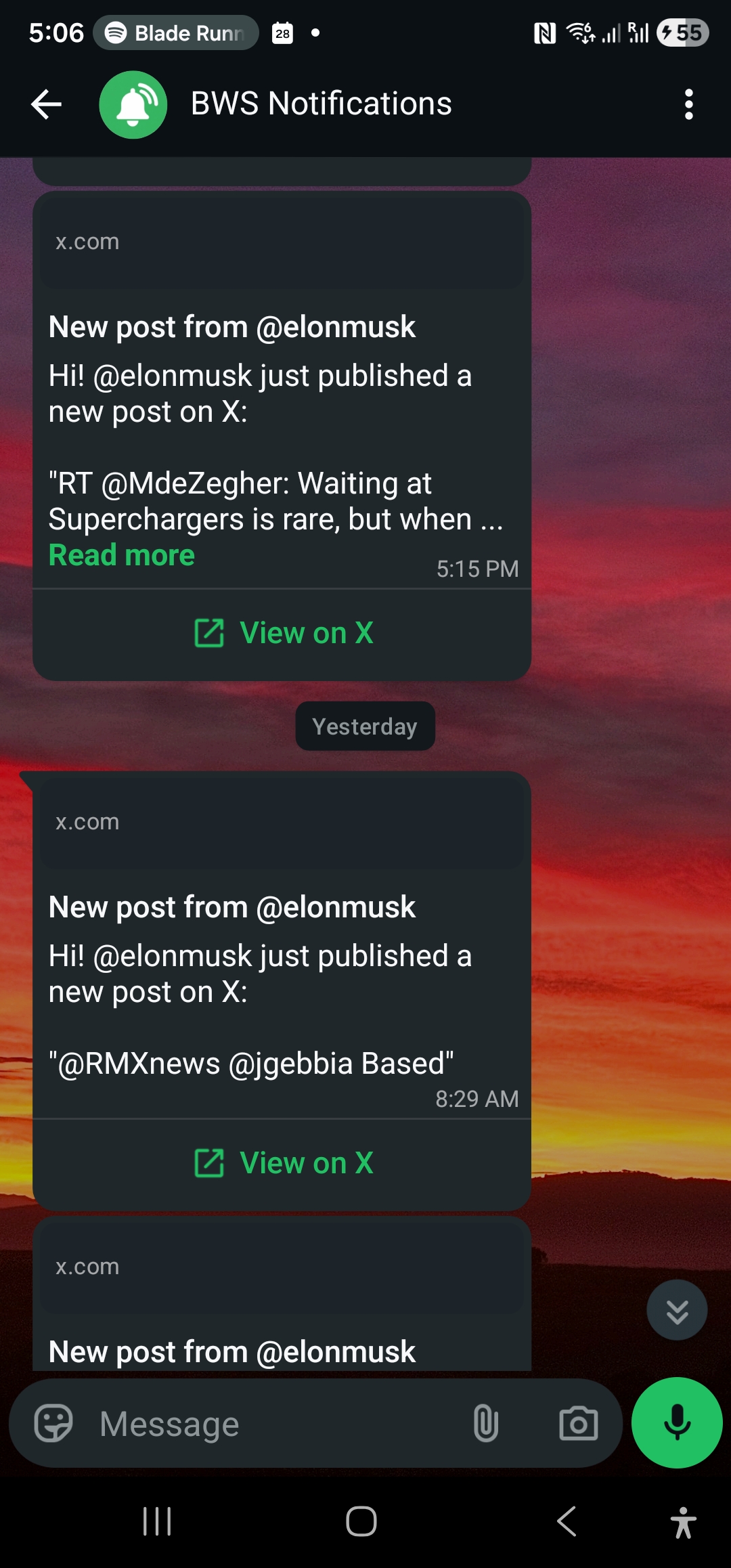
WALLAWHATS menyediakan REST API yang memungkinkan Anda membuat, mengelola, dan mengaudit berlangganan alert X tanpa menyentuh antarmuka web. Tambah atau hapus akun yang dimonitor, tarik riwayat notifikasi dengan status pengiriman, dan integrasikan alerts X real-time ke dalam sistem apa pun yang bicara HTTP.
Mengapa Gunakan API WALLAWHATS?
Dashboard bekerja bagus untuk workflow manual, tapi akses API membuka skenario otomasi yang skalanya melampaui pengelolaan manusia:
Platform Customer Intelligence: Secara otomatis berlangganan eksekutif kompetitor yang baru diidentifikasi, product lead, atau analis industri saat mereka ditemukan melalui tools riset atau integrasi CRM.
Trading dan Workflow Finansial: Secara terprogram monitor akun regulator, handle CEO, atau jurnalis khusus sektor berdasarkan perubahan portofolio atau peristiwa pasar—tanpa pengelolaan berlangganan manual.
Brand Monitoring dalam Skala Besar: Tambah atau hapus tracking brand mention saat kampanye baru diluncurkan, produk dikirim, atau situasi krisis berkembang.
Aplikasi SaaS Multi-Tenant: Monitoring X real-time white-label untuk pelanggan Anda, dengan pengelolaan berlangganan terprogram di belakang layar.
Sistem Compliance dan Audit: Tarik riwayat notifikasi lengkap dengan status pengiriman untuk pelaporan regulasi, audit trail internal, atau monitoring SLA.
Autentikasi dan Akses API
Setiap paket WALLAWHATS menyertakan akses API dengan kuota key yang berskala:
- Free: 1 API key
- Pro: 1 API key
- Pro+: 2 API key
- Business: 5 API key
- Enterprise: 20 API key
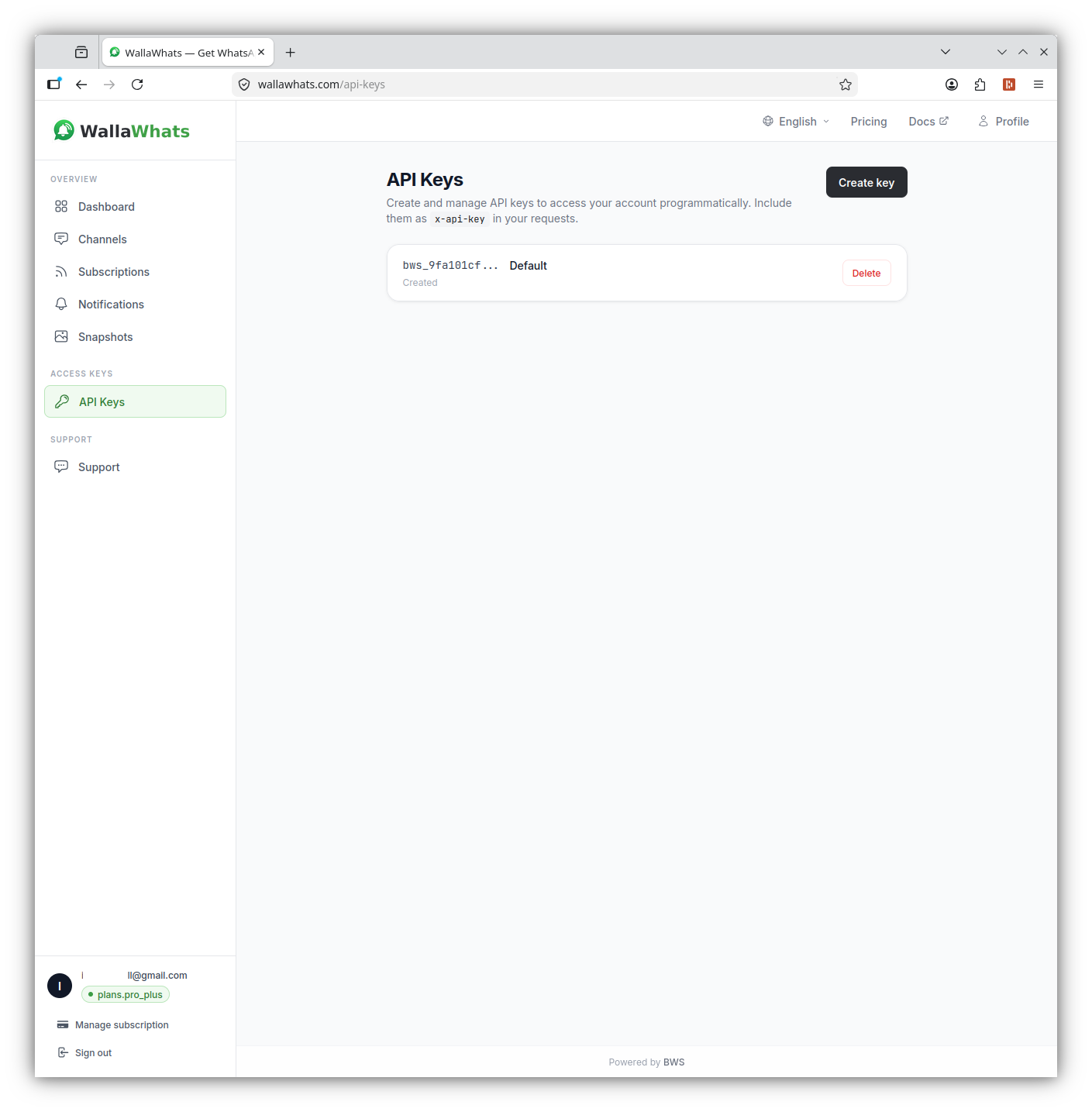
Autentikasi menggunakan header x-api-key (bukan Authorization: Bearer). Generate key Anda dari bagian API dashboard, dan perlakukan seperti password—mereka membawa hak akses akun penuh.
curl -H "x-api-key: your_api_key_here" \
     https://api.wallawhats.com/subscriptions
Endpoint API Utama
API WALLAWHATS menyediakan lima grup resource utama untuk membangun integrasi:
Pengelolaan Berlangganan
Buat berlangganan baru:
POST /subscriptions
Content-Type: application/json
x-api-key: your_api_key_here

{
  "xUsername": "elonmusk"
}
Daftar semua berlangganan:
GET /subscriptions
x-api-key: your_api_key_here
Hapus berlangganan:
DELETE /subscriptions/elonmusk
x-api-key: your_api_key_here
Perhatikan endpoint delete mengambil handle X sebagai path parameter—bukan ID berlangganan internal.
Riwayat Notifikasi dan Audit
Tarik riwayat notifikasi dengan status pengiriman:
GET /notifications?from=1704067200000&to=1704153600000
x-api-key: your_api_key_here
Endpoint notifications mengembalikan hasil terpaging dengan setiap baris mewakili satu alert yang dikirim ke satu channel. Nilai status meliputi:
queued: Alert diterima, menunggu pengirimansent: Dikirim ke penyedia channeldelivered: Dikonfirmasi diterima oleh tujuanread: Dibuka oleh penerima (hanya WhatsApp, memerlukan read receipts diaktifkan)failed: Upaya pengiriman tidak berhasil
Pengelolaan Channel
Daftar channel yang dikonfigurasi:
GET /channels
x-api-key: your_api_key_here
Tambah channel baru:
POST /channels
Content-Type: application/json
x-api-key: your_api_key_here

{
  "type": "email",
  "destination": "alerts@yourcompany.com"
}
Hapus channel:
DELETE /channels/channel_id_here
x-api-key: your_api_key_here
Snapshot Tweet
Akses galeri snapshot:
GET /snapshots
x-api-key: your_api_key_here
Hapus snapshot tertentu:
DELETE /snapshots/tweet_id_here
x-api-key: your_api_key_here
Membangun Integrasi: Contoh Kode
Integrasi Node.js
Berikut contoh Node.js yang menambahkan berlangganan dan melakukan polling untuk notifikasi baru:
const axios = require('axios');

class WallaWhatsClient {
  constructor(apiKey) {
    this.apiKey = apiKey;
    this.baseURL = 'https://api.wallawhats.com';
  }

  async addSubscription(xUsername) {
    try {
      const response = await axios.post(
        `${this.baseURL}/subscriptions`,
        { xUsername },
        { headers: { 'x-api-key': this.apiKey } }
      );
      return response.data;
    } catch (error) {
      throw new Error(`Failed to add subscription: ${error.response?.data?.message || error.message}`);
    }
  }

  async getNotifications(from, to, lastKey = null) {
    try {
      let url = `${this.baseURL}/notifications?from=${from}&to=${to}`;
      if (lastKey) url += `&lastKey=${lastKey}`;

      const response = await axios.get(url, {
        headers: { 'x-api-key': this.apiKey }
      });
      return response.data;
    } catch (error) {
      throw new Error(`Failed to fetch notifications: ${error.response?.data?.message || error.message}`);
    }
  }

  async listSubscriptions() {
    try {
      const response = await axios.get(
        `${this.baseURL}/subscriptions`,
        { headers: { 'x-api-key': this.apiKey } }
      );
      return response.data;
    } catch (error) {
      throw new Error(`Failed to list subscriptions: ${error.response?.data?.message || error.message}`);
    }
  }
}

// Contoh penggunaan
async function monitorCompetitor() {
  const client = new WallaWhatsClient('your_api_key_here');

  // Tambah berlangganan baru
  await client.addSubscription('vercel');
  console.log('Now monitoring @vercel');

  // Cek notifikasi terbaru
  const oneDayAgo = Date.now() - (24 * 60 * 60 * 1000);
  const notifications = await client.getNotifications(oneDayAgo, Date.now());

  console.log(`Found ${notifications.items.length} recent alerts`);
  notifications.items.forEach(notification => {
    console.log(`${notification.xUsername}: ${notification.status} at ${notification.timestamp}`);
  });
}
Integrasi Python
Untuk workflow Python, berikut class yang menangani pengelolaan berlangganan dan polling notifikasi:
import requests
import time
from datetime import datetime, timedelta

class WallaWhatsAPI:
    def __init__(self, api_key):
        self.api_key = api_key
        self.base_url = 'https://api.wallawhats.com'
        self.headers = {'x-api-key': api_key}

    def add_subscription(self, x_username):
        """Tambah akun X baru untuk dimonitor"""
        response = requests.post(
            f'{self.base_url}/subscriptions',
            json={'xUsername': x_username},
            headers=self.headers
        )
        response.raise_for_status()
        return response.json()

    def remove_subscription(self, x_username):
        """Hapus akun X dari monitoring"""
        response = requests.delete(
            f'{self.base_url}/subscriptions/{x_username}',
            headers=self.headers
        )
        response.raise_for_status()
        return response.status_code == 200

    def get_notifications(self, from_ms, to_ms, last_key=None):
        """Ambil riwayat notifikasi dengan paginasi"""
        params = {'from': from_ms, 'to': to_ms}
        if last_key:
            params['lastKey'] = last_key

        response = requests.get(
            f'{self.base_url}/notifications',
            params=params,
            headers=self.headers
        )
        response.raise_for_status()
        return response.json()

    def get_all_notifications(self, from_ms, to_ms):
        """Ambil semua notifikasi dalam rentang waktu, menangani paginasi"""
        all_notifications = []
        last_key = None

        while True:
            batch = self.get_notifications(from_ms, to_ms, last_key)
            all_notifications.extend(batch['items'])

            if not batch.get('lastKey'):
                break
            last_key = batch['lastKey']

        return all_notifications

    def list_subscriptions(self):
        """Dapatkan semua berlangganan saat ini"""
        response = requests.get(
            f'{self.base_url}/subscriptions',
            headers=self.headers
        )
        response.raise_for_status()
        return response.json()

# Contoh: Laporan audit harian
def generate_daily_report():
    api = WallaWhatsAPI('your_api_key_here')

    # Dapatkan notifikasi kemarin
    end_time = int(time.time() * 1000)
    start_time = end_time - (24 * 60 * 60 * 1000)

    notifications = api.get_all_notifications(start_time, end_time)

    # Kelompokkan berdasarkan akun dan status
    report = {}
    for notification in notifications:
        account = notification['xUsername']
        status = notification['status']

        if account not in report:
            report[account] = {'total': 0, 'delivered': 0, 'failed': 0}

        report[account]['total'] += 1
        if status in ['delivered', 'read']:
            report[account]['delivered'] += 1
        elif status == 'failed':
            report[account]['failed'] += 1

    # Cetak ringkasan
    print(f"Daily Alert Report - {datetime.now().strftime('%Y-%m-%d')}")
    print("-" * 50)
    for account, stats in report.items():
        success_rate = (stats['delivered'] / stats['total']) * 100 if stats['total'] > 0 else 0
        print(f"@{account}: {stats['total']} alerts, {success_rate:.1f}% delivered")
Memahami Routing Channel
WALLAWHATS menggunakan model routing channel global—setiap alert dari setiap berlangganan menyebar ke semua channel yang diaktifkan dan diverifikasi. Anda tidak bisa merutekan akun tertentu ke tujuan tertentu via API (seperti “@elonmusk → WhatsApp, @vercel → email”).
Pemilihan channel terjadi di level akun pada halaman Channels. Ketika Anda menambah channel via API, itu menjadi tersedia untuk semua alert setelah diverifikasi. Ketika Anda hapus channel, itu berhenti menerima alerts dari semua berlangganan.
Desain ini menyederhanakan otomasi sekaligus mencegah fragmentasi alert. Kode integrasi Anda tidak perlu melacak aturan routing per-berlangganan—cukup kelola akun mana yang dimonitor dan channel mana yang diaktifkan.
Rate Limits dan Velocity Caps
WALLAWHATS mengimplementasikan velocity caps level-user untuk mencegah spam alert selama periode aktivitas tinggi:
- Free: 2 alerts/jam
- Pro: 5 alerts/jam
- Pro+: 15 alerts/jam
- Business: 30 alerts/jam
- Enterprise: 100 alerts/jam
Ketika velocity caps terlampaui, tweet tambahan dibuffer ke dalam pesan digest dan dikirim setiap 15 menit. Integrasi API Anda akan melihat ini sebagai record notifikasi terpisah—satu untuk alert langsung, dan satu untuk setiap batch digest.
API itu sendiri tidak menerapkan rate limits terpisah pada pengelolaan berlangganan atau query notifikasi. Namun, hindari memukul endpoint dengan permintaan yang tidak perlu—cache daftar berlangganan secara lokal dan batch query notifikasi secara efisien.
Penanganan Error dan Troubleshooting
Pola error API umum dan cara menanganinya:
Kegagalan autentikasi (401):
- Verifikasi API key Anda benar dan belum dicabut
- Pastikan Anda menggunakan header
x-api-key, bukanAuthorization
Konflik berlangganan (409):
- Akun sudah dimonitor: Berlangganan ada, perlakukan sebagai sukses
- Akun terlindungi/private: WALLAWHATS menolak ini by design
Rate limiting (429):
- Back off exponentially sebelum retry
- Cek apakah Anda mendekati batas paket pada akun yang dimonitor
Masalah verifikasi channel:
- Channel baru memerlukan verifikasi OTP sebelum menerima alerts
- Channel yang ditambah secara terprogram tidak akan bekerja sampai user menyelesaikan verifikasi
Monitoring dan Alerting Integrasi Anda
Karena WALLAWHATS menjadi infrastruktur kritis ketika diintegrasikan ke dalam workflow bisnis, monitor kesehatan integrasi Anda:
Deteksi Subscription Drift:
// Cek apakah berlangganan yang diharapkan masih aktif
async function auditSubscriptions(expectedHandles) {
  const current = await client.listSubscriptions();
  const currentHandles = current.map(s => s.xUsername);

  const missing = expectedHandles.filter(h => !currentHandles.includes(h));
  if (missing.length > 0) {
    console.warn(`Missing subscriptions: ${missing.join(', ')}`);
  }

  return missing;
}
Monitoring Success Rate Pengiriman:
def check_delivery_health():
    # Cek 6 jam terakhir
    end_time = int(time.time() * 1000)
    start_time = end_time - (6 * 60 * 60 * 1000)

    notifications = api.get_all_notifications(start_time, end_time)
    if not notifications:
        return None

    delivered = sum(1 for n in notifications if n['status'] in ['delivered', 'read'])
    total = len(notifications)
    success_rate = (delivered / total) * 100

    if success_rate < 95:
        # Alert tim ops Anda
        print(f"WARNING: Delivery success rate dropped to {success_rate:.1f}%")

    return success_rate
Pola Integrasi dan Best Practices
Pemrosesan Webhook-Style: Meskipun WALLAWHATS tidak menyediakan webhook langsung, Anda bisa polling endpoint notifications untuk alert baru dan memprosesnya dalam near-real-time:
async function pollForNewAlerts() {
  const lastCheck = localStorage.getItem('lastNotificationCheck') || Date.now() - 300000;
  const now = Date.now();

  const notifications = await client.getNotifications(lastCheck, now);

  for (const notification of notifications.items) {
    if (notification.status === 'delivered') {
      // Proses alert - kirim ke Slack, update database, dll.
      await processAlert(notification);
    }
  }

  localStorage.setItem('lastNotificationCheck', now);
}

// Poll setiap 30 detik
setInterval(pollForNewAlerts, 30000);
Pengelolaan Berlangganan Kondisional: Secara dinamis tambah atau hapus berlangganan berdasarkan trigger eksternal:
def update_competitor_monitoring(portfolio_companies):
    """Update monitoring X berdasarkan portofolio saat ini"""
    current_subs = {s['xUsername'] for s in api.list_subscriptions()}

    # Akun yang harus kita monitor
    target_accounts = set()
    for company in portfolio_companies:
        if company.get('ceo_twitter_handle'):
            target_accounts.add(company['ceo_twitter_handle'])
        if company.get('company_twitter_handle'):
            target_accounts.add(company['company_twitter_handle'])

    # Tambah berlangganan yang hilang
    for account in target_accounts - current_subs:
        try:
            api.add_subscription(account)
            print(f"Started monitoring @{account}")
        except Exception as e:
            print(f"Failed to add @{account}: {e}")

    # Hapus berlangganan yang outdated
    for account in current_subs - target_accounts:
        api.remove_subscription(account)
        print(f"Stopped monitoring @{account}")
API WALLAWHATS mentransformasi alerts X real-time dari tool dashboard manual menjadi komponen infrastruktur yang bisa diprogram. Baik Anda membangun workflow intelligence kustom, mengotomatisasi brand monitoring, atau membuat layanan notifikasi white-label, API menyediakan kontrol dan kemampuan audit yang diperlukan untuk integrasi produksi.
Ingin memperluas monitoring melampaui kompetitor? Lihat panduan kami tentang monitoring crypto Twitter untuk sinyal pasar atau pelajari bagaimana jurnalis menggunakan WALLAWHATS untuk monitoring sumber real-time.
Jangan pernah lewatkan postingan penting lagi. Buat akun gratis — 1 nomor WhatsApp, alerts real-time, tanpa kartu kredit.
Tentang penulis
Nacho Coll
Founder & Engineer at WallaWhats
Nacho founded WallaWhats so you get the alerts that matter without depending on X's algorithm to surface them — pick the accounts you care about and get a WhatsApp for every post the moment it goes live, in order, nothing throttled or buried. Writes about real-time notification systems, social-signal monitoring, and serverless delivery pipelines from the operator side of the wire.