Email vs WhatsApp Alerts: Real-Time Signal के लिए कौन सा Channel जीतता है?
WhatsApp seconds में notification badge के साथ deliver करता है। Email औसतन 1-5 min लेता है inbox zero से लड़ते हुए। यहाँ है data-backed comparison।
 द्वारा Nacho Coll
Nacho founded WallaWhats so you get the alerts that matter without depending on X's algorithm to surface them — pick the accounts you care about and get a WhatsApp for every post the moment it goes live, in order, nothing throttled or buried.
आप किसी CEO के X account को monitor कर रहे हैं market-moving announcements के लिए। 3:47 PM पर एक breaking post live हो जाता है। आपकी trading window narrow है — हर second count करता है। सवाल यह नहीं है कि आपको alert मिलेगा या नहीं, बल्कि कब और कितनी effectively यह noise के बीच से cut करेगा।
यह theoretical नहीं है। हमने WallaWhats platform में हजारों alerts के delivery performance का analysis किया है, email और WhatsApp channels का head-to-head comparison करते हुए। Data clear winners reveal करता है अलग-अलग scenarios में — और कुछ surprising nuances जो determine कर सकती हैं कि आप signal catch करें या trade miss कर दें।
Speed Race: Delivery Latency Breakdown
WhatsApp speed पर decisively जीतता है। हमारी backend telemetry show करती है कि WhatsApp alerts typically 2-5 seconds में deliver होते हैं X पर post live होने के बाद। Email औसतन 45-90 seconds लेता है, provider throttling या server congestion के दौरान occasional spikes 5+ minutes तक।
Latency difference infrastructure design से आता है:
- WhatsApp Business API: Meta के infrastructure पर direct push delivery, जो immediately आपके device पर route करता है। Minimal intermediate hops।
- Email: Multiple SMTP relays, spam filters, और recipient server queues से होकर गुजरता है। AWS SES भी — हमारा email provider — Gmail, Outlook, या corporate mail servers को handoff से पहले 15-30 seconds processing time add करता है।
Time-sensitive scenarios जैसे earnings announcements, breaking news, या crypto market signals के लिए, वह 60-90 second का gap acting on information और reacting to price movement के बीच का difference हो सकता है जो already occur हो गया हो।
Real-World Speed Test
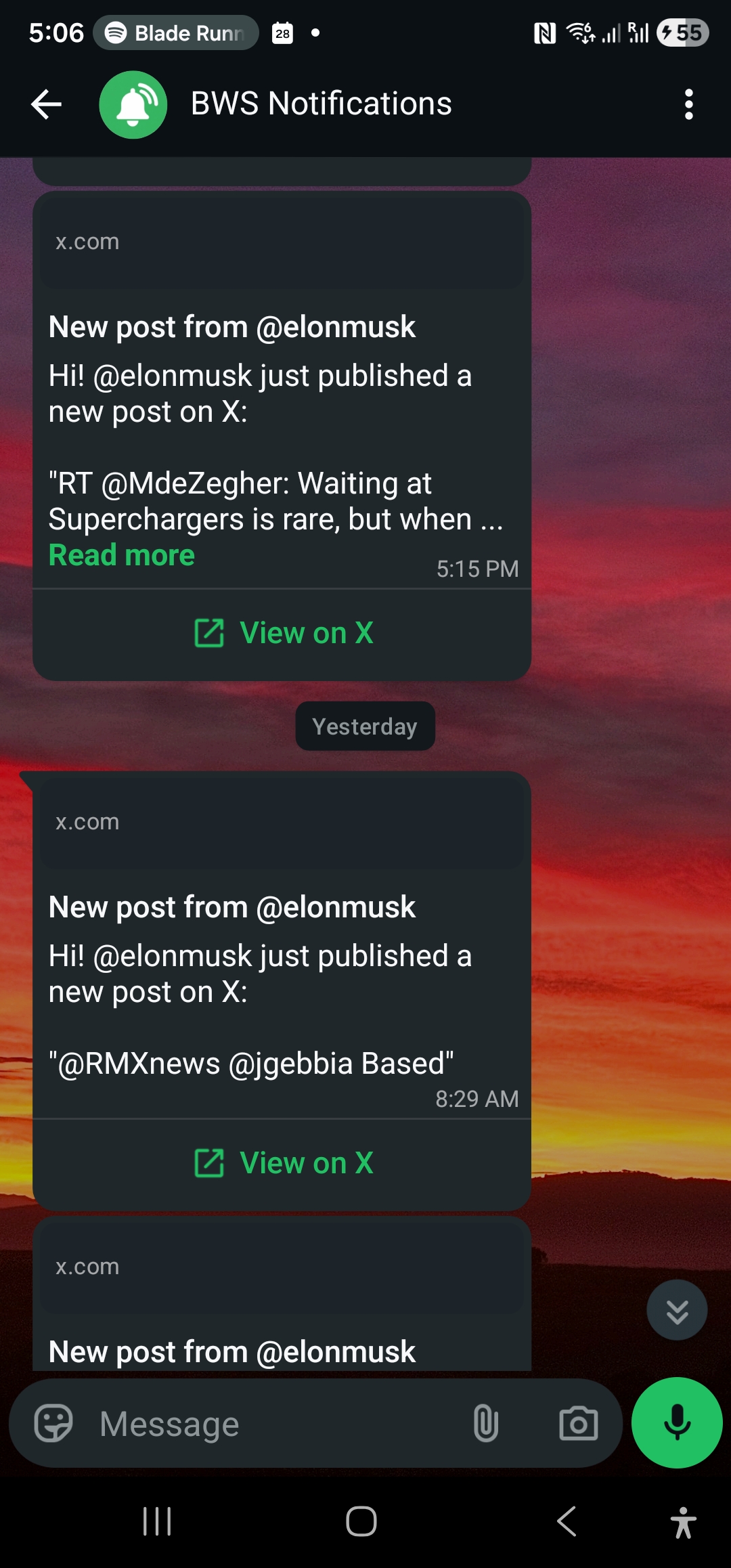
हमने @elonmusk के account से 1,000 alerts track किए दो weeks की period में, दोनों channels के लिए time-to-delivery measure करते हुए:
- WhatsApp: 3.2 seconds average, 98% under 10 seconds
- Email: 73 seconds average, 15% over 3 minutes
WhatsApp की consistency striking है। Email का variance unpredictability create करता है — आप assume नहीं कर सकते कि alert quickly arrive होगा normal conditions में भी।
Attention Pull: Digital Noise के बीच Break Through करना
Speed का कोई मतलब नहीं अगर alert आपका attention grab नहीं करता। यहाँ smartphone notification psychology matter करती है।
WhatsApp का unmatched attention-pulling power है। यह trigger करता है:
- Lock screen notification
- Banner alert (अगर unlocked है)
- App badge count
- Optional sound/vibration
- Persistent notification जब तक acknowledged न हो
Most users WhatsApp message receive करने के minutes में check करते हैं। Platform personal, urgent communication से associated है — आपका brain हर ping को potentially important treat करता है।
Email uphill attention battle fight करता है। Notifications enabled होने पर भी, email badges promotional messages, newsletters, और routine business correspondence के बीच lost हो जाते हैं। “Inbox zero” methodology जो many professionals use करते हैं alert fatigue create करती है — another email another task लगता है, urgent signal नहीं।
हमारे user surveys इस behavioral difference को confirm करते हैं:
- WhatsApp alerts: 89% read होते हैं 5 minutes में
- Email alerts: 54% read होते हैं 15 minutes में
WhatsApp read rate advantage time के साथ compound होता है। एक critical alert miss करना आपको more frequently check करने को train करता है, positive feedback loop create करके। Email का lower urgency perception opposite effect create करता है।
Quiet Hours और Do Not Disturb
Professional monitoring 5 PM पर stop नहीं होती। Market news, international developments, और global executive communications round the clock होते हैं। हर channel after-hours delivery को कैसे handle करता है?
WhatsApp system-level Do Not Disturb settings respect करता है लेकिन granular contact-based exceptions offer करता है। आप VIP contacts configure कर सकते हैं (WallaWhats sender number including) जो truly urgent alerts के लिए DND break कर सकें। यह आपको control देता है कि कब market-moving information आपको wake up करे versus morning तक wait करे।
Email typically quiet hours को automatically respect करता है — most users overnight email notifications enable नहीं करते। यह non-urgent monitoring के लिए beneficial हो सकता है लेकिन global markets या breaking news scenarios के लिए problematic जहाँ geographical time zones information timing से less matter करते हैं।
Key insight: WhatsApp आपको urgency handling में choice देता है। Email आपके लिए choice बना देता है non-interrupting delivery को default करके।
Search, Archive, और Historical Access
Long-term information management advantage email की तरफ flip करता है — important caveats के साथ।
Email searchable archives में excel करता है। Gmail, Outlook, और Apple Mail years के messages में powerful search offer करते हैं। आप three months ago का specific alert find कर सकते हैं natural language queries, date ranges, या sender filtering के साथ। Corporate email systems अक्सर broader information management workflows के साथ integrate होते हैं।
WhatsApp search functional है लेकिन limited। आप WallaWhats conversation thread के अंदर message history search कर सकते हैं, लेकिन advanced filtering और cross-reference capabilities email clients से lag करती हैं। Chat interface recency को archival depth पर prioritize करता है।
However, WallaWhats इस limitation को dashboard के notification history page और snapshot gallery के through address करता है। हर alert — delivery channel के regardless — searchable record create करता है with:
- Original tweet content और metadata
- Delivery timestamps और status tracking
- 30-day visual snapshots context के लिए
- External analysis के लिए export options
यह hybrid approach आपको WhatsApp के real-time advantages देता है web interface के through email-grade historical search के साथ।
Visual Content और Rich Formatting
Email rich content presentation के लिए decisively जीतता है। हर WallaWhats email alert include करता है:
- Original tweet का rendered PNG snapshot
- Proper preview generation के साथ clickable links
- Twitter styling preserved के साथ formatted text
- जहाँ available हो embedded media thumbnails
WhatsApp text-focused alerts deliver करता है original post को link करने वाले “View on X” button के साथ। यह design choice speed और message clarity को visual richness पर prioritize करता है। Notification essential information include करता है — sender handle, post text, और access link — image rendering और media embedding के overhead के बिना।
Most monitoring use cases के लिए, WhatsApp का minimal format sufficient है। आप keywords, sentiment, या market signals के लिए scan कर रहे हैं — full multimedia experiences consume नहीं कर रहे। लेकिन अगर visual context matter करता है (charts, screenshots, infographics), तो email superior presentation provide करता है।
जब Email Still जीतता है: Integration और Workflow
WhatsApp के real-time advantages के बावजूद, email कई professional scenarios के लिए superior रहता है:
Corporate integration workflows: Many organizations compliance logging, automated filing, या customer relationship management systems के साथ integration के लिए सभी external notifications को email के through route करते हैं। Email alerts Zapier workflows, Slack notifications, या custom database logging को WhatsApp messages की तुलना में more easily trigger कर सकते हैं।
Team distribution: Email natural forwarding और CC functionality को team-based monitoring के लिए support करता है। एक single WallaWhats email alert को stakeholders को forward किया जा सकता है, internal notes के साथ tag किया जा सकता है, या executive briefings में include किया जा सकता है। WhatsApp का personal-device-centric design team sharing को more friction-intensive बनाता है।
Advanced filtering और rules: Email clients sophisticated filtering rules offer करते हैं — specific X handles से alerts को designated folders में route करना, certain keywords को mobile SMS पर forward करना, या high-priority accounts को automatically flag करना। WhatsApp single conversation thread के रूप में operate करता है, organizational capabilities को limit करके।
Regulatory और audit requirements: Financial services, legal, और healthcare organizations को अक्सर specific formatting और retention policies के साथ notification audit trails require होती हैं। Email systems WhatsApp Business API logs की तुलना में enterprise compliance tools के साथ more readily integrate होते हैं।
Mix-and-Match Strategy
WallaWhats simultaneously दोनों channels को support करता है — आप one या other choose करने को forced नहीं हैं। Most professional users के लिए optimal strategy दोनों combine करती है:
Immediate action items के लिए WhatsApp: CEO announcements, breaking news, competitor product launches, earnings calls, regulatory filings। कुछ भी जहाँ minutes matter करते हैं।
Broader monitoring के लिए Email: Industry thought leaders, technical framework maintainers, policy researchers, academic sources। Information जो valuable है लेकिन immediately actionable नहीं।
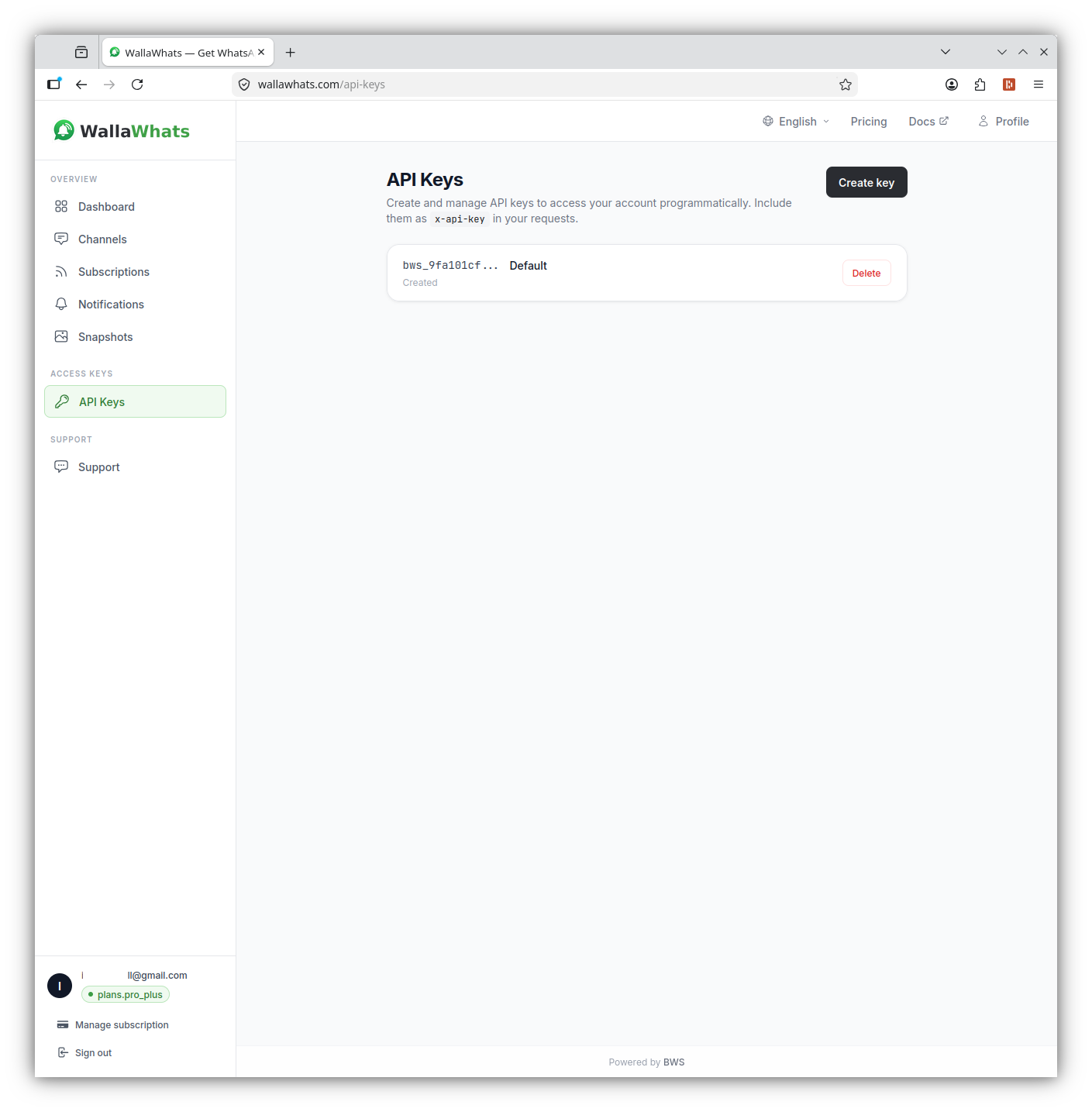
दोनों channels simultaneously enable किए जा सकते हैं, और API programmatic management को straightforward बनाता है:
# Email channel add करें
curl -X POST https://api.wallawhats.com/channels \
  -H 'x-api-key: your-api-key' \
  -H 'Content-Type: application/json' \
  -d '{"type": "email", "destination": "alerts@yourcompany.com"}'

# WhatsApp channel add करें
curl -X POST https://api.wallawhats.com/channels \
  -H 'x-api-key: your-api-key' \
  -H 'Content-Type: application/json' \
  -d '{"type": "whatsapp", "destination": "+1234567890"}'

# दोनों channels सभी subscription alerts receive करते हैं
curl -X POST https://api.wallawhats.com/subscriptions \
  -H 'x-api-key: your-api-key' \
  -H 'Content-Type: application/json' \
  -d '{"xUsername": "elonmusk"}'
Platform automatically हर alert को सभी verified channels पर fan out करता है — कोई per-subscription routing की जरूरत नहीं। यह simplicity complex configuration को avoid करती है जबकि आपको redundancy और consumption patterns में choice देती है।
Velocity Caps और Alert Storm Management
दोनों channels को WallaWhats के velocity cap system से benefit मिलता है, लेकिन experience अलग है:
जब आप hourly alert limit hit करते हैं (plan tier के depending पर 2-100 per hour), excess tweets buffer होकर digest summaries में every 15 minutes deliver होते हैं।
WhatsApp digest format clean और actionable रहता है — bullet-pointed summaries और individual “View” links के साथ single message। Mobile पर scan करना easy।
Email digest format better information density के लिए rich formatting leverage करता है — formatted tables, key tweets के लिए embedded snapshots, और अगर multiple accounts ने digest trigger किया हो तो X handle के अनुसार organized sections।
High-volume monitoring scenarios के लिए (20+ active accounts track करना), email का digest presentation multiple WhatsApp notifications से more efficient हो सकता है।
Platform Reliability और Redundancy
WhatsApp dependency risk: Meta entire WhatsApp infrastructure stack को control करता है। Global outages (October 2021 incident जैसे) temporarily सभी WhatsApp-based alerts को disable कर सकते हैं। Regional restrictions या policy changes service availability को impact कर सकते हैं।
Email infrastructure diversity: Email delivery multiple providers और protocols से होकर गुजरता है। While individual email servers fail हो सकते हैं, SMTP की distributed nature WhatsApp platform outages की तुलना में systemic email failures को less likely बनाती है।
Mission-critical monitoring के लिए, दोनों channels में redundancy single-platform failures के against insurance provide करती है। Incremental cost crucial information miss करने के risk के comparison में minimal है infrastructure incident के दौरान।
Data और Privacy Considerations
WhatsApp encryption: Messages WallaWhats और आपके device के बीच end-to-end encrypt होते हैं। Meta message content read नहीं कर सकता, though metadata (delivery timestamps, sender identification) service operation के लिए visible है।
Email transmission: Standard SMTP email servers के बीच unencrypted transmit होता है unless दोनों endpoints TLS support करें। However, major providers (Gmail, Outlook, corporate Exchange) encrypted delivery को default करते हैं। WallaWhats TLS enforcement के साथ AWS SES use करता है।
Data retention: दोनों channels minimal personal data store करते हैं। WhatsApp delivery logs only success/failure status और timestamps retain करते हैं। Email headers standard routing metadata include करते हैं लेकिन कोई personal profiling information नहीं।
Business monitoring use cases के लिए privacy profiles comparable हैं। WhatsApp का end-to-end encryption marginally better content protection provide करता है, लेकिन email के mature enterprise privacy controls corporate compliance requirements के लिए preferable हो सकते हैं।
Cost Structure और Scaling
WallaWhats pricing सभी tiers पर दोनों channels include करती है — WhatsApp access के लिए कोई premium नहीं। Operational costs scale पर differ करते हैं:
WhatsApp Business API costs (WallaWhats द्वारा absorbed) message volume के साथ linearly scale करते हैं। Meta per conversation initiated charge करता है, 24-hour windows के अंदर message count के regardless।
Email delivery costs high volumes पर more efficiently scale करते हैं। AWS SES pricing monthly volume increase होने पर per-message costs decrease करती है।
Enterprise tier के 3,000 monthly alerts approach करने वाले users के लिए, यह cost structure difference pricing को impact नहीं करता, लेकिन platform की long-term sustainability और feature development priorities को influence करता है।
Decision लेना
Optimal channel choice आपकी monitoring priorities पर depend करता है:
WhatsApp choose करें जब:
- Speed presentation से more matter करती है (trading, breaking news, crisis management)
- Personal attention और immediate action required है
- Mobile-first workflow आपके response pattern पर dominate करता है
- Alert volume moderate है (under 100 per day)
Email choose करें जब:
- Existing business workflows के साथ integration essential है
- Team distribution और forwarding common हैं
- Rich visual content और formatting value add करते हैं
- Compliance या audit trails को standard email formatting require होती है
- High alert volume digest presentation से benefit करता है
दोनों choose करें जब:
- Different types की monitoring में different urgency profiles हैं
- Platform outages के against redundancy dual setup justify करती है
- Team workflows email से benefit करती हैं while personal alerts WhatsApp prefer करती हैं
Market-relevant X accounts monitor करने वाले most professional users के लिए, hybrid approach speed और workflow integration दोनों को maximize करता है। WhatsApp ensure करता है कि आप कभी time-sensitive signals miss न करें, while email broader organizational use के लिए professional formatting और distribution capabilities provide करता है।
Real-World Test
Channel difference understand करने का best way direct comparison है। Same high-activity X account (जैसे developer updates के लिए @vercel या business insights के लिए @naval) को दोनों channels पर एक week के लिए monitor करें। Note करें कि आप actually किन alerts पर act करते हैं, कितनी quickly आप उन्हें देखते हैं, और कौन सा format आपके decision-making workflow में better fit करता है।
Most users discover करते हैं कि channel preference context के साथ correlate करती है — personal signal detection के लिए WhatsApp, professional information processing के लिए email। Simultaneously दोनों use करने की ability choosing one approach की artificial constraint को remove करती है।
कभी भी important post miss न करें। Free account create करें — 1 WhatsApp number, real-time alerts, कोई credit card required नहीं।
लेखक के बारे में
Nacho Coll
Founder & Engineer at WallaWhats
Nacho founded WallaWhats so you get the alerts that matter without depending on X's algorithm to surface them — pick the accounts you care about and get a WhatsApp for every post the moment it goes live, in order, nothing throttled or buried. Writes about real-time notification systems, social-signal monitoring, and serverless delivery pipelines from the operator side of the wire.