WhatsApp पर X (Twitter) Post Alerts पाएं — Apps के बिना Accounts Track करने का तरीका
कोई भी जरूरी X post कभी miss न करें। WALLAWHATS नए tweet के सेकंड्स बाद alerts सीधे WhatsApp पर deliver करता है — कोई X app नहीं, कोई feed algorithm नहीं।
 द्वारा Nacho Coll
Nacho founded WallaWhats so you get the alerts that matter without depending on X's algorithm to surface them — pick the accounts you care about and get a WhatsApp for every post the moment it goes live, in order, nothing throttled or buried.
X एक algorithmic timeline के चारों ओर बनाया गया है जो casual browsing के लिए optimized है — आपका feed reorder, rank और de-duplicate हो जाता है इस आधार पर कि algorithm सोचता है आप किस चीज़ से engage करेंगे। यह general-purpose social media के लिए सही design है, लेकिन यह गलत design है जब आपको specifically जानना हो कि कोई particular account कब post करता है। जिस signal के लिए आप आए थे, वह उन सभी चीज़ों के साथ space share करता है जो attention के लिए compete कर रही हैं।
क्या होगा अगर उन accounts से updates जिनकी आपको actually care है, seconds में WhatsApp पर deliver हो जाएं — वह messaging app जिसे आप पूरे दिन check करते रहते हैं? यही WallaWhats करता है: यह उन public X accounts को monitor करता है जिन्हें आपने subscribe किया है और नई post live होने के seconds बाद WhatsApp alert भेजता है। कोई नया app नहीं, loop में कोई feed algorithm नहीं, बस वह signal जिसके लिए आप आए थे।
X Alerts के लिए WhatsApp क्यों?
WhatsApp reliability और accessibility के intersection पर बैठता है। Email के विपरीत (जो buried हो जाती है) या push notifications के विपरीत (जो ignore हो जाते हैं), WhatsApp messages की unmatched open rate है। आप पहले से ही दिन में कई बार WhatsApp check करते हैं, जो इसे time-sensitive information के लिए perfect delivery channel बनाता है।
इन scenarios पर विचार करें:
- Journalists major events के दौरान breaking news sources को track करना
- Traders market-moving announcements के लिए key financial accounts को monitor करना
- Executives competitor updates और industry leaders पर नजर रखना
- Developers critical security patches के लिए framework maintainers को follow करना
हर case में, information की timing X ecosystem के भीतर consume करने से ज्यादा important है। आपको alert, context, और act करने की ability चाहिए — algorithmic feed के through endless scroll नहीं।
WALLAWHATS कैसे काम करता है: @handle से WhatsApp Alert तक
Process refreshingly simple है:
- किसी भी public X account को उनके @handle का use करके Subscribe करें
- अपना WhatsApp number एक one-time code के साथ Verify करें
- जब वह account post करे तो instant alerts Receive करें
Behind the scenes में, WALLAWHATS आपके subscribed accounts को real-time में monitor करता है। जब कोई नई post detect होती है, service content को extract करती है, mobile reading के लिए format करती है, और seconds के अंदर आपके verified WhatsApp number पर deliver करती है।
हर alert में include होता है:
- Full tweet text
- Account name और handle
- Original post का direct link
- Reference के लिए timestamp
Email alerts में tweet snapshots भी include होते हैं — post के rendered PNG previews जो images, videos, और thread context को inline show करते हैं, हर plan पर। Snapshots WhatsApp messages में attached नहीं होते लेकिन dashboard पर 30-day gallery में भी browsable होते हैं।
Step-by-Step Setup: First Alert तक 3 Minutes
Step 1: अपना Account Create करें
wallawhats.com/signup पर visit करें और अपना authentication method choose करें। WALLAWHATS passwordless login use करता है — आप इनमें से किसी भी तरीके से authenticate कर सकते हैं:
- WhatsApp OTP: WhatsApp message के through 6-digit code receive करें
- Email OTP: अपने inbox में 6-digit code receive करें
ज्यादातर users WhatsApp authentication prefer करते हैं क्योंकि यह automatically आपका number alerts receive करने के लिए verify कर देता है।
Step 2: अपना First Subscription Add करें
Log in करने के बाद, आपको dashboard दिखेगा जहां आप monitored accounts add कर सकते हैं। बस कोई भी public X handle enter करें:
@elonmuskTesla/SpaceX updates के लिए@federalreservemonetary policy announcements के लिए@vercelplatform updates के लिए@your_competitorproduct-launch announcements के लिए
System validate करता है कि account exist करता है और publicly accessible है, फिर इसे आपकी monitoring list में add करता है।
Step 3: अपना WhatsApp Number Verify करें
आपका first alert deliver होने से पहले, आपको अपना WhatsApp number verify करना होगा। WALLAWHATS आपके phone पर WhatsApp message के through verification code भेजता है। Dashboard में यह code enter करके अपना number confirm करें।
यह verification step ensure करता है कि alerts correct recipient तक पहुंचें और spam को prevent करता है। हर WhatsApp number को individually verify करना होगा, और आप higher-tier plans के under multiple verified numbers add कर सकते हैं।
अपने Setup को Test करना
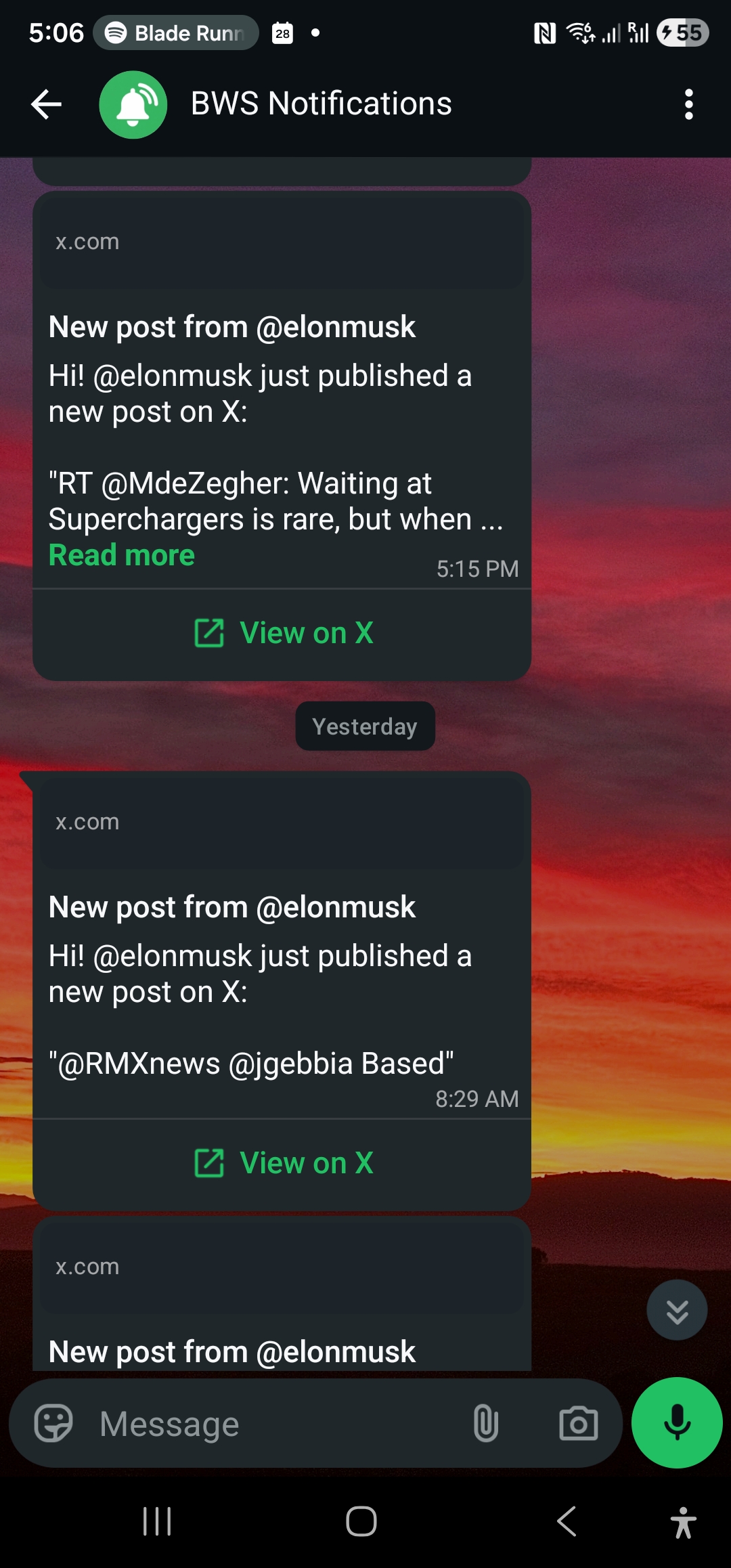
यह confirm करने के लिए कि सब कुछ काम करता है, कोई active account find करें जो frequently post करता है और इसे subscription के रूप में add करें। उनकी next post के minutes के अंदर, आपको WhatsApp alert receive करना चाहिए। Message format कुछ इस तरह दिखता है:
🐦 @username posted:

[Tweet content here]

Posted at 2:34 PM
View: https://x.com/username/status/123...
Pricing: Free Monitoring से Enterprise Scale तक
WALLAWHATS अलग-अलग use cases के लिए design किए गए पांच pricing tiers offer करता है:
Free Plan ($0/month)
- 1 WhatsApp number, 2 monitored X accounts
- 3 alerts per month
- 2 alerts/hour velocity cap
- Tweet snapshots in email + 30-day gallery
- Service try करने के लिए perfect
Pro Plan ($5/month)
- 1 WhatsApp number, 3 monitored X accounts
- 50 alerts per month
- 5 alerts/hour velocity cap
- Tweet snapshots in email + 30-day gallery
- Email notifications included
- Email support
Pro+ Plan ($12/month)
- 1 WhatsApp number, 10 monitored X accounts
- 250 alerts per month
- 15 alerts/hour velocity cap
- Tweet snapshots in email + 30-day gallery
- Email support
Business Plan ($29/month)
- 3 WhatsApp numbers, 20 monitored X accounts
- 1,000 alerts per month
- 30 alerts/hour velocity cap
- Tweet snapshots in email + gallery
- Priority support
Enterprise Plan ($99/month)
- 10 WhatsApp numbers, 50 monitored X accounts
- 3,000 alerts per month
- 100 alerts/hour velocity cap
- Tweet snapshots in email + gallery
- Priority support with SLA
सभी plans में REST API access include है (key counts tier के साथ scale करते हैं — Free/Pro पर 1 से Enterprise पर 20 तक)। सभी plans में email notifications और dashboard का notification history include है।
Advanced Features: API Access और Notification Routing
Developers और organizations के लिए जिनकी specific integration needs हैं, WALLAWHATS https://api.wallawhats.com पर REST API offer करता है। API subscriptions, notification channels, और delivery history के programmatic management को enable करता है।
API Authentication
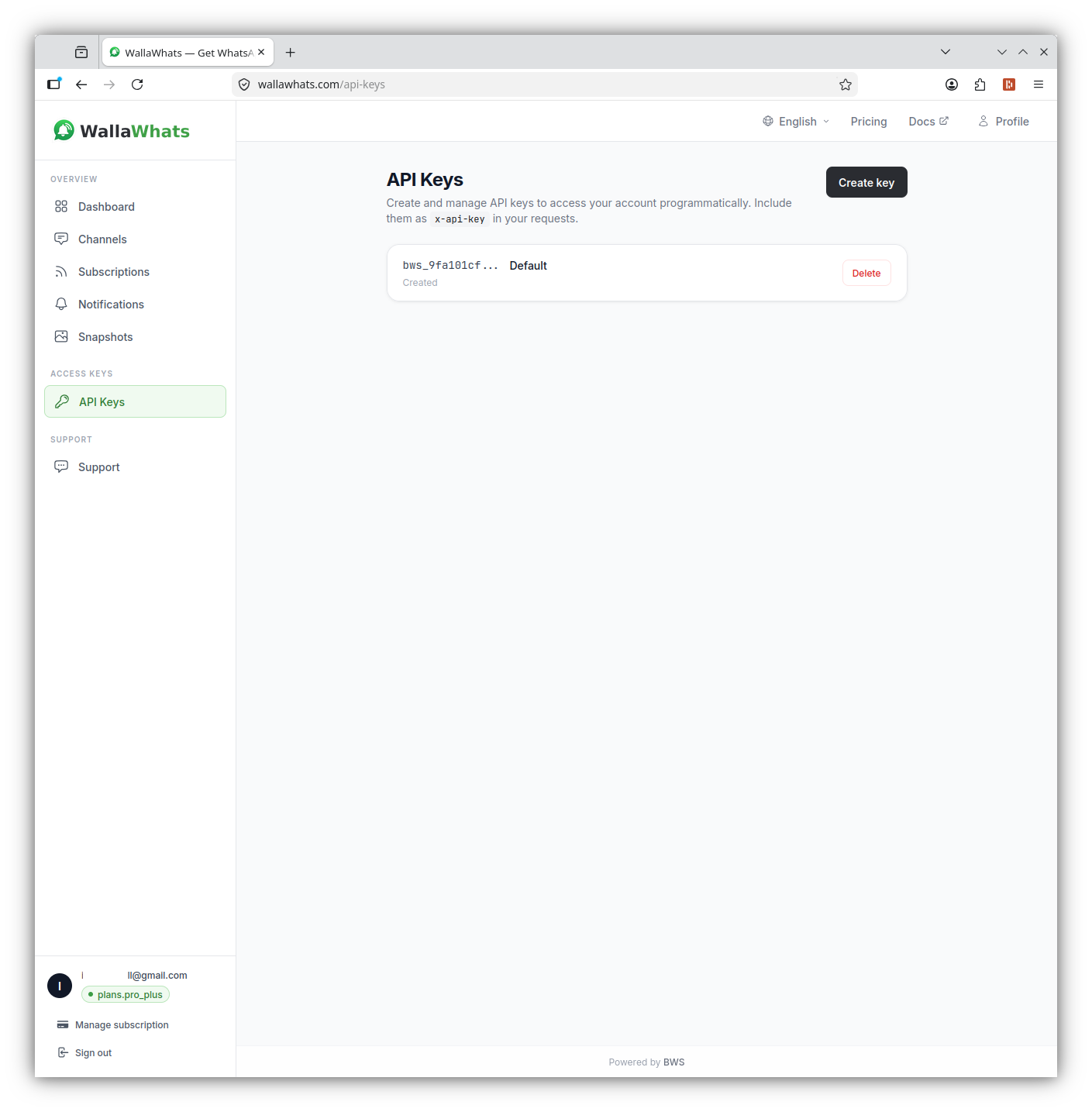
सभी API requests API key के साथ authenticate करते हैं जो x-api-key header में send होती है। अपने dashboard के API Access page से keys generate करें:
curl -H "x-api-key: YOUR_API_KEY" \
     https://api.wallawhats.com/subscriptions
API के through Subscriptions Manage करना
Subscriptions को programmatically add, list, और remove करें:
# Add a new subscription
curl -X POST https://api.wallawhats.com/subscriptions \
  -H "x-api-key: YOUR_API_KEY" \
  -H "Content-Type: application/json" \
  -d '{ "xUsername": "elonmusk" }'

# List all active subscriptions
curl -H "x-api-key: YOUR_API_KEY" \
     https://api.wallawhats.com/subscriptions

# Remove a subscription (use the X handle, not an internal ID)
curl -X DELETE https://api.wallawhats.com/subscriptions/elonmusk \
  -H "x-api-key: YOUR_API_KEY"
Channels और delivery
एक बार जब आप अपना WhatsApp number verify कर लेते हैं (और optionally कोई email address), हर subscription से हर alert आपके सभी enabled और verified channels पर fan out होता है। कोई per-subscription routing नहीं है — instead आप dashboard के Channels page पर हर destination को enable या disable करके delivery को globally control करते हैं।
ज्यादातर users के लिए यह simpler model है: flight के दौरान WhatsApp pause करने के लिए एक जगह, big launch से पहले email backup add करने के लिए एक जगह।
Abuse Controls और Rate Limiting
कुछ X accounts bursts में post करते हैं — events के दौरान live-tweeting या rapid-fire thread posting सोचिए। Notification spam को prevent करने के लिए, WALLAWHATS intelligent velocity controls implement करता है:
Per-Plan Velocity Caps
हर plan का rolling 60-minute alert cap होता है जो आपको notification floods से protect करता है (और आपके monthly quota को single tweetstorm से drain होने से protect करता है):
- Free: 2 alerts/hour
- Pro: 5 alerts/hour
- Pro+: 15 alerts/hour
- Business: 30 alerts/hour
- Enterprise: 100 alerts/hour
Cap एक single per-user counter है, per-account नहीं, इसलिए यह तब kick in होता है जब आपका कोई भी monitored handle burst में post करता है।
Digest Batching
जब velocity cap exceed हो जाता है, subsequent tweets live send करने के बजाय buffer हो जाते हैं। हर 15 minutes में एक flusher buffer को sweep करता है और (आप, X handle) के per एक digest message emit करता है। Twitter storm के दौरान 15 individual WhatsApp messages के बजाय, आपको मिलता है:
🐦 @username posted 8 more times in the last hour:

• Tweet 1 preview...
• Tweet 2 preview...
• Tweet 3 preview...
[+5 more]

View all: https://x.com/username
यह approach आपके phone को overwhelm किए बिना awareness maintain करता है, जबकि still ensure करता है कि आप activity के initial burst को miss न करें।
Notification History और Delivery Tracking
WALLAWHATS के through भेजा गया हर alert detailed delivery status के साथ log होता है। आपके dashboard के notification history में, आप देख सकते हैं:
- Queued: Alert generate होकर delivery के लिए queue हुई
- Sent: WhatsApp / email provider को dispatch हुई
- Delivered: आपके device द्वारा receive confirmed
- Read: Recipient द्वारा open की गई (केवल WhatsApp, और केवल तभी जब recipient के read receipts enabled हों)
- Failed: Delivery attempt fail हुई
यह tracking delivery issues troubleshoot करने और आपके notification patterns को understand करने के लिए invaluable है। API इस data को monitoring systems के साथ integration के लिए भी expose करती है:
curl -H "x-api-key: YOUR_API_KEY" \
     "https://api.wallawhats.com/notifications?from=1709251200000&to=1711929599000"
Notification list date range और next page के लिए base64 lastKey cursor से paginate होती है; status filtering client-side की जाती है।
Alternatives Compare करना: RSS, Email, और Other Solutions
WALLAWHATS से पहले, X accounts के साथ current रहने का मतलब कई imperfect solutions में से choose करना था:
RSS Feeds
कई X accounts RSS feeds offer नहीं करते, और जब करते हैं, तो updates hours से delay हो सकते हैं। RSS dedicated feed reader apps की भी जरूरत होती है जिन्हें ज्यादातर लोग regularly check नहीं करते।
Scheduled email digests
Google Alerts और IFTTT email summaries जैसे tools हर कुछ hours में matches को roll up करते हैं, जो keyword tracking के लिए fine है लेकिन time-sensitive edge खो देता है। WALLAWHATS email को channel के रूप में offer करता है — बस real time में deliver होता है, per-tweet, WhatsApp के साथ-साथ (या instead of)।
X के native notifications
X का notification system casual feed-watching के लिए design किया गया है: यह algorithm के द्वारा batch, reorder, और prioritise करता है। आपके follow करने वाली सभी चीज़ों के साथ up रहने के लिए great है, लेकिन trade-off यह है कि specific account के लिए moment-of-posting signal guarantee नहीं है कि surface होगा।
Push notification apps
Third-party X clients native API के top पर push routing की layer add करते हैं। वे काम करते हैं, लेकिन वे install करने के लिए another app हैं और another service है जो X की public API surface पर depend करती है जो अपनी current shape को support करना continue रखे।
WALLAWHATS इन issues को solve करता है:
- WhatsApp पर deliver करके, एक app जिसे आप पहले से daily use करते हैं
- Near real-time deliver करके — seconds, hours नहीं, जब post publicly visible है
- X के notification system से independently काम करके
- App switching के बिना multiple accounts को support करके
- Status tracking के साथ reliable delivery offer करके
Use cases: breaking news से product launches तक
Journalism और Media Monitoring
News X पर कहीं और से पहले break होती है। Journalists WALLAWHATS use करते हैं monitor करने के लिए:
- Government officials और agencies को policy announcements के लिए
- Emergency services को developing situations के लिए
- अपने beat areas में key sources को
- Competitor publications को story alerts के लिए
WhatsApp alerts का speed advantage story break करने और किसी और के scoop को follow up करने के बीच difference हो सकता है।
Financial और Trading Applications
Financial markets public statements पर quickly react करते हैं। Traders और analysts follow करते हैं:
- Central bank officials को monetary policy hints के लिए
- Company executives को earnings guidance के लिए
- Financial news accounts को market-moving stories के लिए
- Regulatory agencies को policy changes के लिए
Interest rates पर Fed governor के tweet को तब catch करना जब वह still fresh है — rather than जब यह already तीन news articles में quote हो चुका हो — day के price action को read करने का तरीका change कर सकता है।
Competitor announcements Track करना
Businesses competitors और industry leaders को X पर follow करते हैं public, on-the-record announcements के aware रहने के लिए:
- Product launches और feature reveals
- Pricing या packaging changes
- Partnership और acquisition news
- Open positions और team-growth posts
ये सभी चीज़ें हैं जिन्हें company ने publicly announce करना choose किया। इन्हें उस messaging app में get करना जिसे आप पूरे दिन check करते हैं, का मतलब है कि आप days बाद catch up नहीं कर रहे जब कोई आपको screenshot forward करता है।
Developer और Technical Monitoring
Tech community heavily X use करती है updates share करने के लिए। Developers monitor करते हैं:
- Framework maintainers को security patches के लिए
- Platform providers को service status के लिए
- Industry leaders को technical insights के लिए
- Open source projects को release announcements के लिए
Critical security update पर prompt heads-up same hour patch करने और next morning patch करने के बीच difference हो सकता है।
Privacy और data handling
WallaWhats सिर्फ public X accounts से content को उन destinations पर relay करता है जिन्हें recipient ने explicitly verify किया है। Subscriptions opt-in हैं; हर WhatsApp number और email address कोई भी alert land कर सके इससे पहले one-time code के साथ खुद को confirm करता है।
Tweet content indefinitely नहीं रखा जाता। Tweet snapshots — rendered PNG previews जो हर plan पर include होते हैं — 30 days के लिए retain होते हैं, जिसके बाद bucket lifecycle से delete हो जाते हैं। अगर कोई post X से remove हो जाती है (author द्वारा delete या X withhold करता है), WallaWhats 24 hours के अंदर उस removal को mirror करता है, X की Developer Policy के line में। Notification metadata (sender, timestamp, delivery status) troubleshooting के लिए रखा जाता है लेकिन snapshots roll off हो जाने के बाद post body include नहीं करता।
Phone numbers और email addresses first use से पहले verify होते हैं और platform-standard encryption at rest के साथ store होते हैं। WallaWhats user data या monitored-account lists को third parties के साथ share नहीं करता, और tweet content कभी X के outside advertising targeting के लिए या AI model training के लिए use नहीं होता।
दोनों delivery channels (WhatsApp और email) messaging providers के अपने encryption-in-transit standards पर ride करते हैं।
आज ही Getting Started
WallaWhats setup करने में पांच minutes से कम लगते हैं और X के साथ keep up करने का तरीका change हो जाता है। Feed के आपकी चाह को surface करने पर rely करने के बजाय, आपको वे specific posts मिलेंगे जिन्हें आपने monitor करने के लिए opt in किया है — उस messaging app पर deliver होकर जिसे आप पहले से पूरे दिन check करते हैं।
Free plan एक important account के साथ service test करने के लिए enough alerts provide करता है। ज्यादातर users Pro ($5/month) में upgrade करते हैं जब वे WhatsApp पर deliver होने वाली real-time, reliable X monitoring की value experience करते हैं।
Teams और organizations के लिए, Business और Enterprise plans multiple verified numbers, higher alert volumes, और custom integrations के लिए API access offer करते हैं। Notification history और delivery tracking वह transparency provide करते हैं जो email alerts और RSS feeds simply match नहीं कर सकते।
कभी कोई important post miss न करें। Free account create करें — 1 WhatsApp number, real-time alerts, कोई credit card required नहीं।
लेखक के बारे में
Nacho Coll
Founder & Engineer at WallaWhats
Nacho founded WallaWhats so you get the alerts that matter without depending on X's algorithm to surface them — pick the accounts you care about and get a WhatsApp for every post the moment it goes live, in order, nothing throttled or buried. Writes about real-time notification systems, social-signal monitoring, and serverless delivery pipelines from the operator side of the wire.